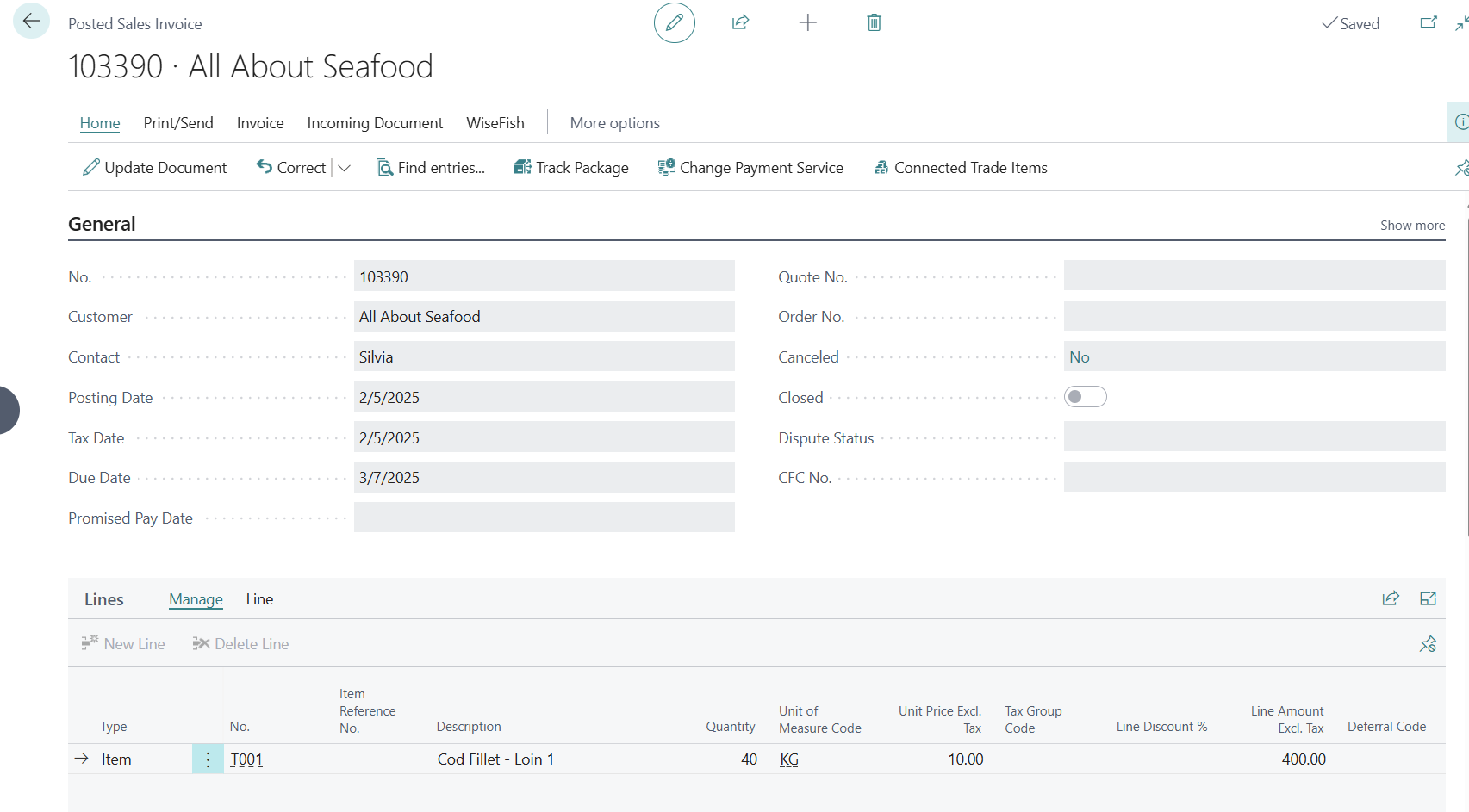
When the Delivery Agreement Line has been fully allocated against the processed purchase, the Sales Invoice can be created.
To create a Sales Invoice:
-
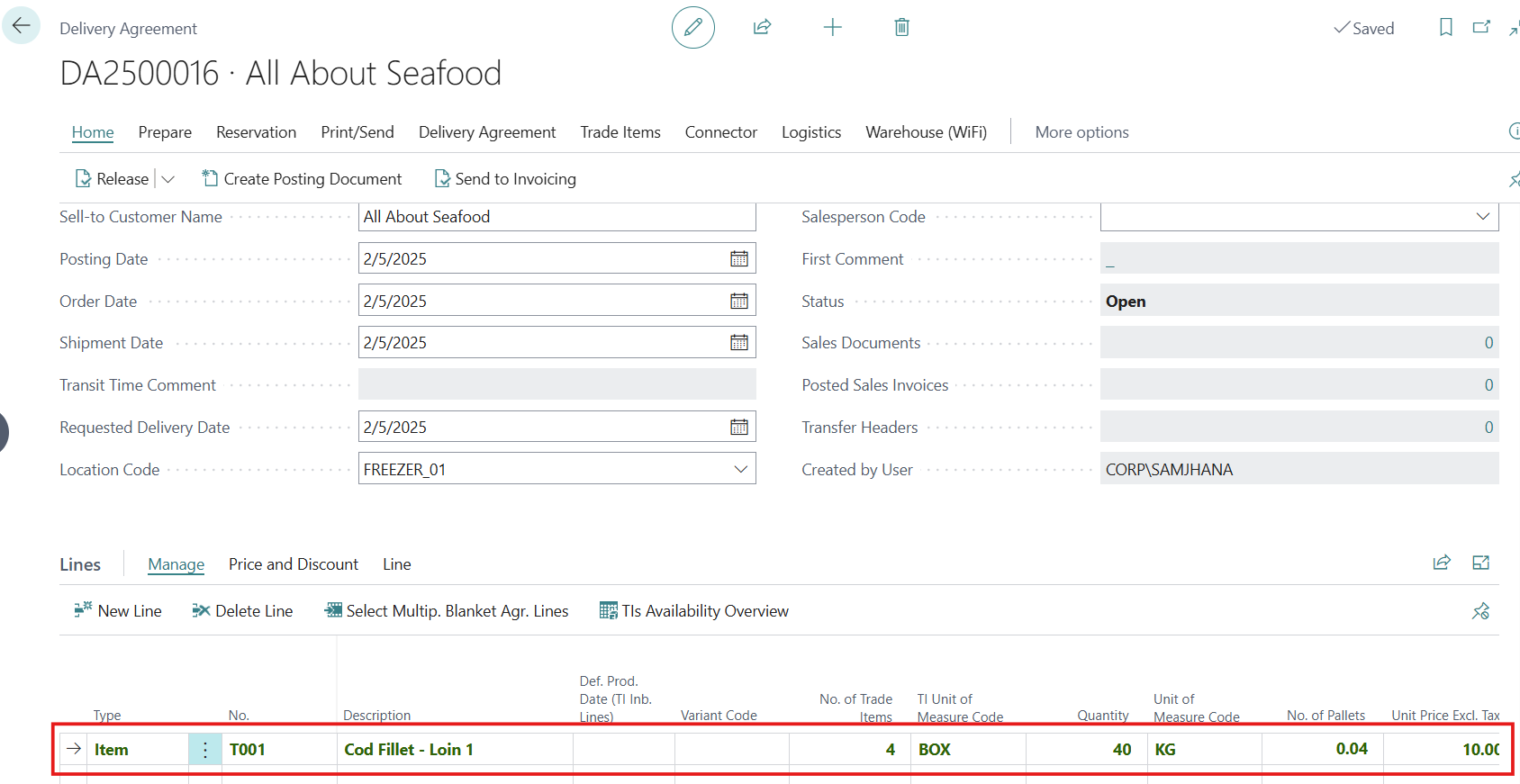
Open the Delivery Agreement allocated to the Receipt Agreement for which the Purchase Invoice has been posted.
-
Delivery Agreement Detail page will appear, the allocated Delivery Agreement Line is highlighted in bold green.
-
Click on Home>Release button to Release the Agreement.
-
Click on Creating Posting Document
-
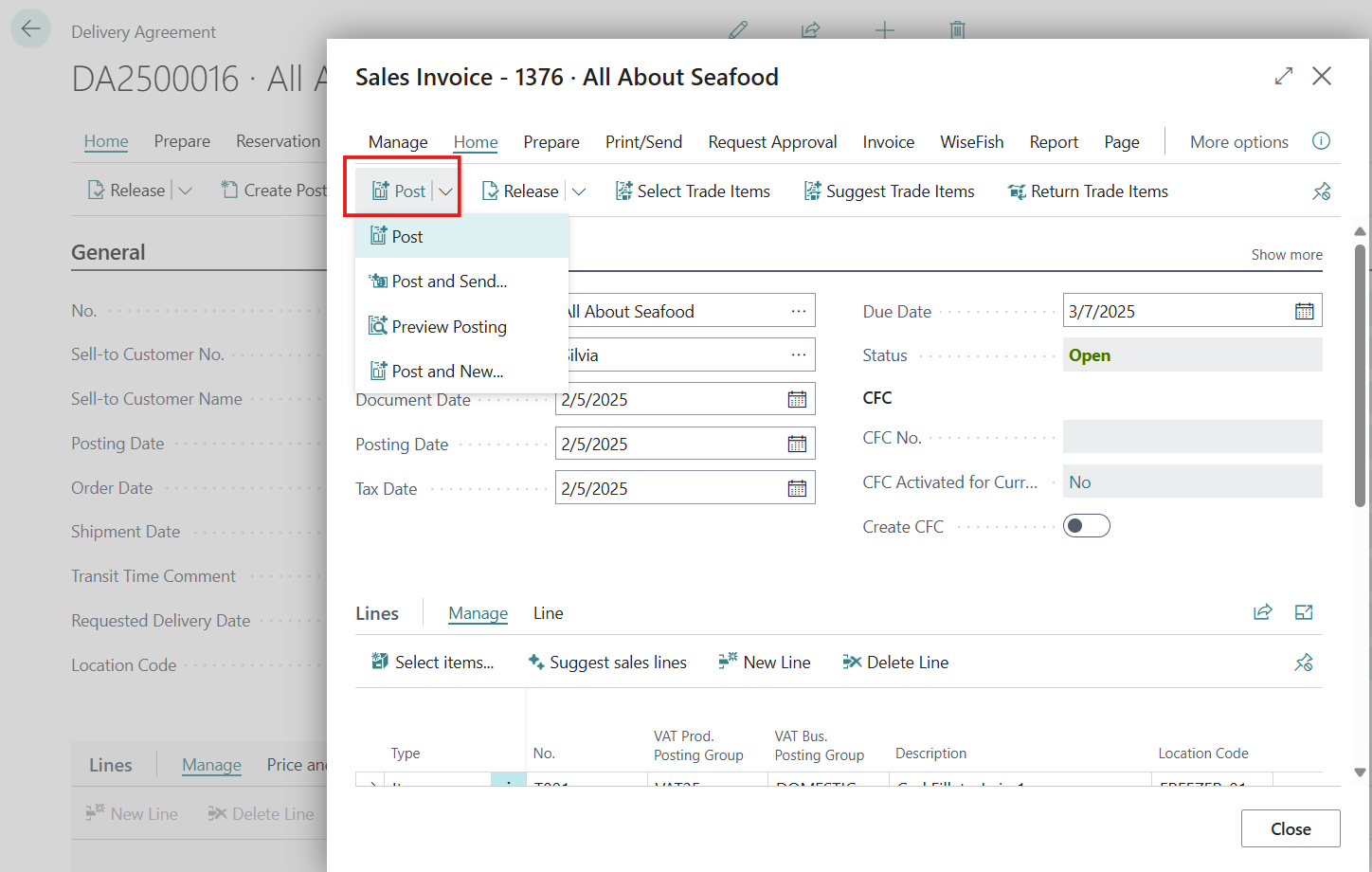
Sales Invoice is created and the Document is now Ready for Invoicing.
-
Click on Post action to create the Posted Sales Invoice.
-
The Posted Sales Invoice is created.