
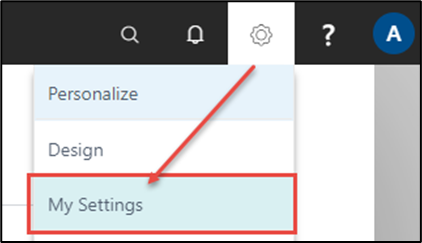
In the upper-right-hand corner of the browser there is a Settings icon where the user interface is preset.
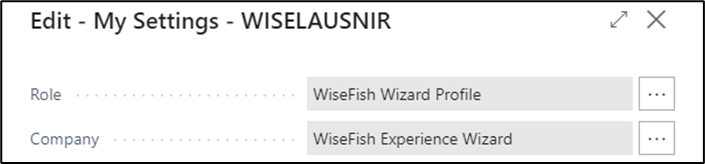
The fields “Role” and “Company” under “My Settings” should be set to the following settings:
Activate the action “WiseFish Experience Wizard”, seen at the top-left on the Home Page, to start.
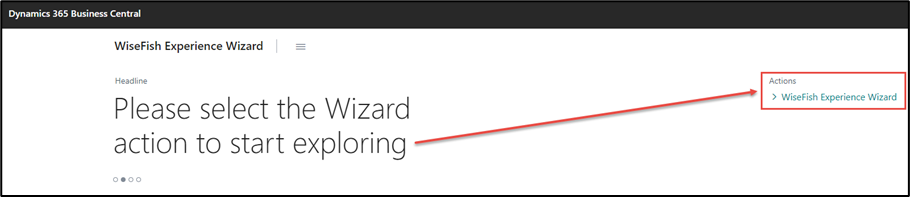
The WiseFish Experience Wizard opens, where the entire process is run – step by step.