
Wisefish Base
Release Date:
What’s New that Needs Your Attention
Wisefish Reports Standardization
A mandate has been introduced to ensure all Wisefish reports follow a consistent format, with a focus on improved quality, reduced errors, and enhanced usability. As part of this initiative, the most widely used reports are being updated in phases based on priority. In this release, the priority Purchase Reports and Packing Reports are included.
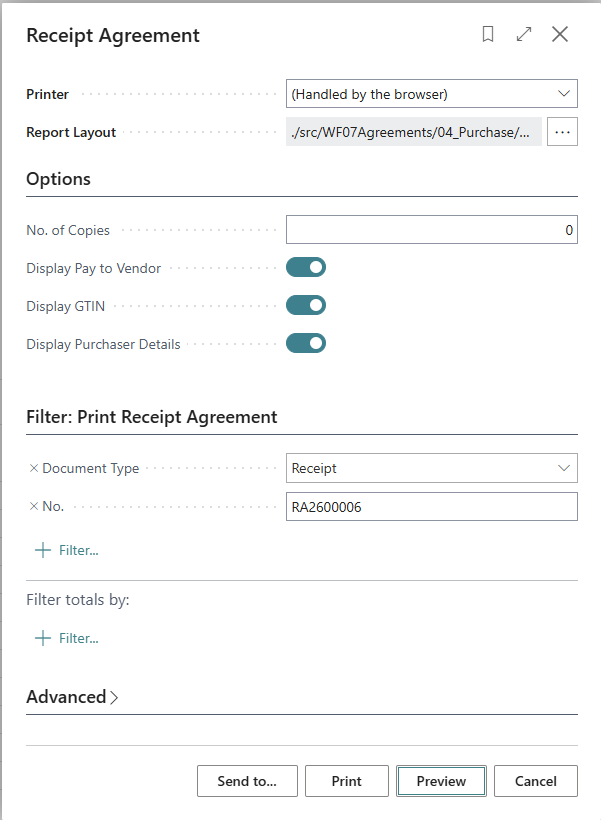
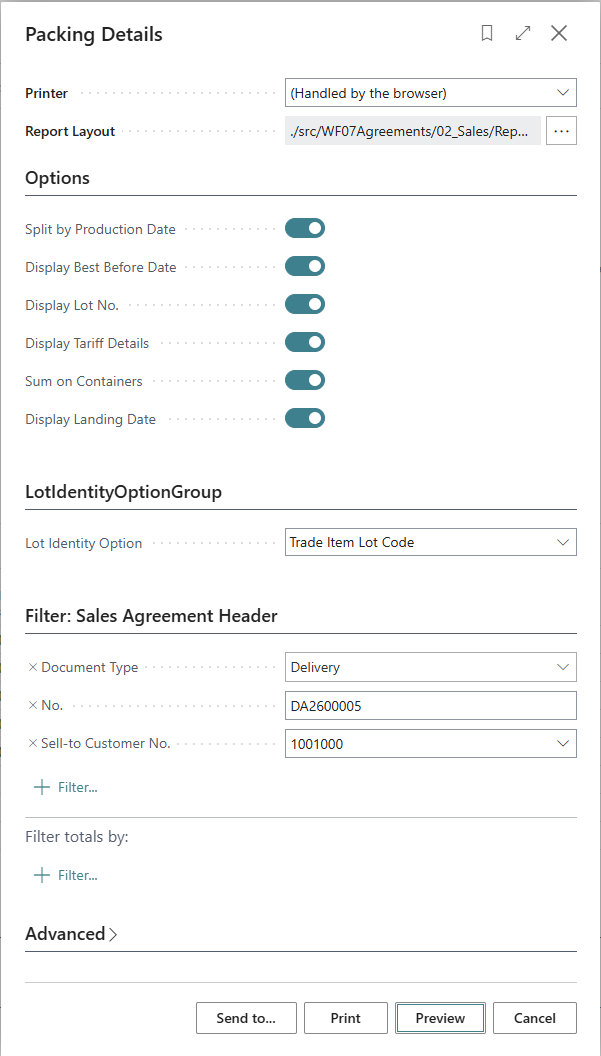
A new standard report layout and a unified set of guidelines have been established for all standard reports. Filter dialogs have been streamlined by removing unused fields, renaming fields for clarity, and standardizing them across similar reports to ensure consistency in both structure and formatting.
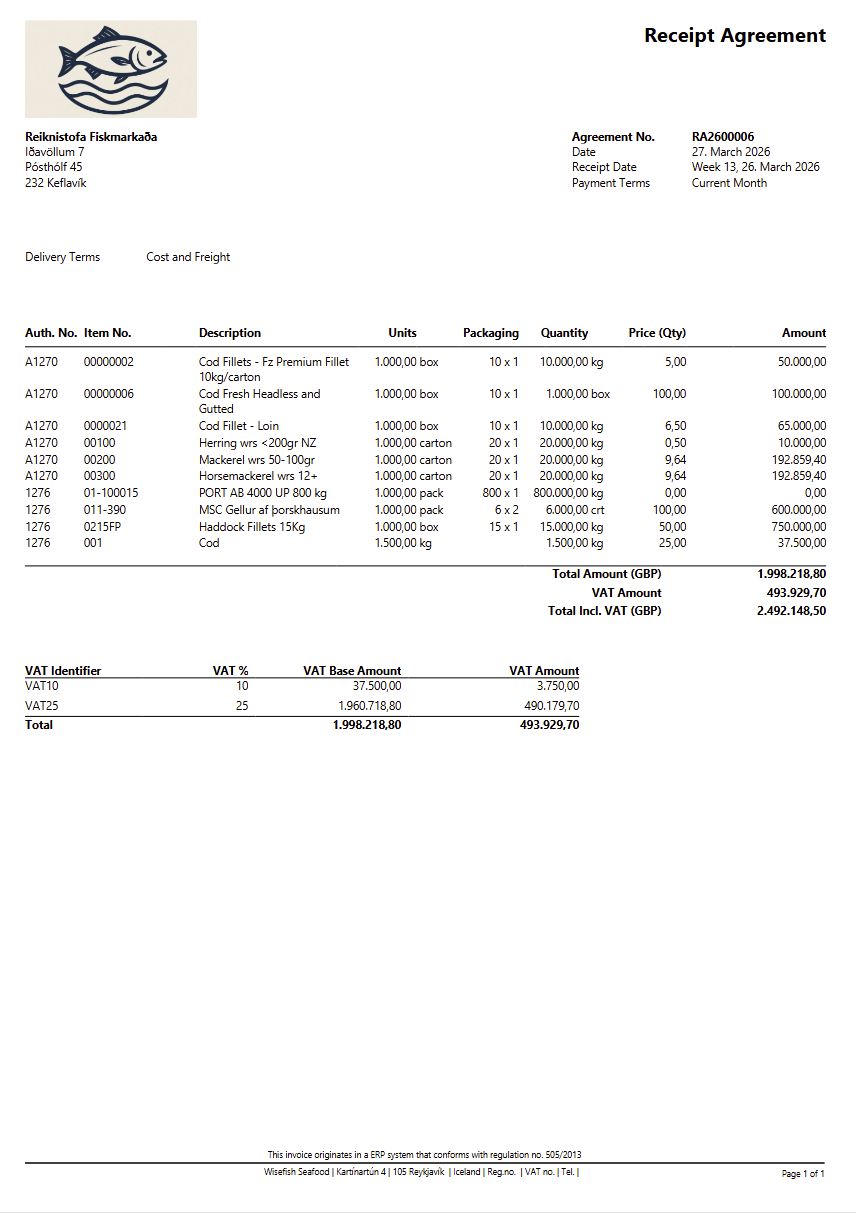
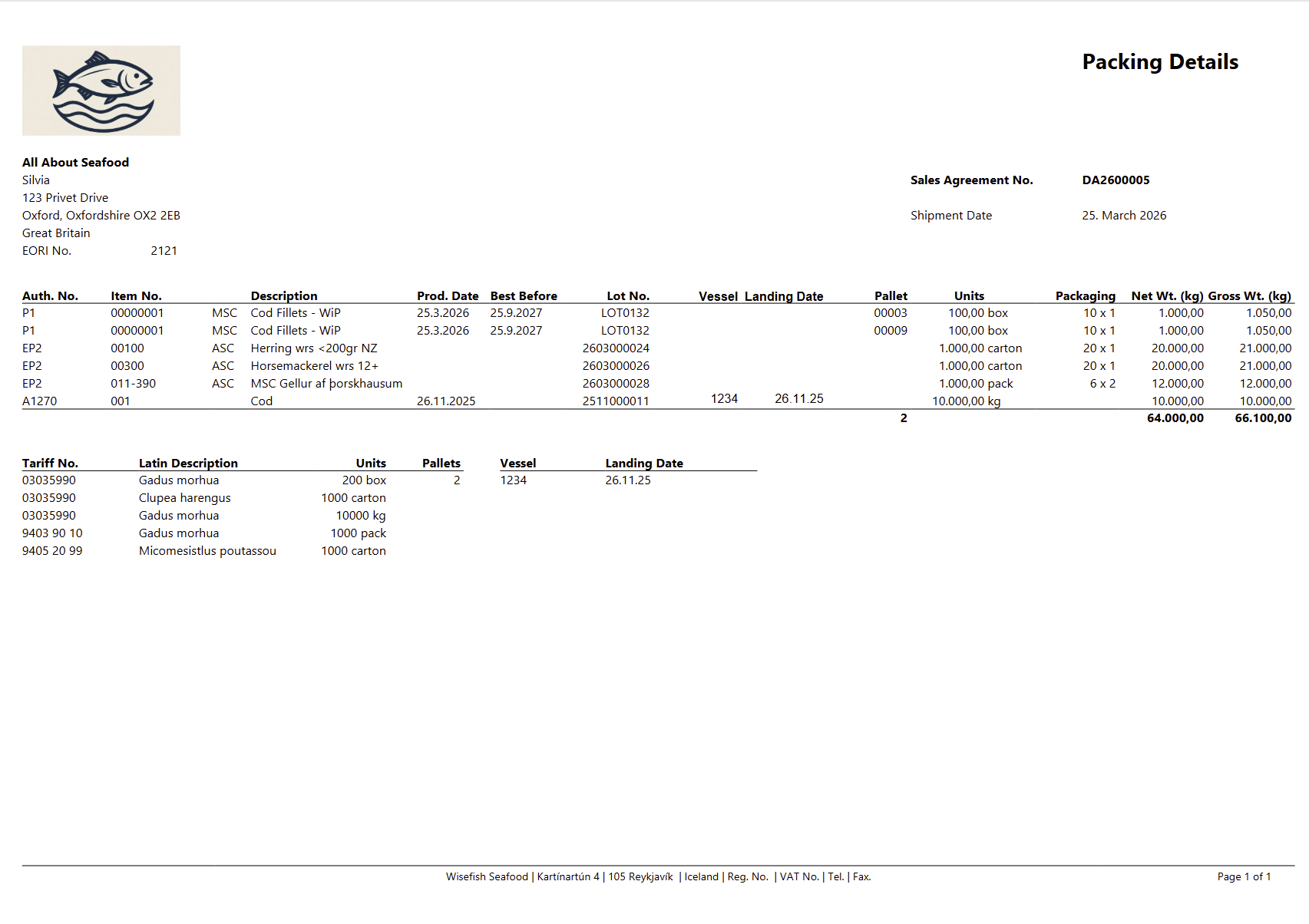
The reports themselves have been enhanced with consistent headers and footers across all reports. Column names have been revised to be more meaningful and have been reformatted to improve readability. Known issues have been addressed, and the overall design has been updated to make the reports more intuitive and user-friendly.
Each new report is assigned a unique Report ID. Over time, legacy reports will be phased out as customers transition to the new standardized versions.
|
Old Name |
Old Report Id |
New Name |
New Report Id |
|---|---|---|---|
|
Packing List Report |
10005402 |
Packing Details Report |
10005403 |
|
Purchase Invoice Report |
10004702 |
Purchase Invoice Report |
10004706 |
|
Purchase Agreement Report |
10005301 |
Receipt Agreement Report |
10005309 |
Examples of New Reports:
New Receipt Agreement Report Filter Dialog:
New Receipt Agreement Report:
New Packing List Report Filter Dialog:
New Packing List Report:
Enhancements:
-
Enhance Trade item inventory report to show whole inventory.
The Trade Item Inventory Report has been enhanced to provide greater visibility into stock movements. It now shows the portion of inventory from the origin lot that has been delivered to the customer from storage, as well as the remaining portion of the same origin lot that has not yet been posted.
-
Hide External Producer Certification removes certifications from reports and unreserved delivery agreement lines.
The logic for retrieving and displaying certifications in the Order Confirmation Report has been refined:
-
When the “Hide External Producer Certification No.” option is enabled, certifications from external producers are excluded from the report.
-
For reserved document lines, certifications are sourced exclusively from the Lot Certification Program Register.
-
If the lot itself is not certified, no certification will be displayed, regardless of whether the external stock center is certified.
-
External producer certifications are only considered for non-reserved lines when the option to hide them is not enabled.
-
"Pallet Entry". "Reservation Status" is not updated if Open Trade Item is reserved.
Enhancement has been made in Pallet Entry Page such that the field “Reservation Status” has been updated to “Selection Status (Pallet Reservation)” to better reflect its purpose within the pallet reservation process.
A new tooltip has been introduced to provide clearer guidance to users on the options:
-
Empty: The reservation process has not been initiated
-
Proposed: The pallet has been allocated for reservation, but reservation markings on related trade items have not yet been updated
-
Confirmed: The pallet and its related trade items have been fully allocated for reservation
In addition, the field has been rearranged on the pallet card to appear below the agreement reference fields. Its importance has been set to “Additional,” meaning it is now hidden by default within the “Delivery” field group and can be accessed by selecting “Show more.”
-
Key Item no in a pallet card should be updated as Items are updated in the Pallet.
An enhancement has been done to ensure the that the Key Item No. on mixed pallets updates dynamically to reflect the remaining item after one of multiple items is removed from a pallet.
-
Move Tooltips from all the Wisefish Pages to Table fields.
Wisefish has improved Tooltip handling by defining tooltips at the table field level , making tooltip more user friendly. Since the current BC version no longer requires tooltips on page controls, this simplifies maintenance by defining them in one place. This change ensures consistent tooltips across all pages, reduces duplication, and prepares for future use in technical guides and field dictionary documentation. This is an ongoing improvement, with updates being prioritized for the modules that are most critical to the business.
-
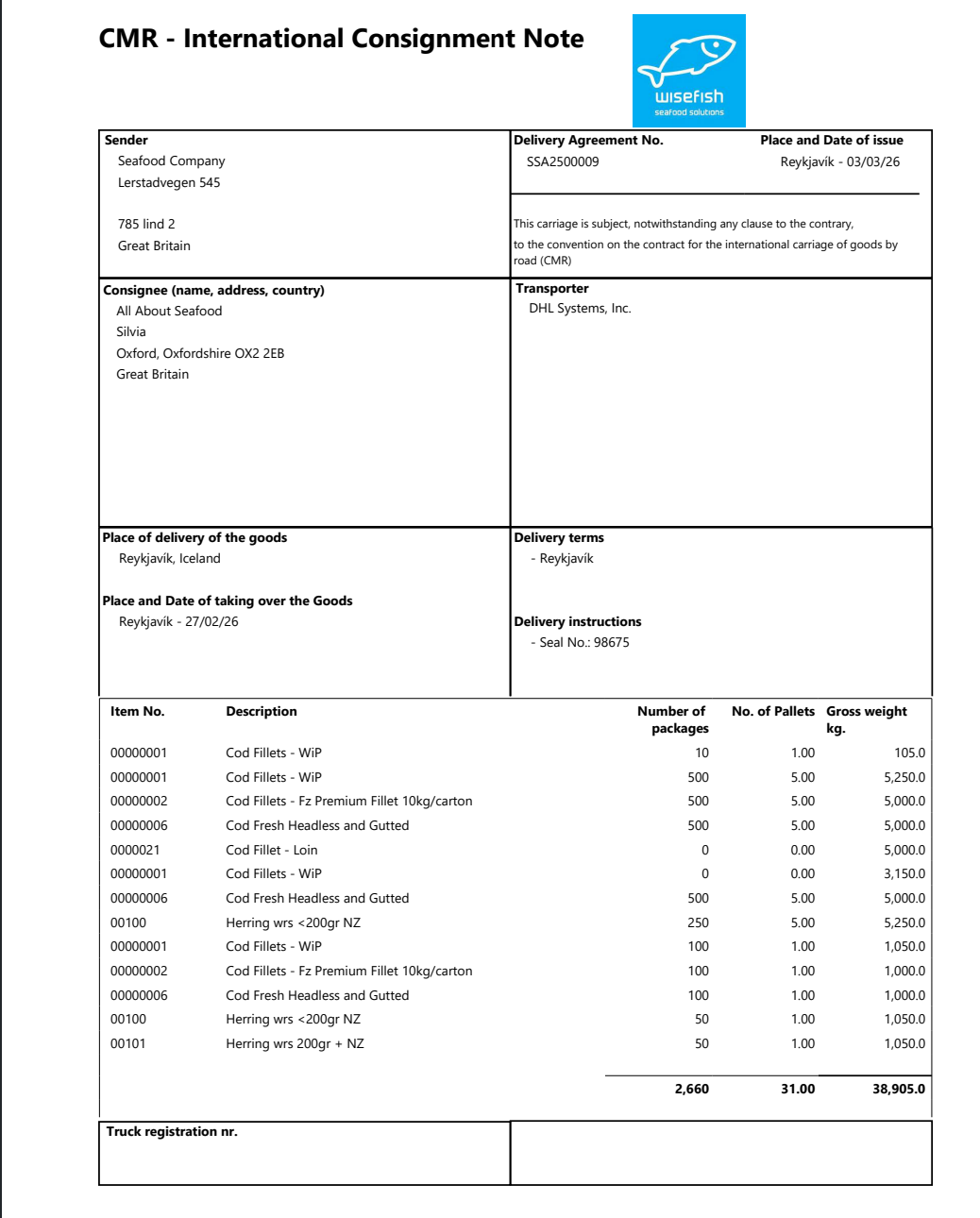
Enhance Standard Waybill report.
The standard Waybill report has been enhanced with a new, improved layout that supports a wider range of use cases and removes dependencies on Norwegian and Cross Company functionality.
-
Enhancement to Meal and Oil Quality Items and Floor Zone mixing visibility.
Several enhancements have been made to meal and oil quality items and flour zone mixing.
Two new quality items Saline-free ashes (SA) and TVN Raw Materials have been added and total has been added to all new quality items and field calculations.
Flour Zone Mixing has been improved to provide better visibility of non-zone batches and unallocated OTIs, along with enhanced traceability by allowing users to drill down into storage areas to view batch details, quantities, and certification categories via a new factbox.
Additionally, improvements have been made to display related quality inspections and certifications, and a correction has been implemented for the deduction account.
-
Put obsolete tag, on obsolete features regarding Innova connection.
Actions for sending records to Innova across multiple Wisefish pages and page extensions have been hidden and marked as obsolete. This aligns with the transition to MES 2.0 (Wisefish API), which replaces this functionality with a more streamlined and user-friendly interface.
-
Attachments in sales/purchase documents.
An enhancement has been done to an attachment handling process for a sales and purchase documents.
-
Users is able to upload files to the all sales , purchases , production agreements and also the lots, in the attachments section.
-
Users can click on uploaded files to either download them or open them in a preview.
-
Attachments should be copied to the respective posted document when created from the connected agreements.
-
The system should handle file names correctly to avoid prompts for reuploading.
-
When modifying RA with API - a confirmation dialog is triggered.
To make API-based data updates smoother, we’ve removed dependencies on GUI interactions such as messages and confirmation dialogs during API execution. This allows updates to go through without being interrupted by pop-ups.
As part of this change, logic has been adjusted to prevent these prompts, ensuring reliable API updates while keeping the usual behavior unchanged in the user interface.
-
Enhance lot Distribution so that lot does not auto close if there is any error and errors are properly handled and displayed to user.
The lot distribution process has been improved to better handle errors and provide clearer feedback to users.
The system now tracks and summarizes how many lots were processed, including those with quantity or value distribution errors, and displays this information as a notification after the process completes in the Job Scheduler Errors.
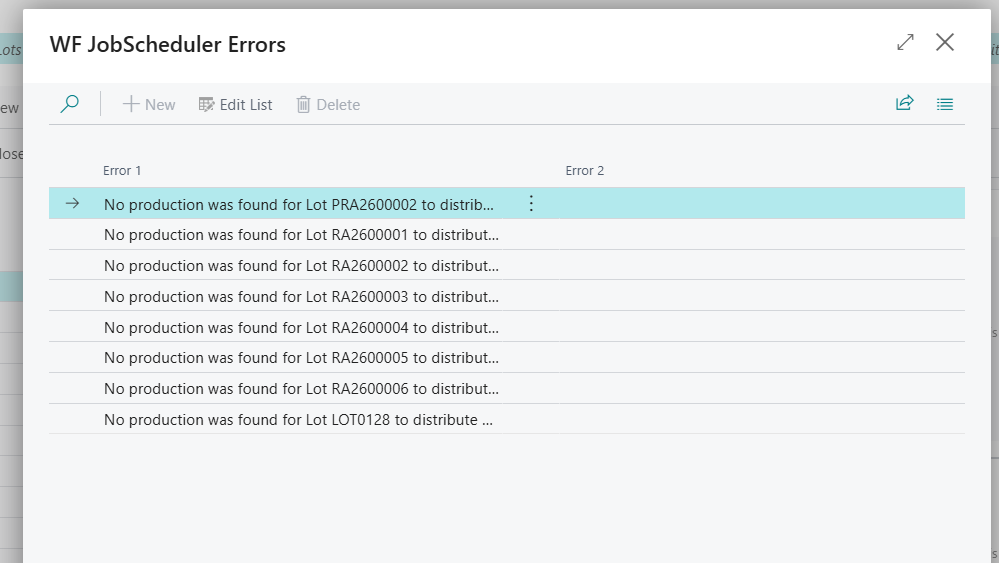
Additionally, on the lot list it also displays notifications of Lot that are distributed and that has some errors.
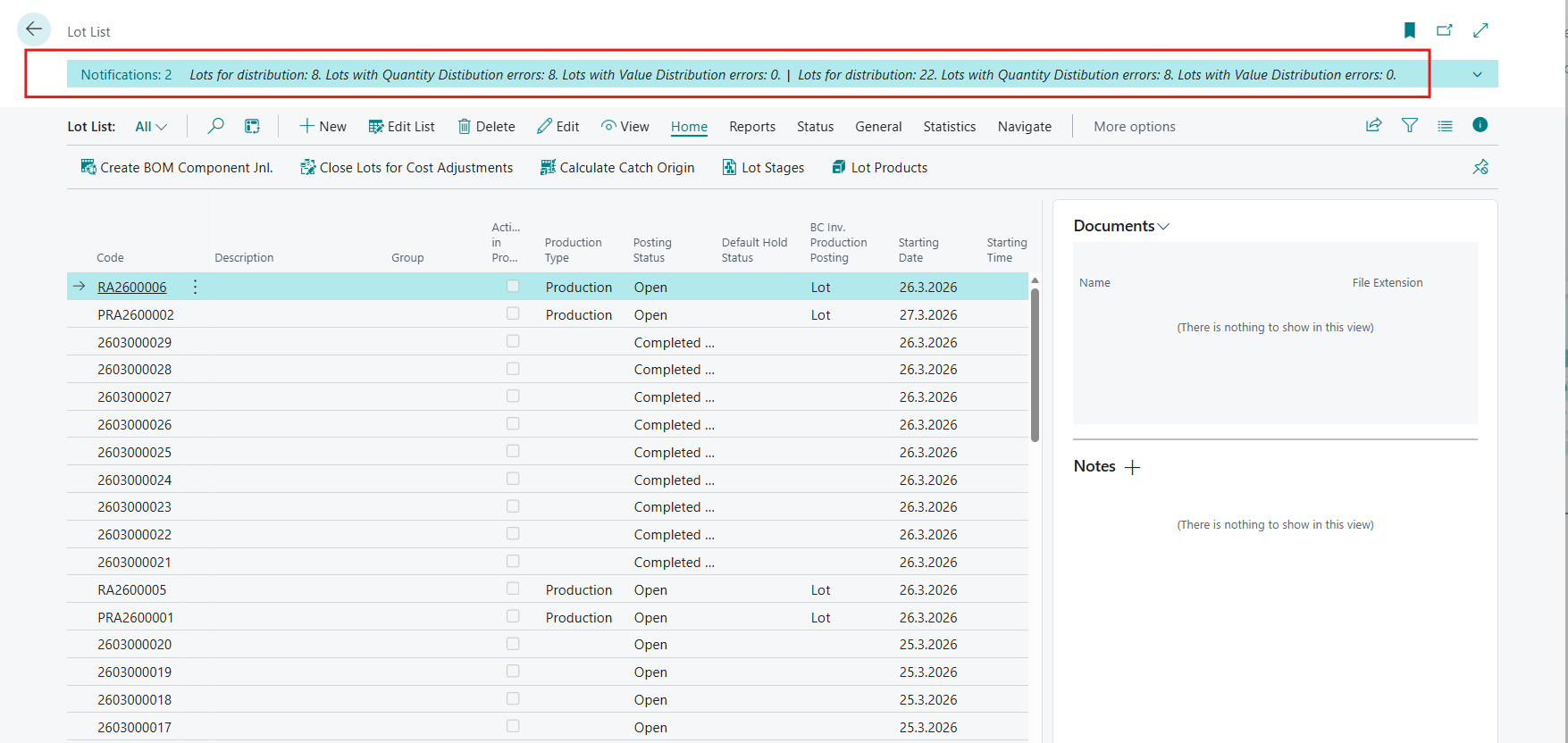
Also, if a lot fails during value distribution, its Cost Distribution status is automatically reverted to “Distribute” instead of remaining incorrectly marked as “Distributed”.
Resolved Issues:
-
Tariff Number is not fetched correctly in Packing Details report.
An issue in the Packing Details report where the Tariff Number was not being assigned correctly per line has been fixed.
Previously, the tariff number from the first line was incorrectly applied to all subsequent lines, even when items had different tariff numbers on their item cards. This has now been fixed, ensuring that each line in the report retrieves and displays the correct tariff number from its respective item.
-
Wrong translation in agreement status.
An issue where agreement status changes were not correctly translated across all agreement types has been resolved.
Translations have now been updated to ensure that all applicable statuses are displayed correctly in the status change dialog for all agreements.
Link to Issues:
List of Issues Released January 2026
Release History:
Release Notes Wisefish December Release - 27.1.20260119.75