
Wisefish Quick Trader
Release Date: 02/10/2025
New Features:
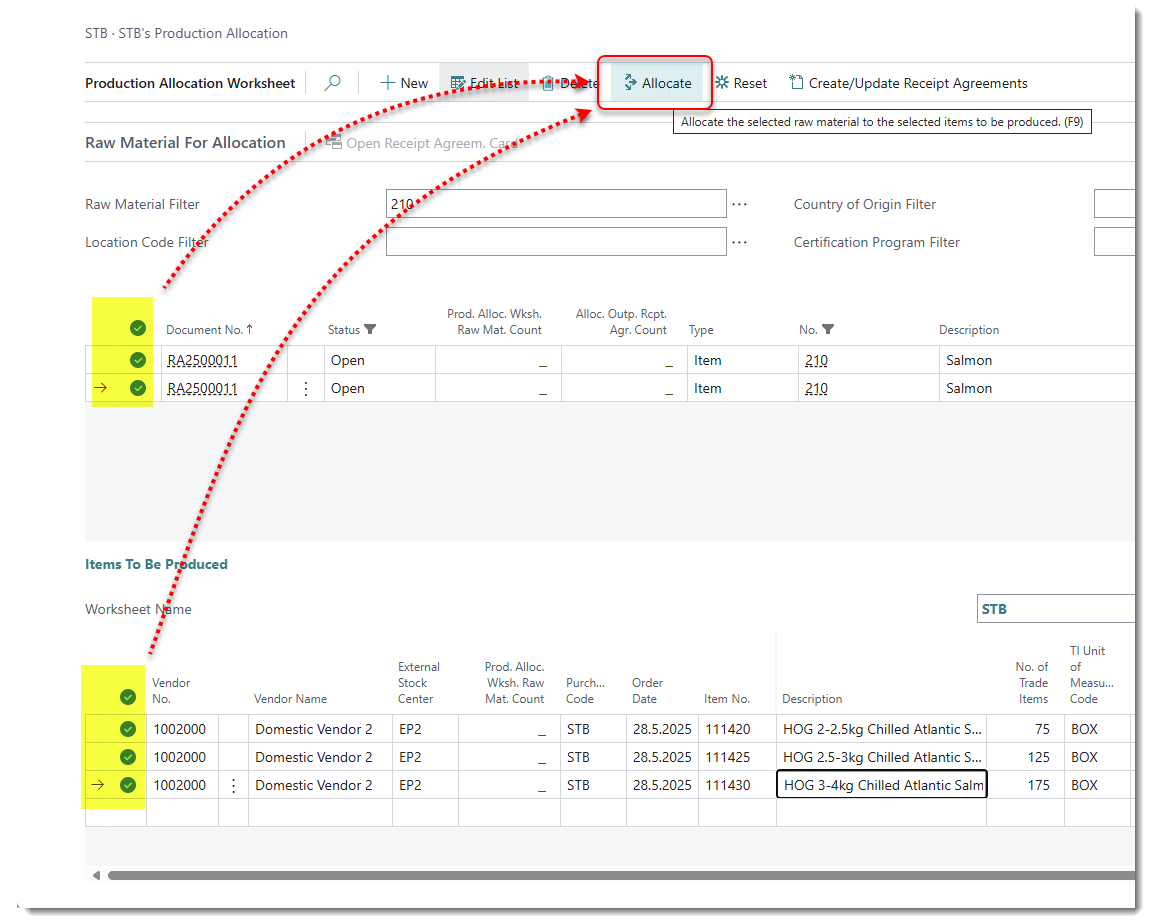
1. Production allocation worksheet
A new page “Production Allocation Worksheet“ has been introduced to enable Wisefish Trading users to easily allocate Items to Production.
Enhancements:
-
Proforma Invoice - Report
The TIRAIL was updated to fetch related Trade Items.
Multiple Catch Certificates can now be displayed. -
Sales Demand Worksheet: Create Receipt and Delivery and Allocate
When creating a Receipt / Delivery and Allocate in a Sales Demand Worksheet, the Posting and Shipment Date are now set to the same as the Order Date.
Catch Certificates are inherited from the Receipt Agreement to the Delivery Agreement during Trade Allocation. -
Send / Copy inventory RA lines to Sales Demand Worksheet Lines
An option was added to allow users to select lines in the Inventory Overview and confirm, or run a new action to “Copy Lines to Sales Demand Worksheet”. -
Dates in Sales/purchase worksheets and RA's/DA's
When the “Expected Receipt Date” is filled in the Worksheet, the value is inherited in the Delivery/ Purchase Agreement. -
Production allocation worksheet – Add default filter to page
A default filter for Allocation Status has been added to this page, to show only the available raw materials.
Resolved Issues:
-
Problem when deleting Delivery Agreements
Amendments have been made to the deletion of a Delivery Agreement line and Receipt Agreement line, with a deallocation of the connected purchase agreement inbound lines, followed by the update of the "Allocation Status (Purchase / Sales)" field in the corresponding counter agreement line (which was not being deleted).
Link to Issues:
List of Issues Released 24.1.20251002.6
Release History:
Release Notes Wisefish Trading 24.1.20250519.4