
SISALMONI Introduction
The SISALMONI is a weekly spot‑price benchmark for Fresh Atlantic Superior Salmon from Norway to European markets. It is based on physical transactions reported by a panel of Norwegian salmon exporters and publishes 11 benchmarks across nine weight categories, plus a grand average and a commonly used 3–6 kg composite. Prices are released weekly in NOK/kg and EUR/kg FCA Oslo.
Wisefish stores SISALMONI index history and supports two primary workflows:
-
Manual maintenance: Manually insert the weekly prices in Wisefish
-
Automated import: Fetch weekly history via the SISALMONI API. Notice that this feature is only supported if the company has an active subscription with SiSalmon
Setup
SISALMONI Weight Class List
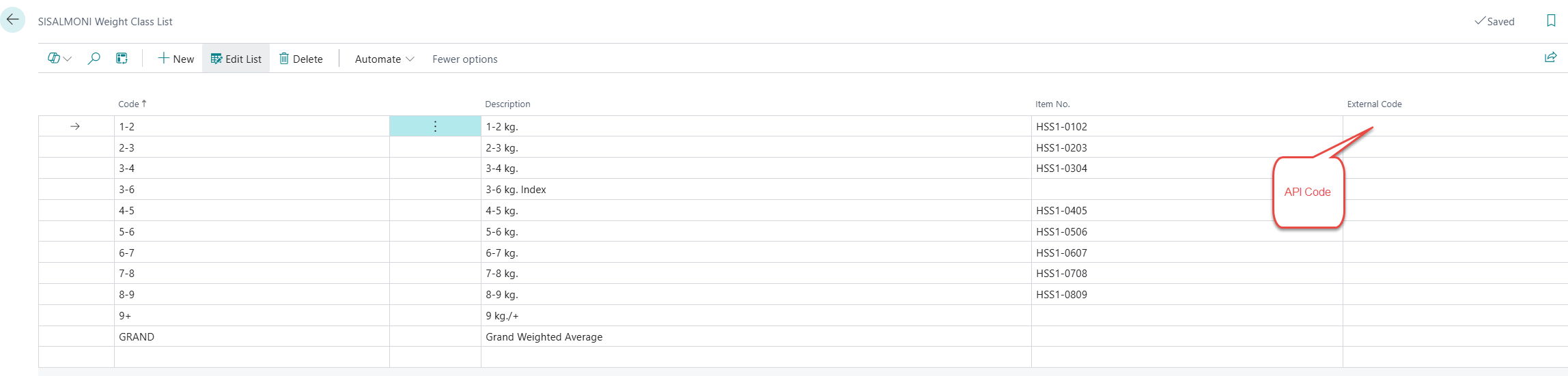
Go to SISALMONI Weight Class List to map your item numbers to the official SISALMONI weight class codes.
-
Code: Internal identifier for the weight class.
-
Description: Human‑readable label (e.g., 1–2 kg).
-
Item No.: Map the weight class to an item.
-
External Code (Optional): Identifier used by the SISALMONI API to map the class (required for imports).
SISALMONI Index Import Setup (API)
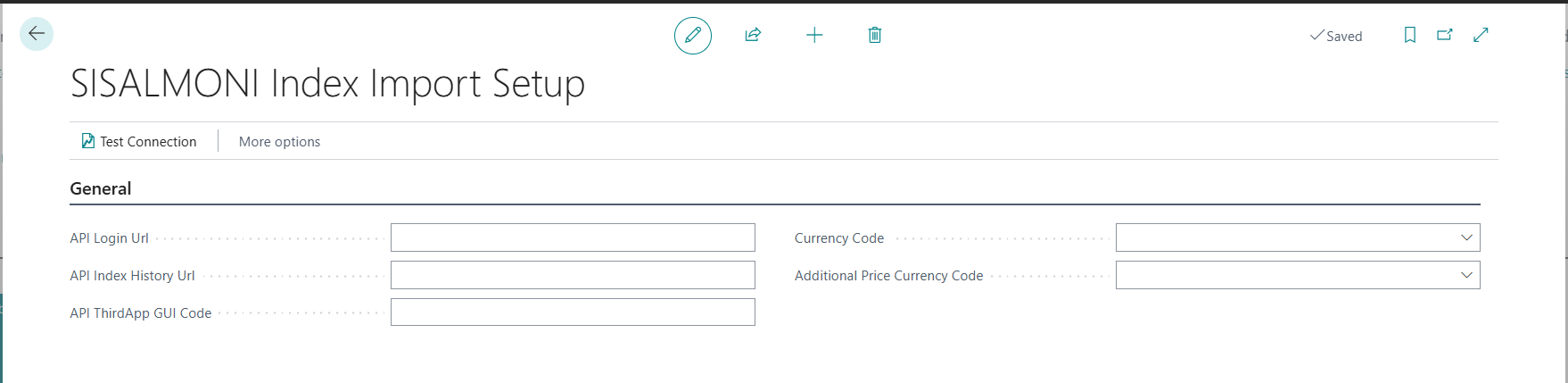
Open SISALMONI Index Import Setup
-
Fill in Required setup fields:
-
API Login URL: Provided by SISALMONI for authentication.
-
API ThirdApp GUI Code: The SISALMONI application identifier.
-
Price Currency Code: Primary currency for index prices.
-
Additional Price Currency Code: Optional, for a second price conversion.
-
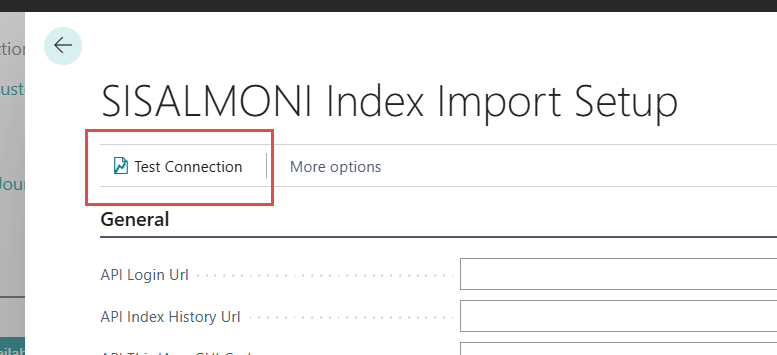
Test Connection
Use Test Connection on the setup page to validate login and pull the base API URL. The process calls the SISALMONI API login endpoint, retrieves the API base URL, and stores it in API Index History URL.
Weekly Registration
Manual Maintenance
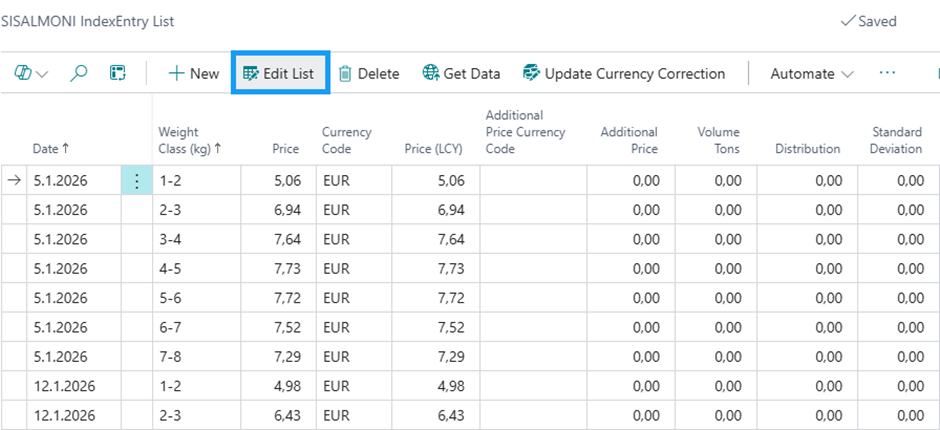
Open SISALMONI IndexEntry List to view and maintain index records.
Steps for manual entry or correction:
-
Add or edit the Date and Weight Class (kg) values to match the desired index period and class.
-
Enter the Price and Currency Code. The system calculates Price (LCY) automatically when these fields are validated.
-
If needed, set Additional Price Currency Code to derive Additional Price.
-
Maintain Volume Tons, Distribution, and Standard Deviation if the information is available.
Recalculate LCY values after changes:
Use Update Currency Correction on the list page to re-run LCY conversions for the selected entries (or all selected lines).
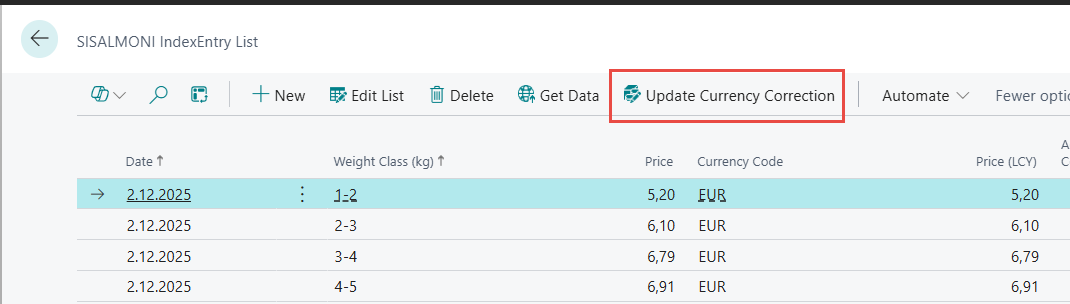
Webservice Import
On SISALMONI IndexEntry List, select Get Data to run the import.
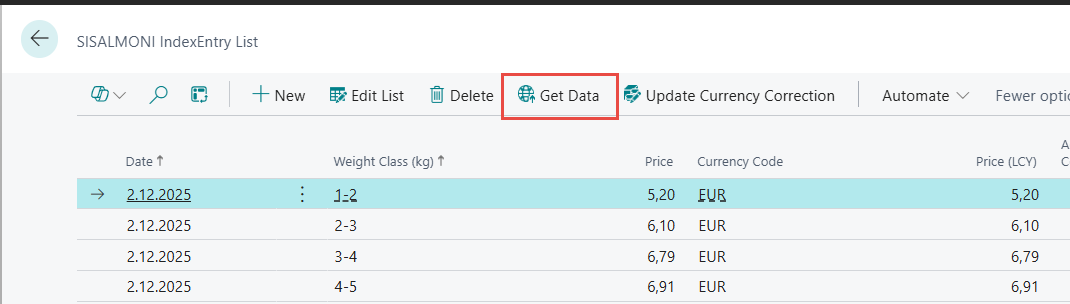
-
Validates that weight classes exist and that each class has an External Code.
-
Logs in to the SISALMONI API and retrieves a session token.
-
For each weight class, pulls weekly history for the last 12 months and writes/updates entries in WiFiAQ SISALMONIIndexDataEntry.
-
Updates Imported DateTime and Imported UserID to track the import source.
-
Computes Price (LCY) and Additional Price during insert/update.
Troubleshooting and Operational Notes
-
No weight classes: The import will fail if no weight classes exist. Make sure at least one weight class with an External Code is configured.
-
Missing API fields: The import checks for API Login URL, API ThirdApp GUI Code, API Index History URL, and Price Currency Code. If any are missing, the process will stop with a validation error.
-
Currency conversion issues: If Date, Currency Code, or Price is missing, Price (LCY) will not calculate. Use Update Currency Correction on the list page after fixing data.
-
API quota/max quota: The login response can return maxQuotaReached. In this case the system will still attempt to use an available token.
Suggested Operational Checklist
-
Before import: Confirm weight classes are accurate and have valid External Code mappings.
-
Monthly/weekly: Run Get Data to refresh the last 12 months of weekly data.
-
After import: Review entries and run Update Currency Correction if currency setup changes.