
How to Edit Existing Reports for customization
-
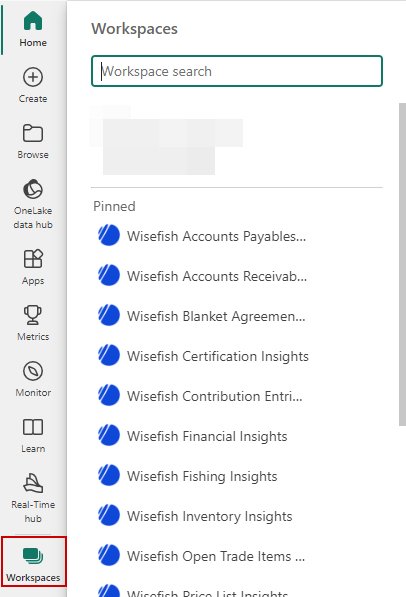
Navigate to Workspaces and click on the workspace with the same name as the app that you would like to edit
-
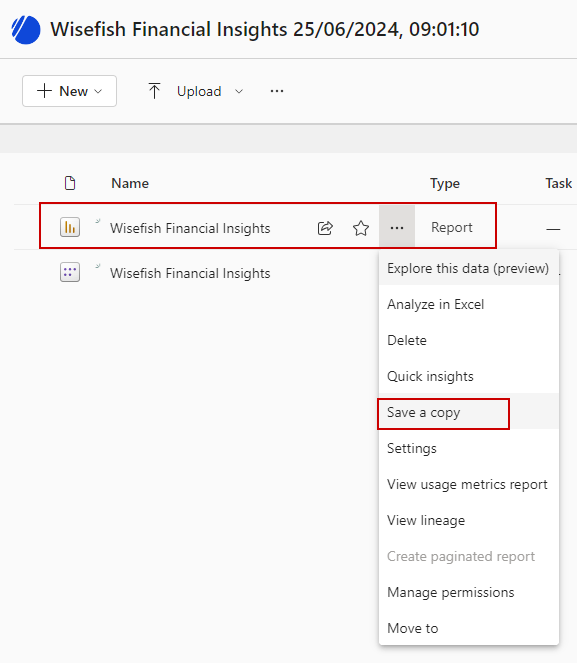
Hover over the report, click on the three dots and select “Save a Copy”
-
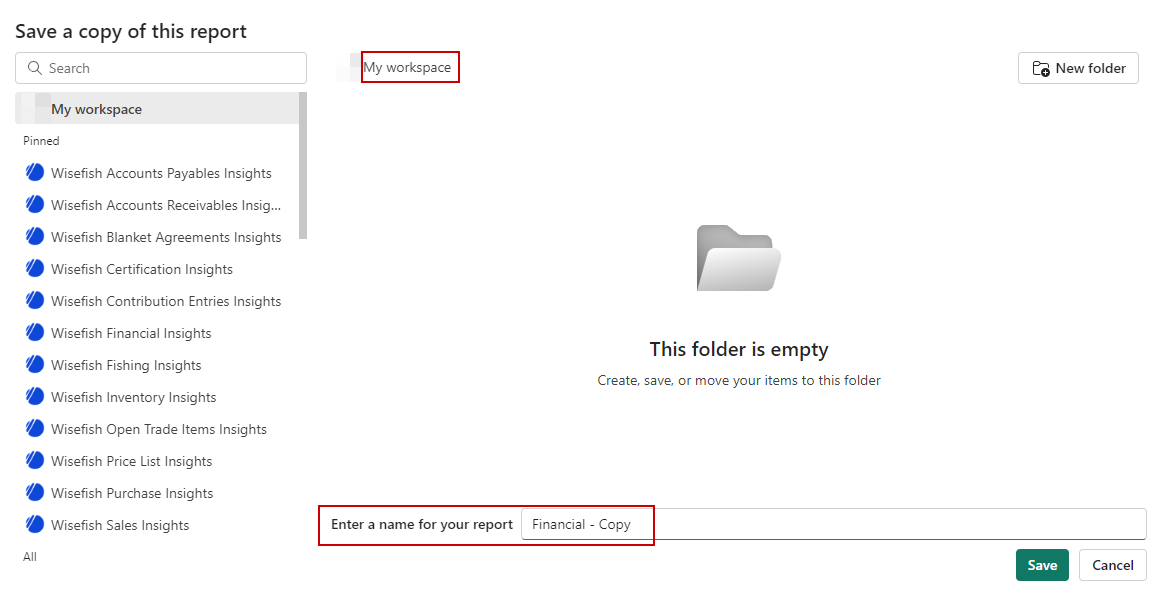
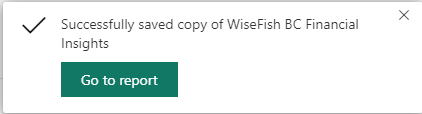
Save the report to a Workspace of your choice - preferably a separate workspace like “My Workspace” or workspace that you have created. Press “Save” and “Go to report” that appears in upper right corner once the report has been saved.
-
Open the copied report and select “Edit”

-
After editing the report, click the Save button or use CRTL+S