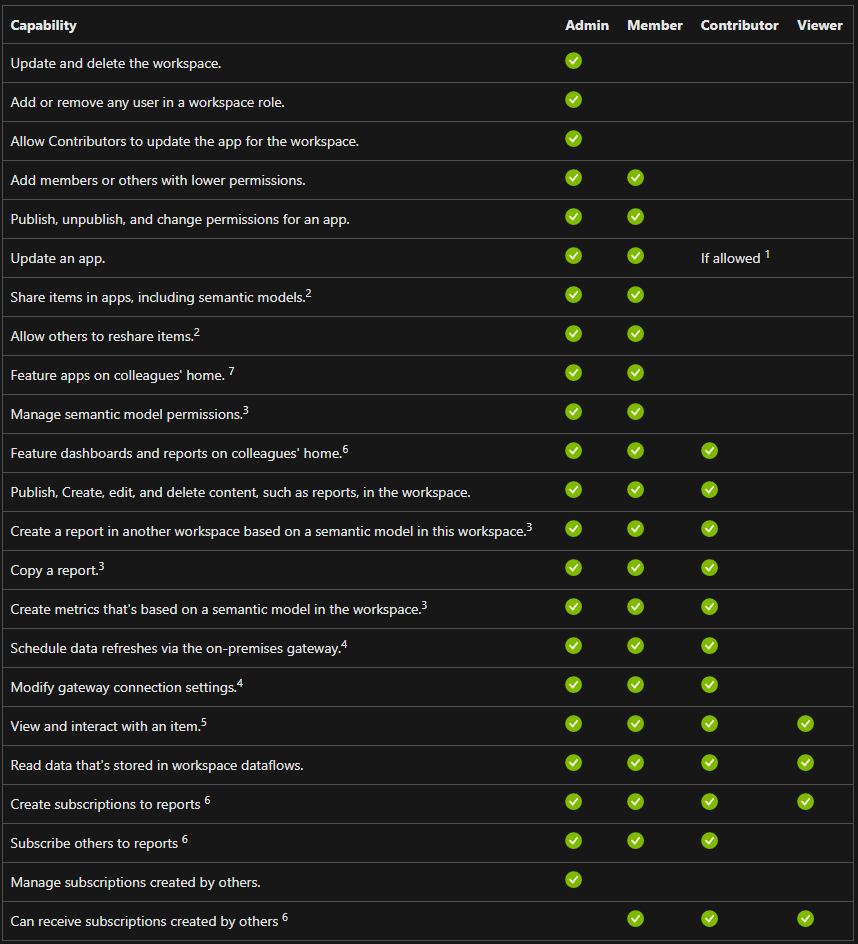
Share the Apps Within Your Organization
-
Sign in to Power BI
-
Select Workspaces menu and open the app workspace you require
-
Select Update app in the top right corner
-
Select the Permissions tab and add users or user groups that can access the apps
Select Install this app automatically so that the app will be installed for the selected users -
Select Update app
Share a Report Within Your Organization
-
Sign in to Power BI
-
Select the Workspace where the report is kept
-
Open the Report and and select Share
-
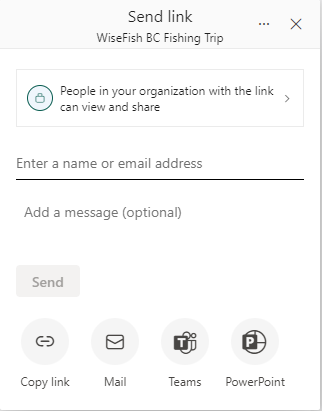
Copy the link or share it via Mail, Teams or Power Point
-
Sharing this link gives people with it access to view and share the report - NOT edit it
Share a Worksapce Within Your Organization
-
Sign in to Power BI
-
Select the Workspace you want to share
-
Click “Manage Access” and type in the email address of the people you would like to share the workspace with
-
Assign to them the relative role