
These instruction assume that the user has already completed a basic introduction to Wisefish and is familiar with Wisefish Delivery Agreements and Logistics functionality.
Scheduled Trip Daily Overview
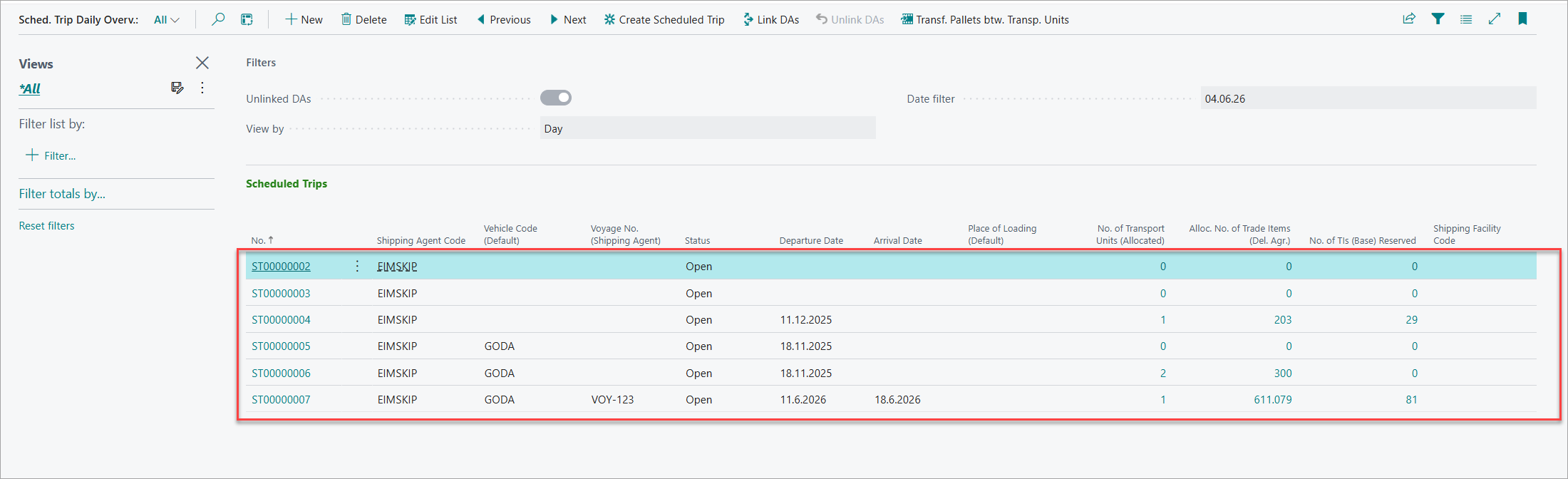
The Scheduled Trip Daily Overview provides centralized management of transport schedules and delivery agreement allocation.
Accessing the Overview:
-
Navigate to Scheduled Trip Daily Overview from the role center
-
The page displays scheduled trips and associated delivery agreements
-
Use filters to focus on specific time periods or trip statuses
Managing Delivery Agreement Allocation:
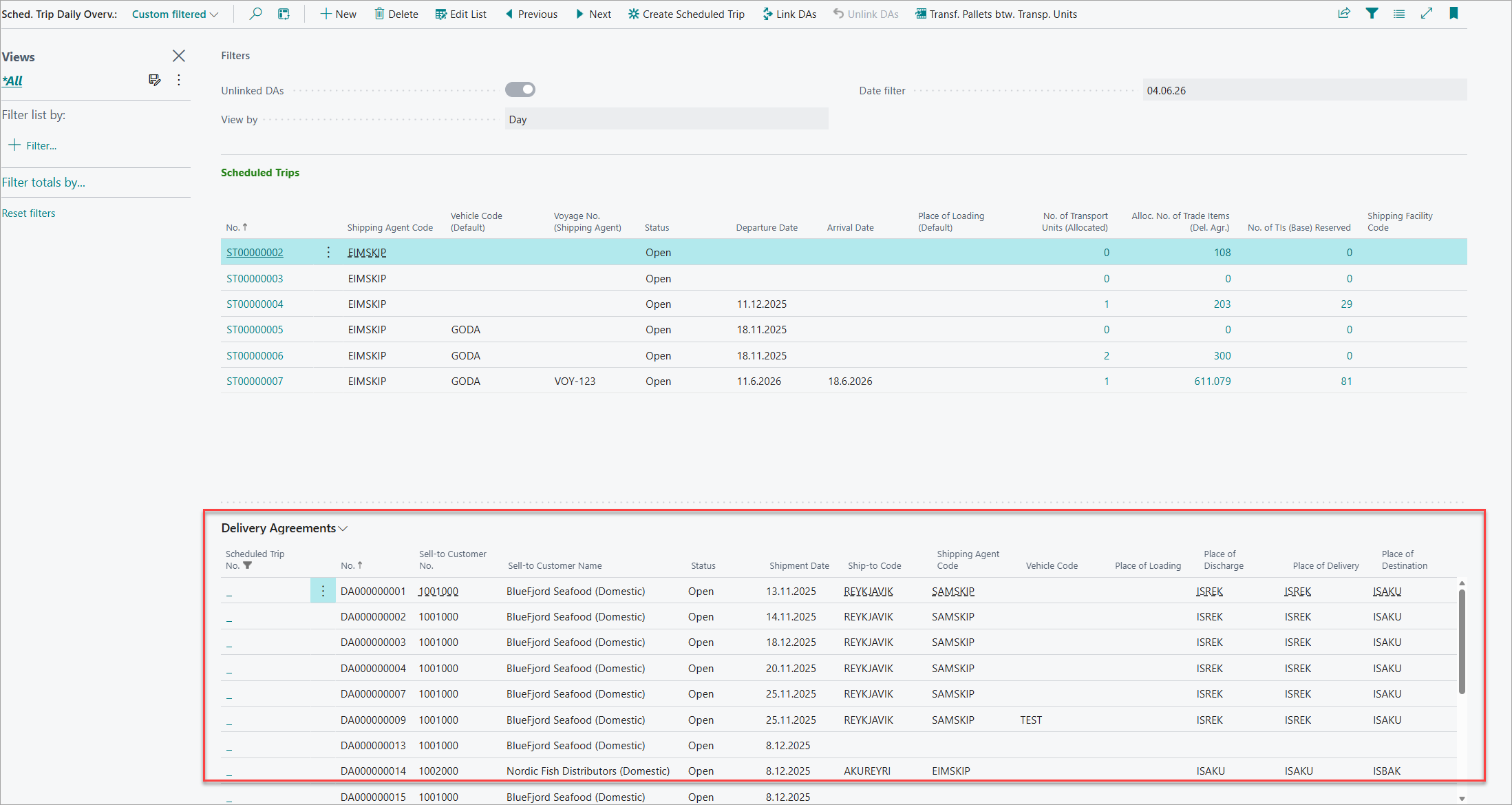
The lower section displays delivery agreements available for allocation:
Allocating Delivery Agreements:
To assign delivery agreements to a scheduled trip:
-
Enable "Unlinked DAs" view to see unallocated agreements.
-
Select the delivery agreement(s) to allocate.
-
Select the target scheduled trip from the trips list.
-
Click on Link DAs action to assign agreement to trip.
-
The agreement's Scheduled Trip No. field is updated.
-
Agreement appears in the trip's allocated list. You can navigate to Scheduled Trip- Agreement Overview page to view the Delivery Agreement that is allocated to the selected Scheduled trip.

Deallocating Delivery Agreements:
To remove delivery agreements from a scheduled trip:
-
View allocated delivery agreements for the trip
-
Select the agreement(s) to deallocate
-
Use "Unlink DAs" action
-
The agreement's Scheduled Trip No. is cleared
-
Agreement returns to unallocated status.
Creating Scheduled Trips:
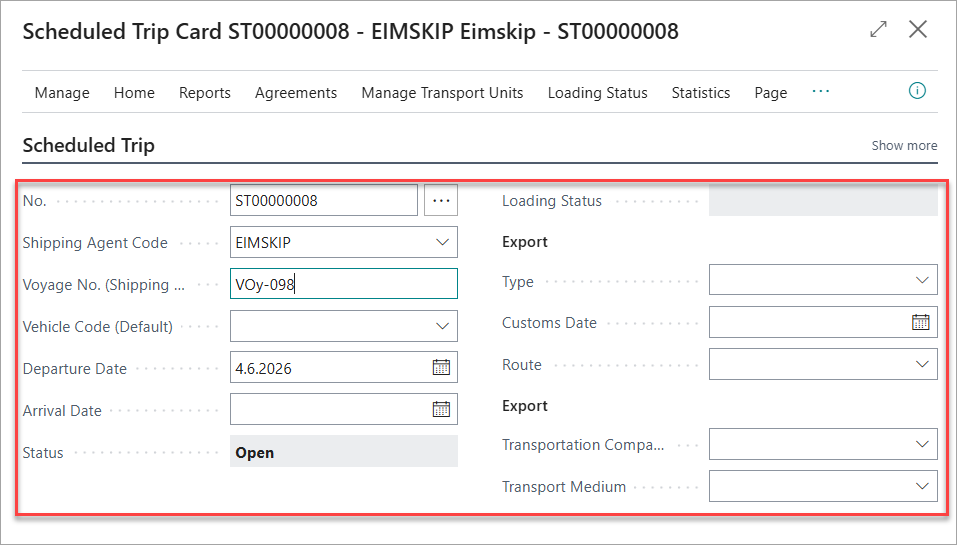
New scheduled trips that is based on the current scheduled trip can be created from this. This trips duplicate a previous trip with similar route and parameters.
-
Click on Create Scheduled Trip action.
-
The new trip inherits shipping agent and date from the agreement.
-
Set vehicle, departure time, and other transport details.
-
The originating agreement can be allocated to the new trip.
Transfer Pallet Reservations Between Delivery Agreements
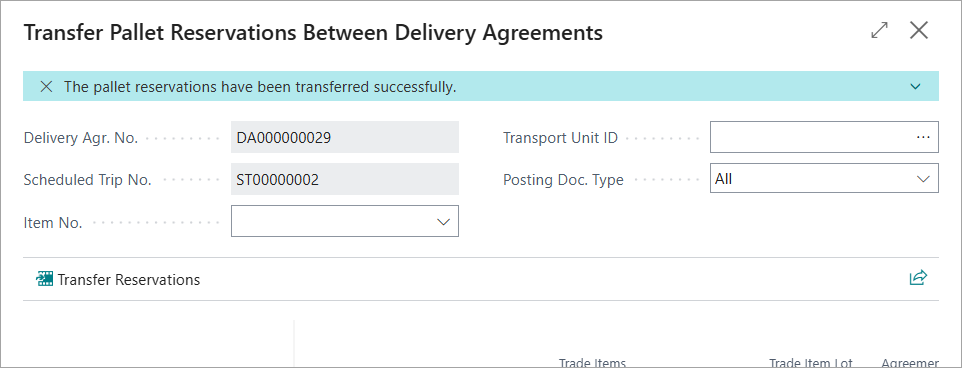
This functionality enables movement of pallet reservations from one delivery agreement to another, supporting logistics flexibility and consolidation.
When to Transfer Reservations:
Transfer pallet reservations when:
-
Consolidating multiple small orders into fewer shipments
-
Reallocating pallets from canceled or modified orders
-
Adjusting shipment composition for transport optimization
-
Moving reserved pallets to a different scheduled trip
Opening the Transfer Page:
Access the transfer function from:
-
Delivery Agreement document: Use "Transfer Pallet Reserv. Btw. DAs" action
-
Delivery Agreement Line Overview: Select line and use transfer action
-
Scheduled Trip Daily Overview: Select agreement and use transfer action

Transfer Workflow:
-
Specify the target delivery agreement number (must have Status = Open)
-
The target agreement's scheduled trip is displayed for verification
-
Filter the pallet outbound entries by:
-
Item No.: Focus on specific products
-
Transport Unit ID: Show pallets in specific containers
-
Posting Doc. Type: Filter by document type
-
-
Review the pallet listing showing:
-
Pallet number and barcode
-
Item number and description
-
Current agreement assignment
-
Scheduled trip information
-
Quantity and unit price
-
Zone, bin, and stock center location
-
-
Select the pallet outbound entries to transfer
-
Use "Transfer Reservations" action to execute
-
Confirm the transfer when prompted
Transfer Rules:
-
Target delivery agreement must have Status = Open
-
Source and target agreements must have the same Scheduled Trip No.
-
Pallet reservations are removed from source agreement(s)
-
Pallets are confirmed to target delivery agreement
-
Logistics information (transport unit, trip) is preserved
-
Related trade item reservations transfer with pallet entries
After Transfer:
-
Selected pallets appear in target delivery agreement reservations
-
Source agreements are updated with reduced reservations
-
Agreement line quantities adjust accordingly
-
Pallet outbound entries reflect new agreement assignment
Scheduled Trips and Transport Units
Scheduled trips coordinate the physical transportation of goods, while transport units represent the containers, pallets, and packages loaded for shipment.
Managing Scheduled Trips:
Refer this manual for details in scheduled trip Scheduled Trips .
-
Create, modify, and monitor scheduled trips
-
Assign shipping agents and vehicles
-
Set departure dates and times
-
Specify loading and delivery locations
-
Track trip status through execution
Transport Units:
Refer this manual for details in Managing Transport Units Managing Transport Units within Scheduled Trip
-
Create transport units for containers, trucks, vessels
-
Load pallets to transport units
-
Associate transport units with scheduled trips
-
Track seal numbers and cargo hold assignments
-
Monitor unit location and status