
Inbox transactions can be processed automatically.
To accept messages automatically the Auto. Accept Transactions option needs to be checked for the Partner in Wisefish Cross-Company Setup.
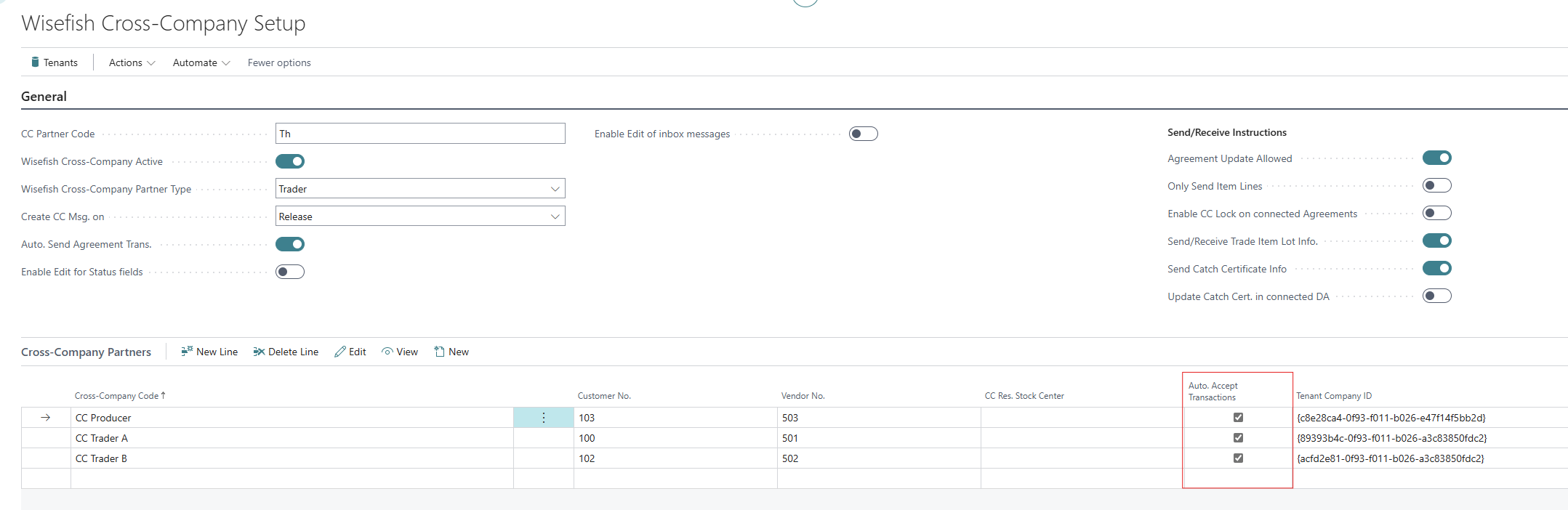
With this setting incoming messages from the Cross-Company Partner will automatically get the Line Action field updated to Accept.

Accepted messages can then be handled automatically by setting up an entry in the Job Queue Entries. An entry for the Codeunit with the ID 10005627 needs to be added, which will then process the incoming transaction and move it to the Handled Inbox Transactions (similar to the manual handling of transactions).
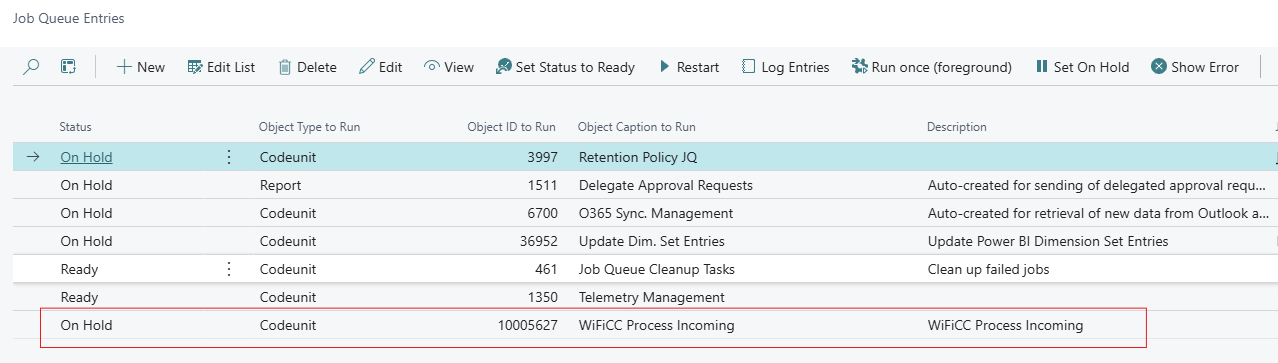
Please note that recurring job queues can affect performance, so you shouldn't run them too frequently.