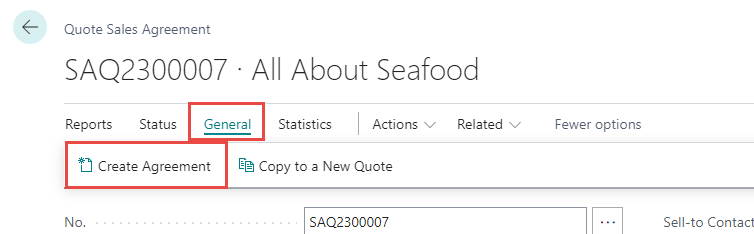
To create a Blanket Sales Agreement click General > Create Agreement.
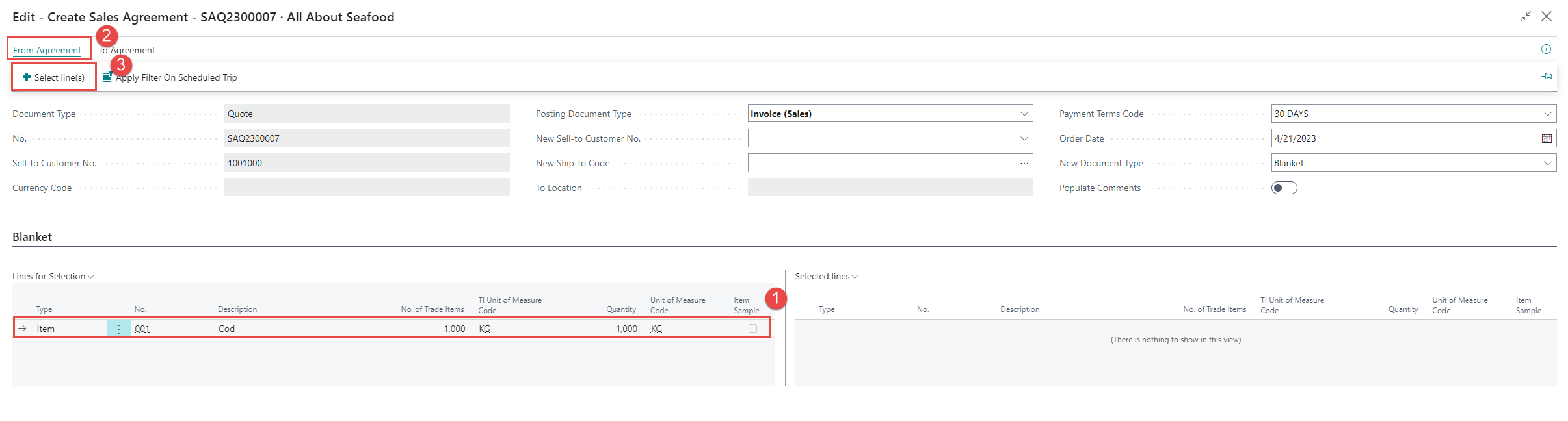
A new page opens up. Select Blanket in the header. The Blanket option will create a Blanket Sales Agreement when a document is created after the lines have been selected from the quote agreement.

The next step would be to select the line(s) to move the lines from Lines for Selection to Selected Lines.
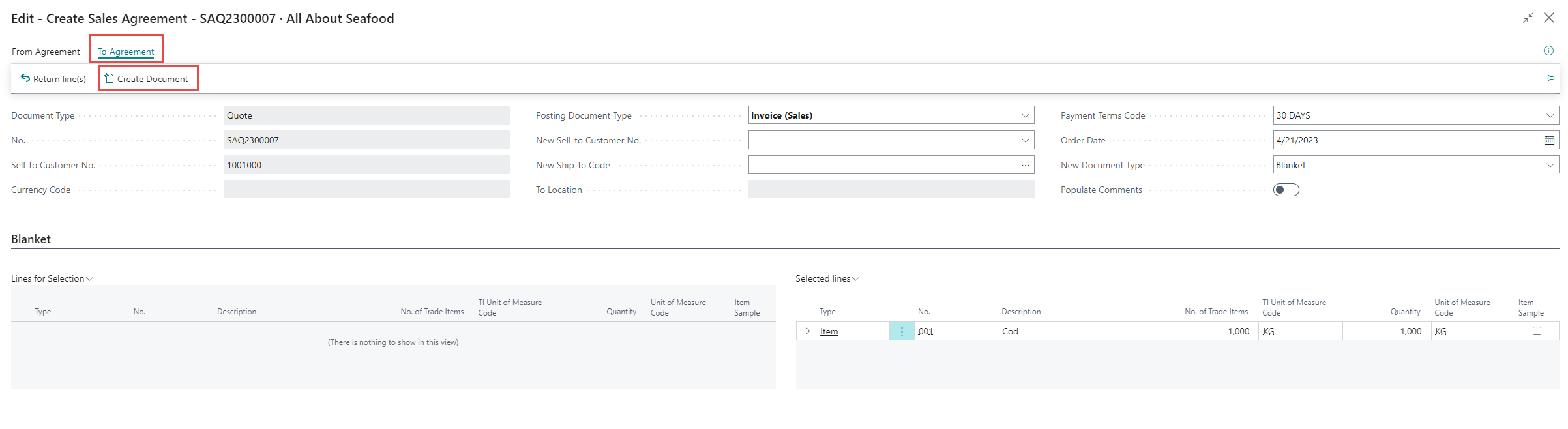
Then click To Agreement > Create Document.
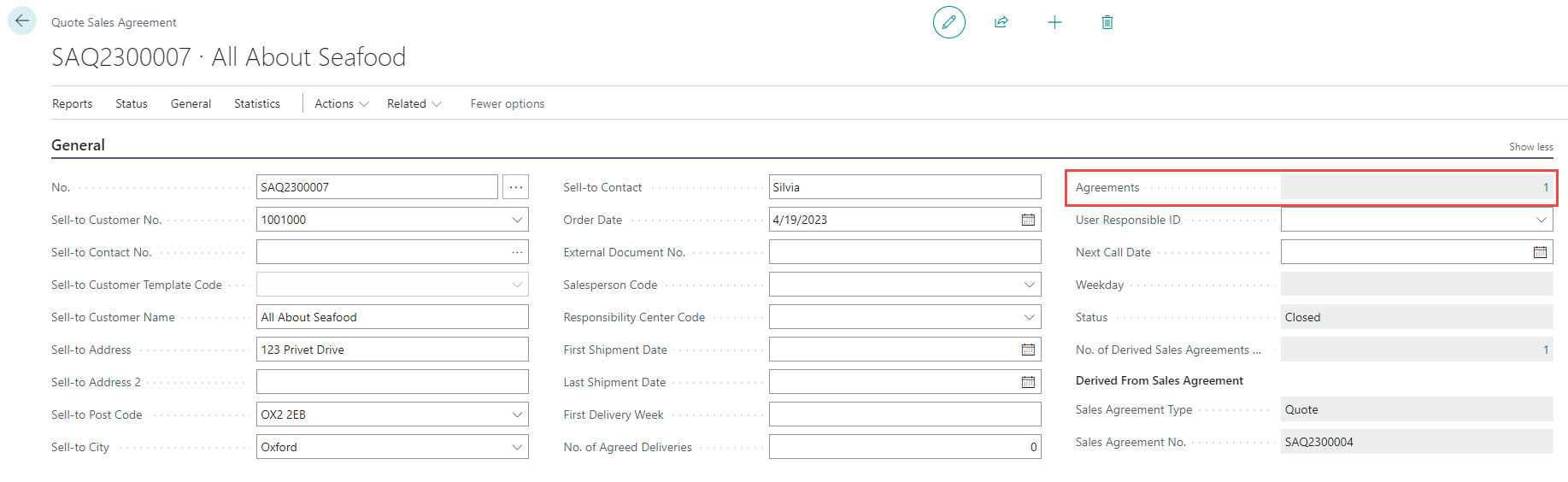
The new Blanket Agreement then opens up and the status of the Quote Agreement becomes closed.
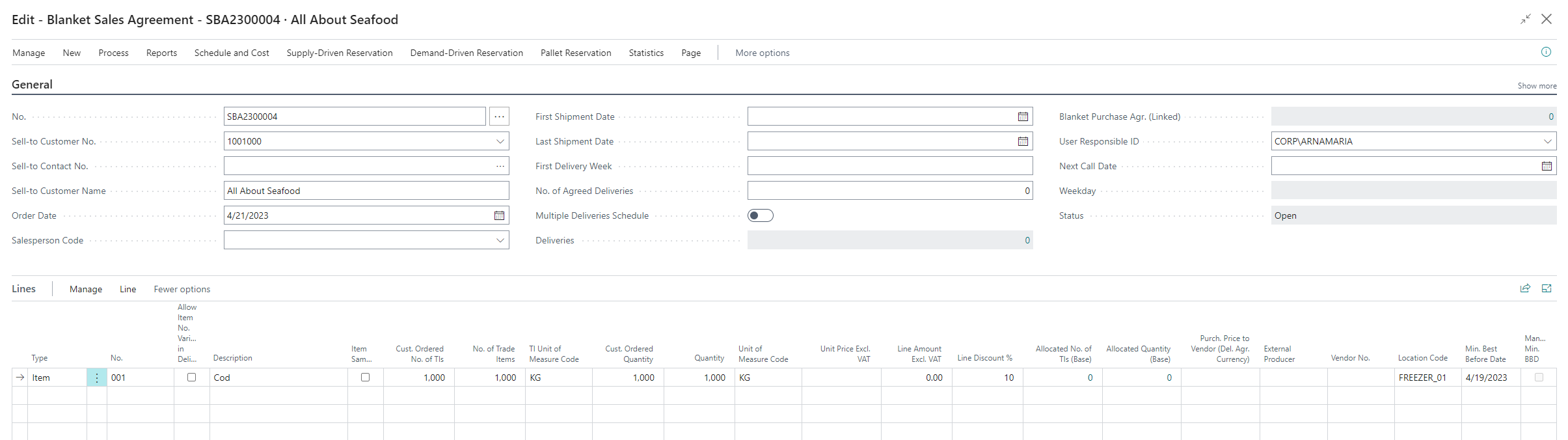
To read and view more information on Blanket Sales Agreements, click here.
It is possible to see connected agreements from the Quote Agreement itself.