
The Logistics module adds the usage of Scheduled Trips, Vehicles and Routes to the Delivery Agreements.
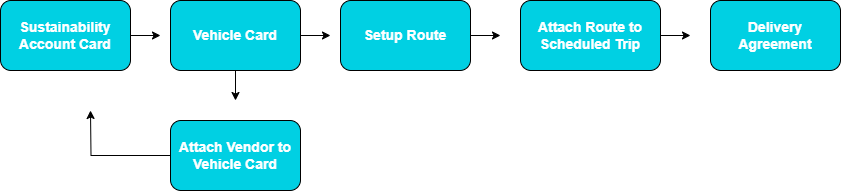
To calculate emissions for logistics previous setup is required on the Sustainability Chart of Accounts, Vehicle Card, and Route List.
Setting up Emission Factors
Sustainability Chart of Accounts
A Sustainability Account Card for all transport methods must exist in the Sustainability Chart of Accounts. The Sustainability Account Card contains the default emission factor for the Vehicle under the Subcategory.

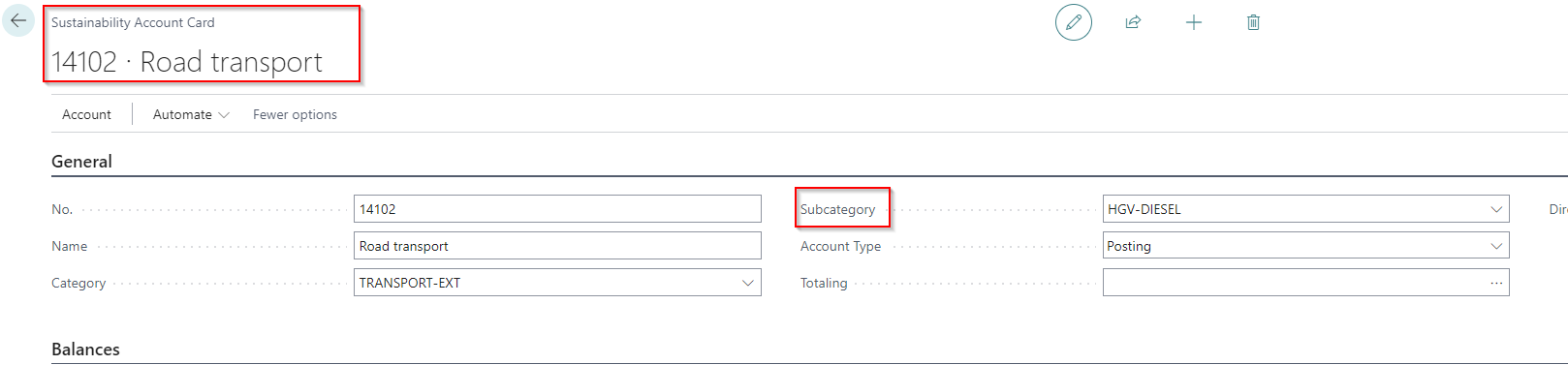
User Note: Users can create Sustainability Account Cards based on the mode of transport and set in a generic emission factor in Subcategory. Unique emission factors can be attached individually to Vehicles and can post under the same Sustainability Account Card.
For example, the user can have a Sustainability Account Card called Road Transport with a generic emission factor for a heavy goods diesel transport truck. The user can then connect more accurate emission factors tailored to individual Vehicles (such as ones provided by the logistics supplier), and all will maintain balance under the Road Transport Sustainability Account Card.
Vehicle Card
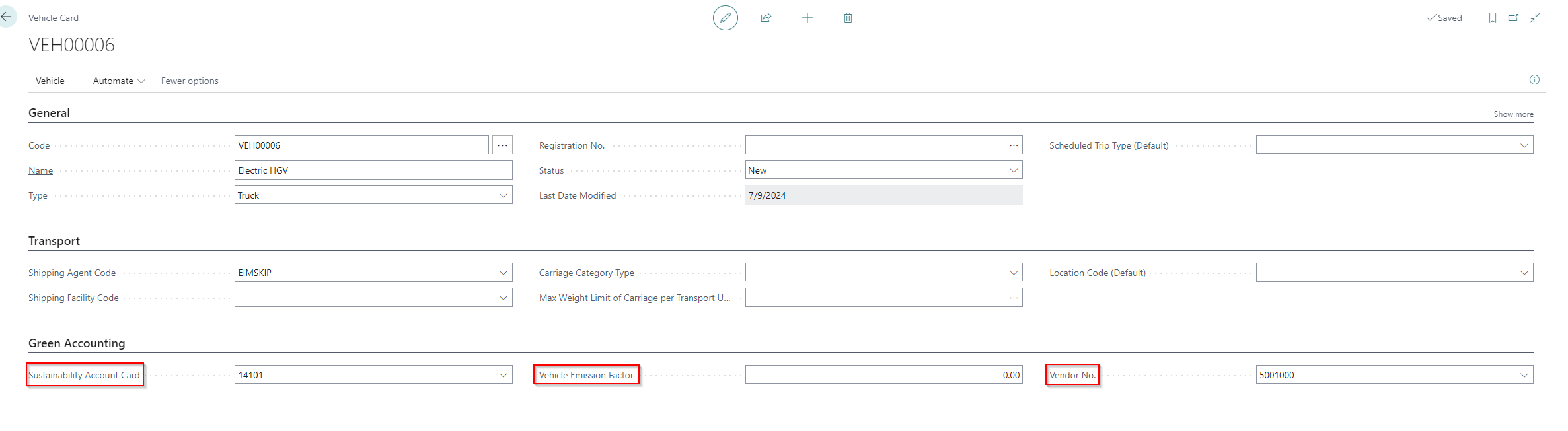
Once a relevant Sustainability Account Card exists for the Vehicle connect it to the Vehicle Card under the field called Sustainability Account Card. An emission factor can be set up directly on the Vehicle Card, this emission factor overrides the emission factor in the Subcategory of the Sustainability Account Card and is used in emission calculations. Additionally a Vendor can be connected to the Vehicle Card for ease when managing emission factors provided by transportation suppliers.
Vendor
There is the option to update a Vehicle´s emission factor directly from the Vendor Card. Go to > Home > Vehicle List. All Vehicles associated with the Vendor will appear in a list view. This allows for ease when updating emission factors from transportation providers.


Routes
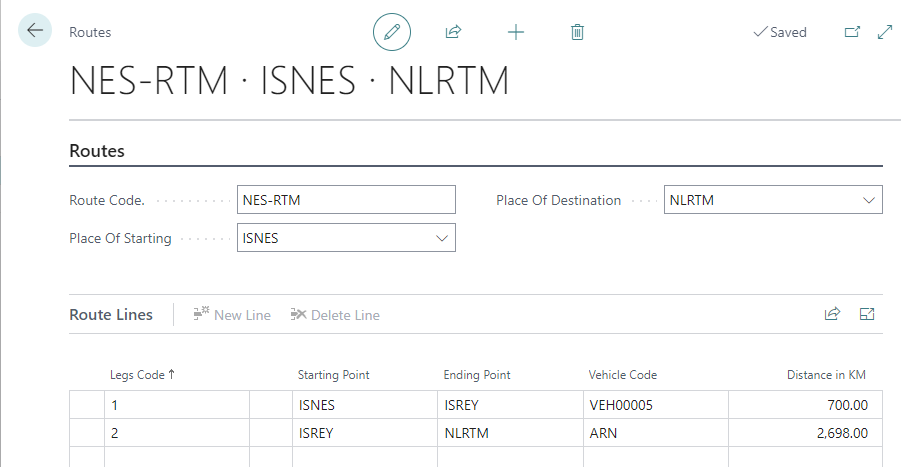
Create a Route and add it to a Scheduled Trip. Multiple legs of a journey can be set up on a Route. Emissions will calculate for each leg of the journey, so the trip´s emissions take into account multiple modes of transport.
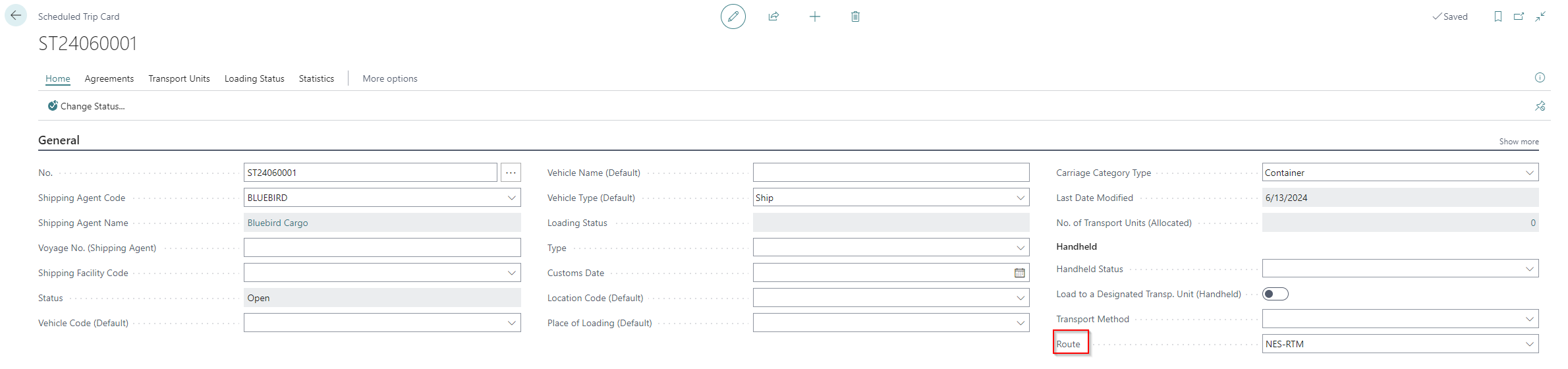
Emission for Delivery Agreement
Calculating emission for transportation related to delivery of goods is done int he following way:
Assume that beforehand we have registered Routes for the transportation. See chapter above.
When the Delivery Agreement has been created…
-
Create a Scheduled Trip
-
Add the correct Route the the Scheduled Trip, according to where the goods will be transported
-
Connect the Scheduled Trip to the Delivery Agreement.
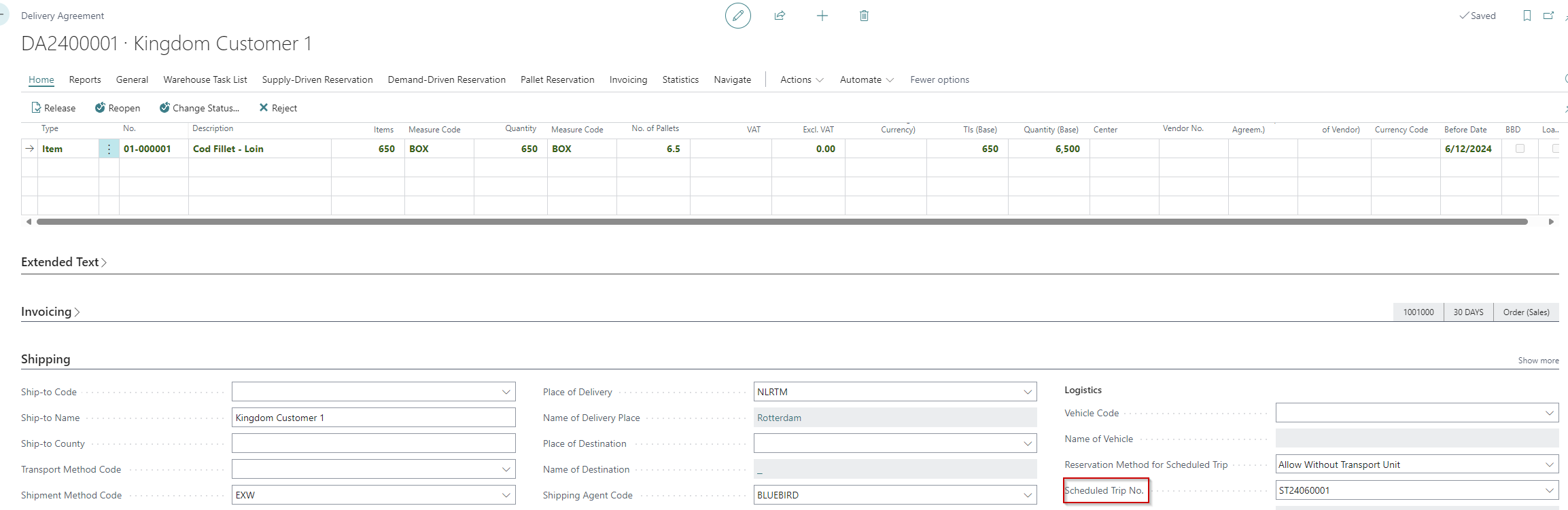
Scheduled Trip No. on the Delivery Agreement -
Then Delivery Agreement is finished in the usual way
The emissions associated with transporting the Items post when the Delivery Agreement is released and a Sales Invoice is posted.
-
Sustainability Ledger Entries will be created and linked to the agreement
-
There will be one entry per each combination of item and route leg
-
Emissions for logistics calculate through ton kilometers, so the
-
weight of items
-
distance transported
is taken into account for the calculation.
-
Sustainability Ledger Entries for DA
The screenshot below shows an example of the Sustainability Ledger Entries that will post from a Delivery Agreement with one item line (as shown in screenshot above). Since the route contains two legs, there are two entries for the one item reflecting emissions from both modes of transport.
