
Wisefish Base
Release Date: 15/07/2026
Enhancements:
-
Enhancements in Production
Information messages were added when updating forecasts or processing options are missing for raw materials. -
BOM Analysis View – Give a notification when circular references is detected
A notification has been added to the method for the accumulation of BOMs, both in the “Production BOM Analysis/Inspection Overview“ and the "WiseFish BOM Analysis/Inspection Overview", in the detection of circular references.
-
TI BC Cons. Jnl - Reserve TI and Item tracked standard Items
In the TI BC Consumption Journal, it is now possible to Reserves Trade Items and Auto select Item Tracking Codes for standard items where needed.
-
Clarify total cost amount in Delivery Agreement
A set of teaching tips have been introduced to a set of key pages (in the agreement module) with an extra focus set on the estimated additional cost elements which are integrated into the agreement module, both on the sales side and the purchase side.
-
Lot - Lot Products: Standard Cost Items by default "Locked for Value Distribution"
Resolved Issues:
-
Old Report "Sales Agreement GRAND Trader" 10005320 can no longer be generated
The Sales Agreement GRAND Trader report can now be created again. -
Storage Shipment Agreement – Not possible to use Demand Driven reservation to TU via Scheduled Trip
When trying to reserve pallets via the Scheduled Trip using Demand Driven reservation, an error was thrown. This has been fixed.
-
Receipt Agreement – Import pallets error
A descriptive error message in the assignment of the production date has been added, given the situation when the day, month or year values are not in the expected format.
Diverted the validation of the quantity from the "Quantity (Base)" field to the "Quantity" field, under the condition when the "Qty. per Unit of Measure" is not equal to 1. This is to respect the unit of measure as "KG", which has been "hard-coded" into the import method, in the circumstance when it's not defined as the item's base UoM.
-
BOM Analysis View – Qty UoM Conversion Inconsistency btw. Item and Related Bom
A new set of fields have been introduced into the “WiseFish BOM Analysis/Inspection Overview“.
- Quantity (Base) – The quantity of this component expressed in its base unit of measure. This is used for consistent cost calculations and comparisons across different units of measure.
- Base Unit of Measure Code – The base unit of measure as defined for the item in the corresponding overview’s line.
- BOM UoM Conversion Factor – The conversion factor between the BOM's unit of measure and the base unit of measure for the item. This is used to ensure accurate cost calculations when the BOM is defined in a different unit than the item's base unit. And is directly affecting the calculation of the “Roll-up BOM Cost Cost” field for the item referencing the related BOM.
-
After posting invoice user gets message that he needs to confirm for every invoice line
After posting an invoice a message that confirmation is required was shown for every invoice line.
-
Update Trade Item Fields
The Reserve Trade Items page did not always recognise when the Expiration date had been changed. An error was thrown that the expiration date is in the past.
-
Report 10004513, Update Standard Cost as % of Sales Price, fails with "New Price List Experience"
Ensured that "Base Unit of Measure" is sent from the Item to the filtering of the Price List Line entries.
-
Error in Trade Item Physical Inventory Journal
When TI and Quantity is not the same, the Trade Item Physical Inventory Journal gives an error.Adjustments in the Trade Item Neg. Adjmt. Journal were required.
-
Error when printing multiple invoices
The problem has been fixed and it is now again possible to print multiple reports by adding a range of numbers to the Filter dialog.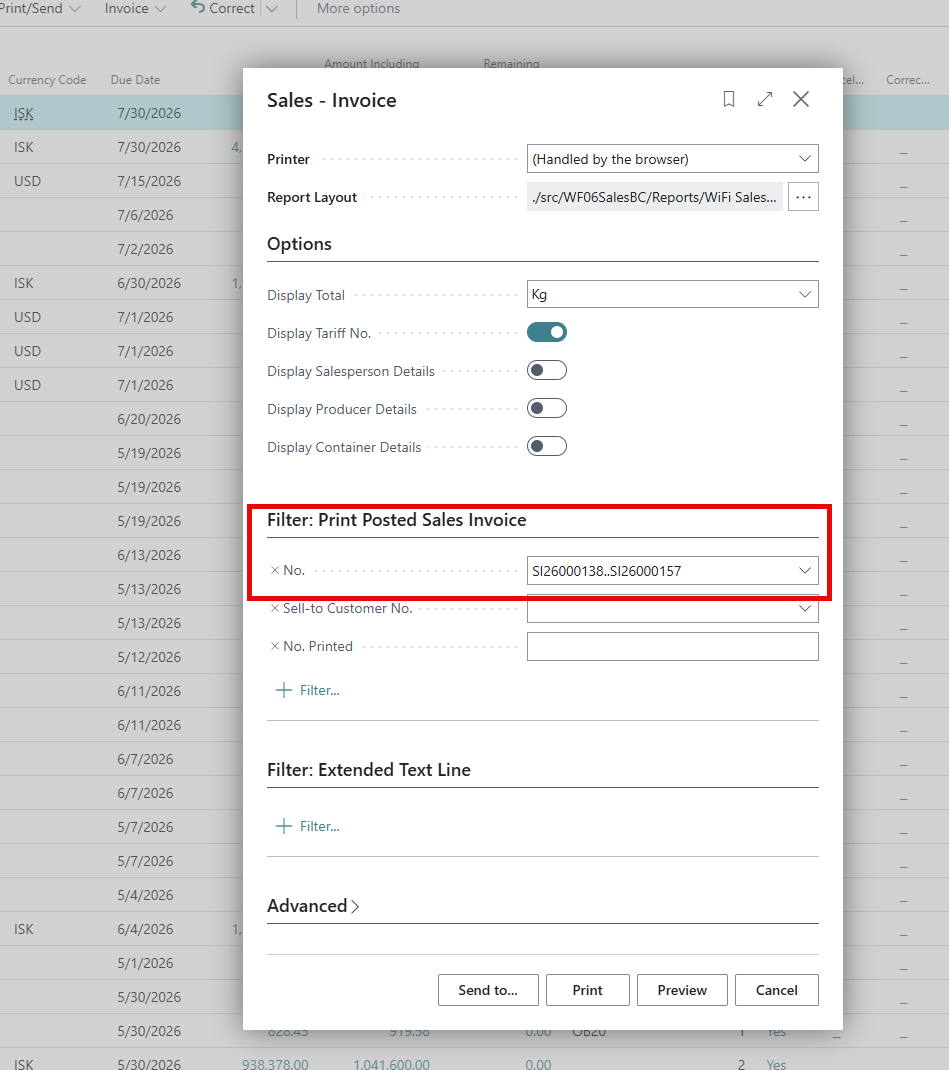
Link to Issues:
List of Issues Released 27.1.20260715.100
Release History:
Release Notes Wisefish 27.1.20260619.98