
In addition to a Sample Weighing, if a Size Assessment is conducted for the Raw Materials, it can also be recorded in the system.
-
To enter a Size Assessment, from the Fishing Trip card’s Actions tab, Assessment, choose Evaluation > Size Assessment.
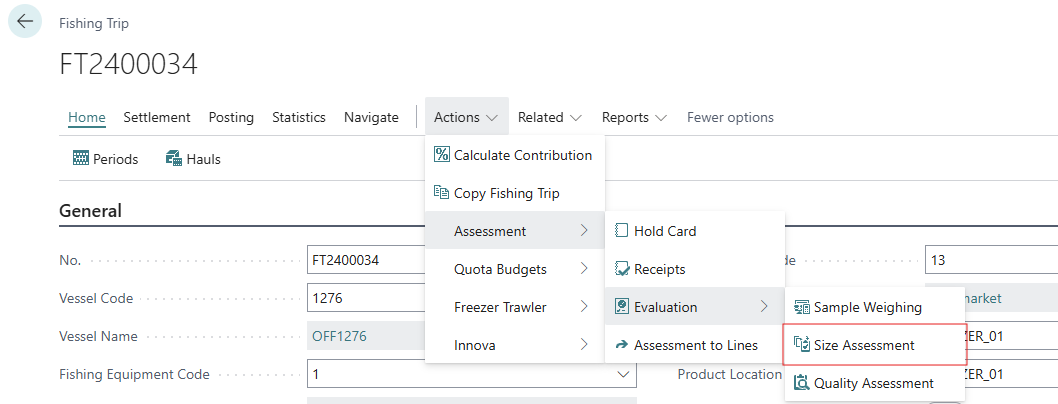
-
The Size Assessment window opens.

-
Choose the Raw Material and select a size Grade.
-
In the Rate in Class field, enter the percentage of the raw material in the group that falls into this size grade.
-
Create a line entry for each size grade being recorded.