
If a Delivery Agreement, Storage Shipment Agreement, or its lines have already been assigned to a Scheduled Trip, possibly with trade items already reserved, it is not necessary to manually unwind everything to move it to a different trip or to take it off its trip. The Re-Alloc. between Sched. Trips and Remove from Sched. Trip actions do this in one step.
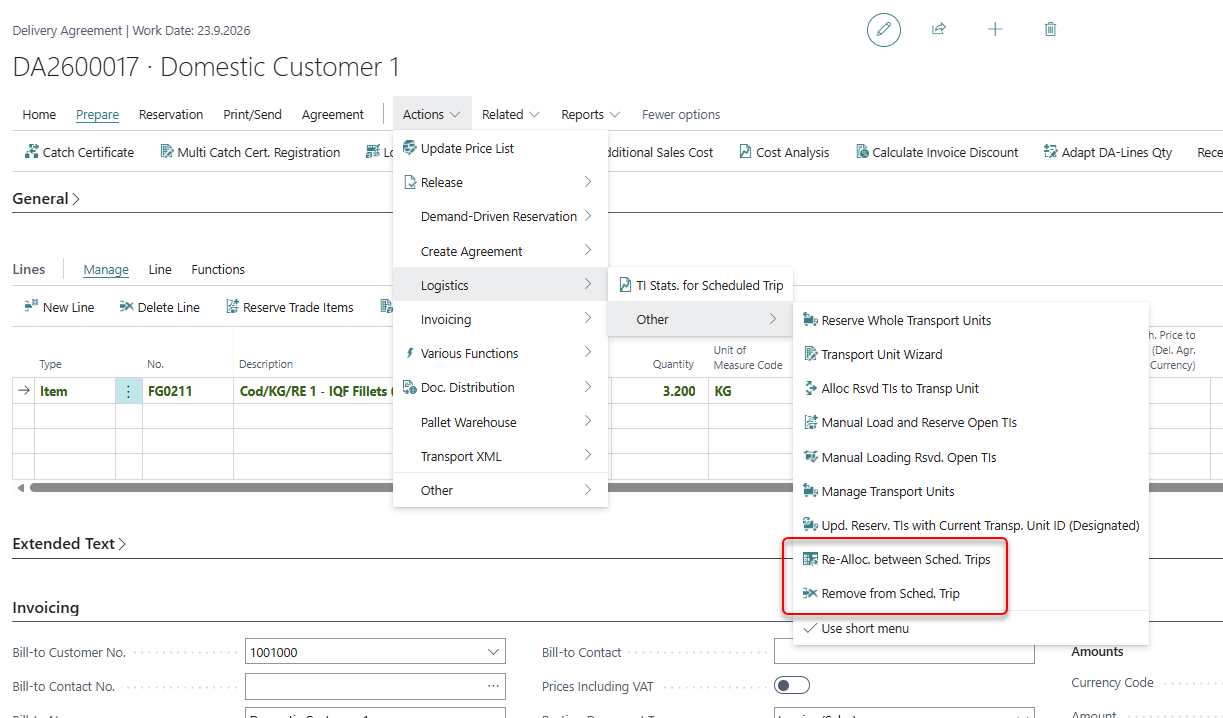
Both actions are available under Actions > Logistics > Other (and in the action bar under Prepare > Logistics) on
-
the Delivery Agreement
-
the Storage Shipment Agreement
-
the Delivery Agreement Line Overview
Both actions can only be used while the agreement's status is Open or Released, and not while the scheduled trip is being loaded.
Moving an agreement to another Scheduled Trip
-
Click Re-Alloc. between Sched. Trips.
-
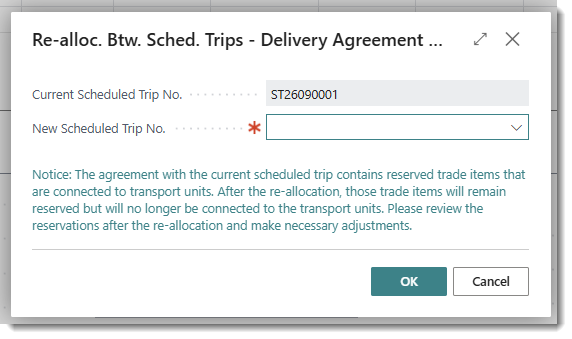
The dialog shows the Current Scheduled Trip No.
-
Enter the New Scheduled Trip No. This field is required. To take the agreement off its trip without assigning a new one, use Remove from Sched. Trip instead (see below).
-
If the agreement has reserved trade items connected to Transport Units on the current trip, a notice is displayed informing that the trade items will stay reserved but will no longer be connected to a Transport Unit.
-
Click OK.
The agreement header and lines are updated to the new Scheduled Trip. Reserved trade items, their ledger entries, pallets and inbound lines are moved to the new trip as well. If you enter the trip the agreement is already on, nothing is changed and a message tells you so.
Removing an agreement from its Scheduled Trip
-
Click Remove from Sched. Trip. The action is only available when the agreement is assigned to a Scheduled Trip.
-
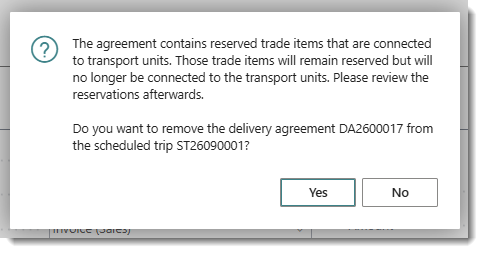
Confirm that you want to remove the agreement from the trip. If the agreement has reserved trade items connected to Transport Units, the question includes the same notice as above.
The Scheduled Trip is removed from the agreement header and lines, and from its reserved trade items, ledger entries, pallets and inbound lines. A notification confirms that the agreement has been unassigned from the trip.
Transport Units after re-allocation or removal
Any Transport Unit connection tied to the old trip is cleared. Reserved trade items stay reserved to the agreement, but are no longer linked to a specific Transport Unit, and any existing Transport Unit to Agreement-line loading record for the old trip is deleted.
Because reserved trade items lose their Transport Unit link, it is necessary to go back through Reservation of Trade Items to Delivery Agreement or Managing Delivery Agreement Lines within Transport Unit afterward to load them onto a Transport Unit, within the new trip or a trip assigned later.