
How to create Extended Text
A general text can be created and fetched into sales documents regardless of context. At this stage, the text is not linked to any specific source.
-
Open the WF Extended Text List
-
Click + New
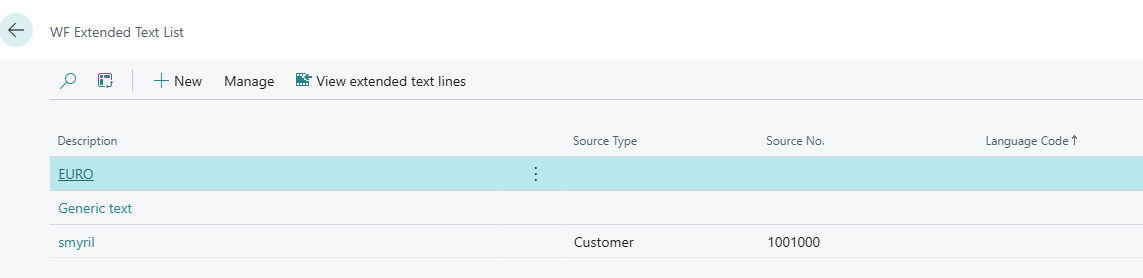
A new page opens.
-
Fill out all required fields
-
Add a clear short Description for the text
-
Additional information such as Language Code, Dates, and Types can be added
-
Language Code is by default set to All Language Codes, but a specific language can be selected if needed
-
-
-
Once all information is filled out, click Close
The text is now added to the Extended Text List
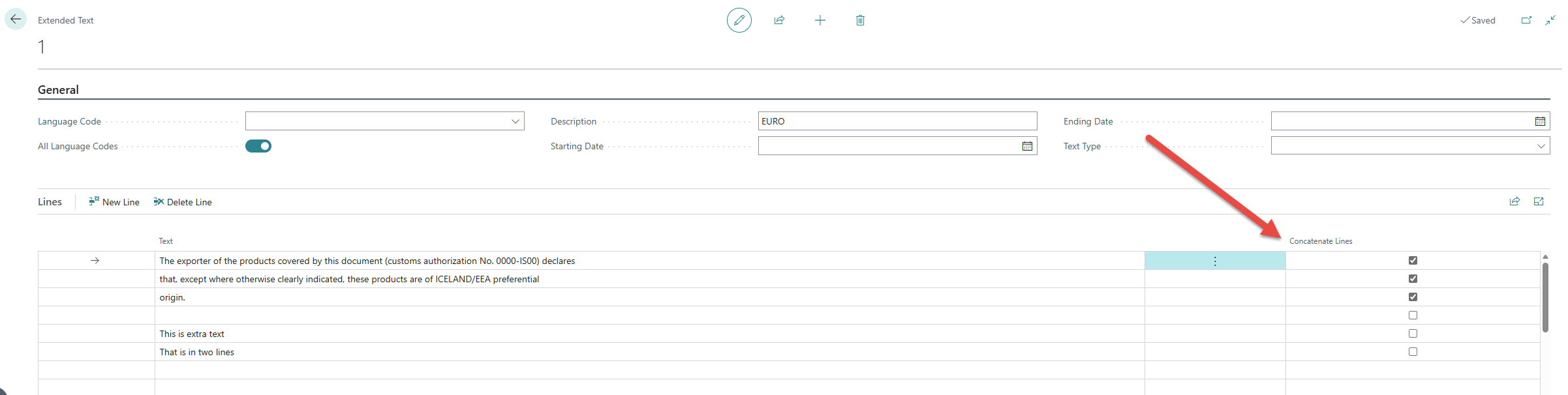
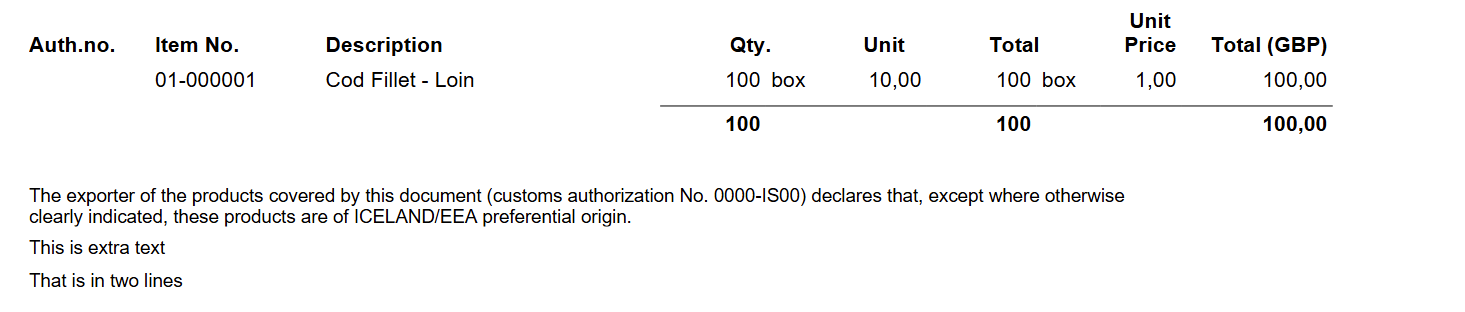
Texts that consist of multiple lines or longer paragraphs should be marked with Concatenate Lines.
This ensures that the text is displayed as a continuous paragraph.
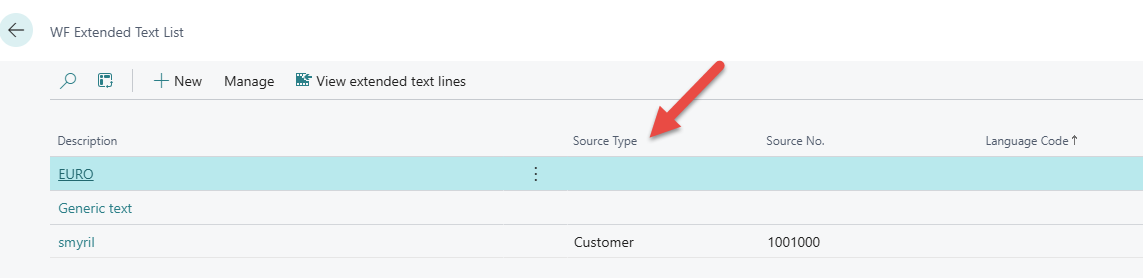
💡 Notice when creating text from the extended text list, the Source Type remains empty.
WF LENGDIR TEXTAR Að búa til LENGDA TEXTA Eyða LENGDUM TEXTUM skoða LENGDA TEXTA