
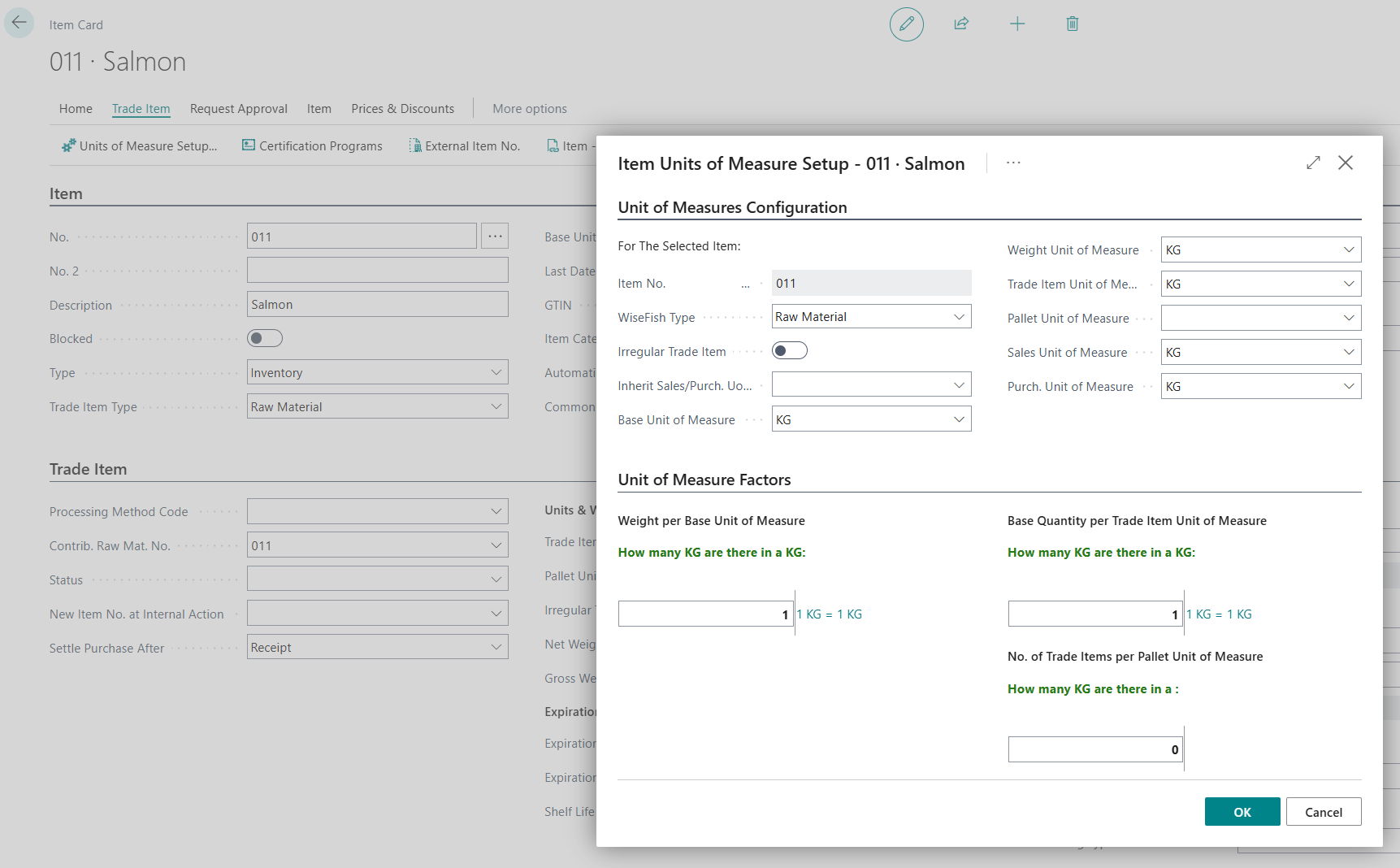
Create an item for each raw material.
Grouping by Size Categories
During harvest, fish are sorted into standardized weight categories. These categories may vary between companies and must be configured for each raw material item within the system.
To properly set up size grades for Harvest Plan estimations, the following fields are mandatory:
Grade -A unique code representing the size category
Description - A clear description of the size category
Used in CV Calculations - This field must be filled in for the grade to be included in Harvest Plan calculations. Use "Regular" for all size categories except the largest one, which should be labeled as "Largest".
Lower Weight Limit BWU - The lower bound of the weight class in kilograms (or pounds). For example, for a 1–3 kg size grade, this would be 1.00 kg.
Upper Weight Limit BWU - The upper bound of the weight class. Continuing the above example, this would be 3.00 kg.
No. of Fish per Box - Insert the estimated No. of Fish per Box
All other fields in the table are not relevant and can remain empty
From the item card go to Size Grades:

Below is an example configuration for salmon, showing different size grades and their associated parameters:

The lowest size grade must always start from 0 kg as ‘Lower weight limit’. For example, you cannot define the lowest grade as 3–4 kg. In that case, you must first create a grade that covers 0–3 kg to ensure full coverage from the minimum possible weight.
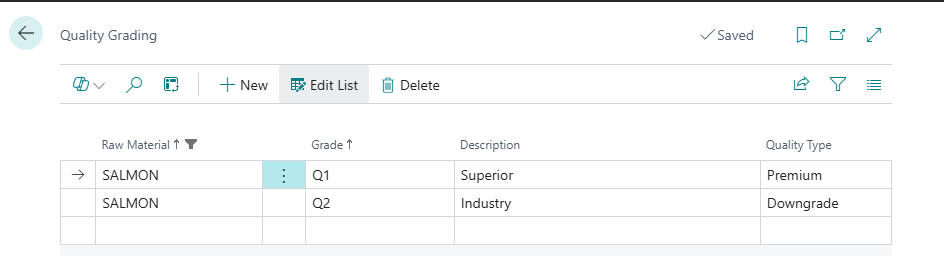
Grouping by Quality Categories
In addition to size grading, harvested fish are also sorted into quality categories.
It is common industry practice to define two primary quality grades:
-
Premium
-
Downgrade
Just like with size grading, quality grades must be configured for each raw material item in the system. The table below shows an example configuration:
Setting up Variant Codes
After configuring Size Grades and Quality Grades for a raw material item, the system can automatically generate all variant code combinations.
After variant codes are generated, each variant must be mapped to the corresponding product item that is produced from that size/quality combination.
From the Item Card, go to Related → Item Variants. For each variant code, fill in the Product Item No as in below screen shot.

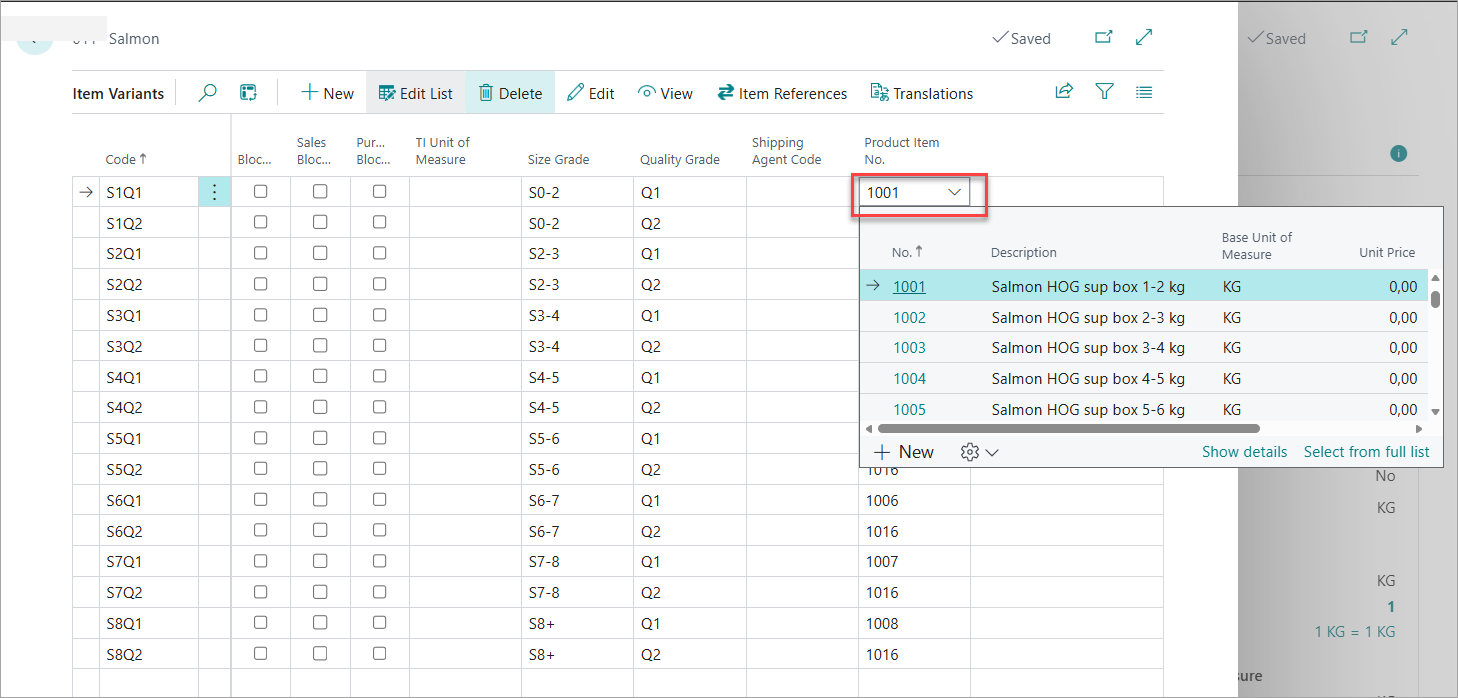
The product item mapped to a variant code represents the most likely finished product when processing raw material of that exact size and quality. This drives yield calculations, harvest plan estimations, and production forecasting throughout the system.
Example
Variant code S1Q1 represents raw salmon in the 1–2 kg size range of Superior (Premium) quality.
This variant is mapped to product item 1001 – Salmon HOG sup box 1-2 kg, because a 1–2 kg Premium quality salmon will be processed into a Head-On Gutted (HOG) Salmon 1-2 kg of Premium quality.