
Overview
Cross-Company messages carry an item's number exactly as it exists in the sending company. When the sending and receiving environments use different Item Nos. for the same product, the receiving side cannot resolve the incoming line unless a cross-reference is set up ahead of time.
This matters differently depending on which document direction is sending the message:
-
Receipt Agreement to Sales Agreement (the receiver creates a Sales Agreement from an inbound Receipt Agreement message)
-
Delivery Agreement to Purchase Agreement (the receiver creates a Purchase Agreement from an inbound Sales/Delivery Agreement message)
Receipt Agreements: setting up the item mapping
When a Receipt Agreement is sent to a partner and they accept it, their system tries to match the Item. A check is made whether the External Item No. field is filled out in any agreement line. If this field is not filled out, a check is made on the Item No. of the agreement line.
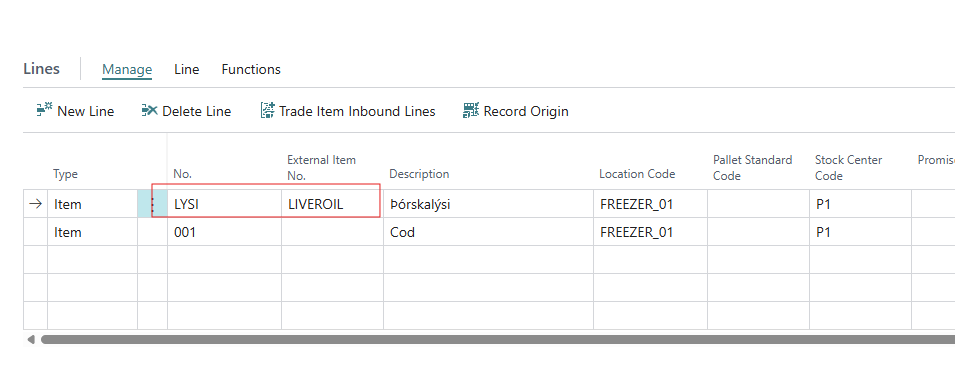
To make this work reliably when the two companies use different numbers, the mapping needs to be set up before sending the agreement.
-
Set up a Stock Center for the partner, with Stock Center Type = External Producer, and its Vendor Code set to the Vendor No. linked to that Cross-Company partner (on the Cross-Company Partner Setup record).
-
Add a mapping record for each item, on the External Item No. list.
- Set Type of Ext. Party = Stock Center,
- External Party Code = the Stock Center from step 1,
- Item No. = own item number
- Ext. Item No. = the item number the partner uses. -
On the Receipt Agreement line, once the Vendor and the item number are filled in, the Original Producer and External Item No. fields should fill in automatically.

Delivery Agreements: setting up the item mapping
When a Delivery Agreement is sent to a partner and they accept it, their system tries to match the Item. A check is made whether an External Item No. field is filled out in any agreement line. If this field is not filled out, a check is made on the Item No. of the agreement line.
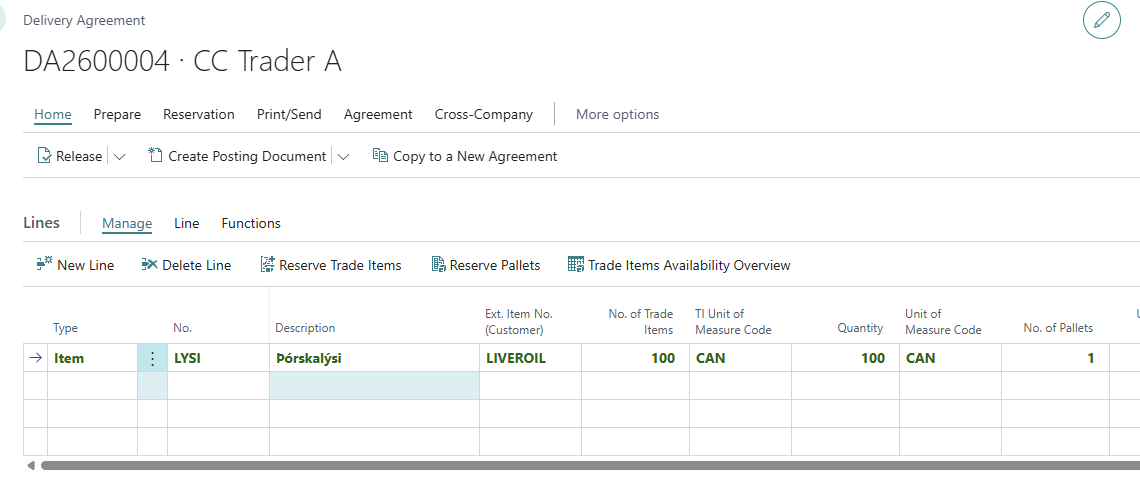
-
The Customer No. already linked to the Cross-Company partner on the Cross-Company Partner Setup record is used for the mapping
-
Add a mapping record for each item, on the External Item No. list.
- Set Type of Ext. Party = Customer,
- External Party Code = the Customer No. from step 1,
- Item No. = own item number,
- Ext. Item No. = the item number the partner uses. -
On the Delivery Agreement line, once the Sell-to Customer and the item number are filled in, the Ext. Item No. (Customer) field should fill in automatically.
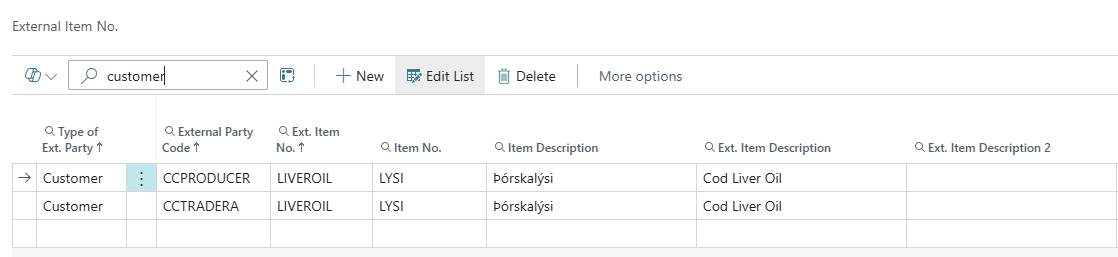
Make sure there is exactly one mapping record for that Item and Stock Center / Customer combination. If there are none, or more than one, the field won't fill in and the Agreement can not be created on the receiver side.