To be able to send messages to CC Partners through API calls, you need to connect to one or more tenants. API calls enable you to send CC messages to CC Partners in different databases as well as those contained in the same database as your company.
Prerequisites for Microsoft SaaS clients
An app registration in Microsoft Entra must be set up for the application to authenticate with Microsoft Dataverse and access business data.
This setup must be performed by a system administrator.
The following user permission sets need to be assign to the Entra Application Card in BC:
D365 BUS PREMIUM
D365 FINANCE
D365 FULL ACCESS
WIFICC PERMISSIONSET
Microsoft provides documentation for this process. If you need more detailed instructions, please contact our consultants.
You can access the Tenant setup from the Wisefish Cross-Company Setup page or you can also search for the Page Wisefish Cross-Company Tenants in a search bar.
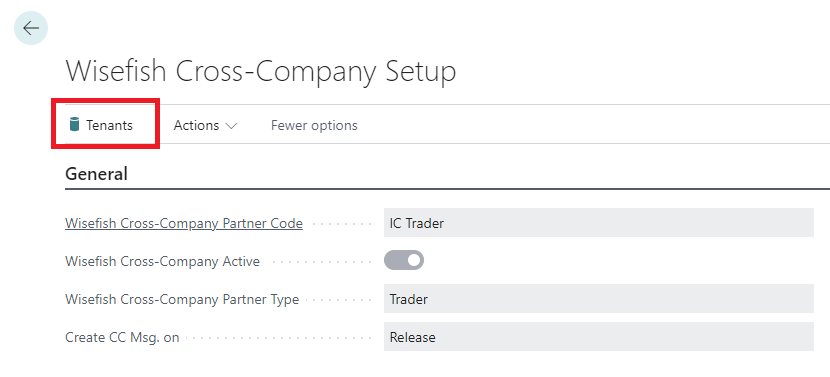
In the Wisefish Cross-Company Tenants page, a list of all existing Tenants is displayed. It is also possible to create new Tenants.
Tenants are used to set up the authentication for API calls and to configure with which companies within your database / within a different database you can interact.
To set up a new Tenant you need to select a Tenant Id and Tenant Name.
The connection parameters depend on the Authentication Type used.
Two authentication types are currently supported, Basic (for onPrem systems) and OAuth authentication (for SaaS systems).
Note: The fields related to the selected authentication method (Basic or OAuth) are auto populated.
For the OAuth authentication you need to provide the Tenant ID, Environment Name, Client ID (AppID) and OAuth Secret for the environment you want to connect to. This information needs to be provided by your system administrator, see prerequisites above.
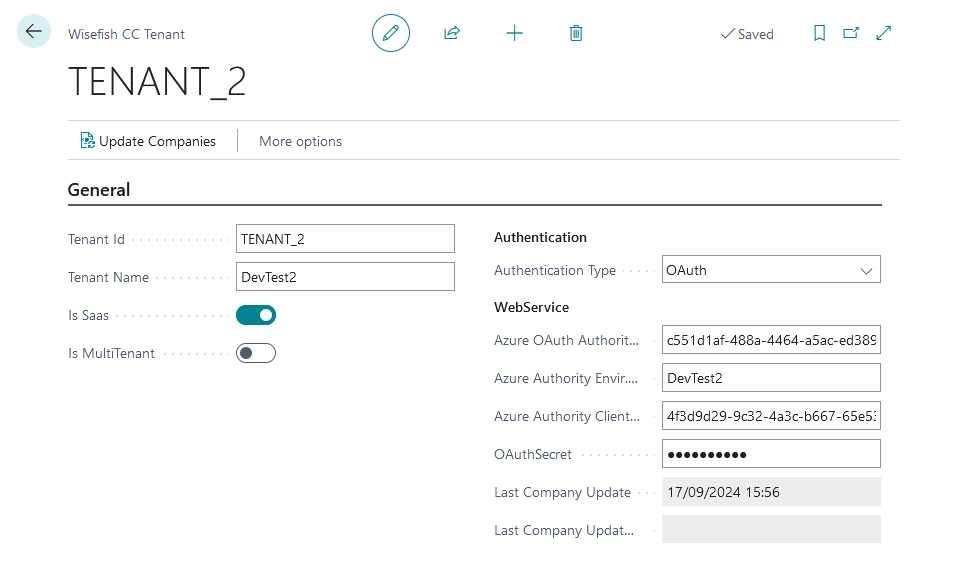
The screenshot above shows a connection to https://businesscentral.dynamics.com/c551d1af-488a-4464-a5ac-ed38911202e3/DevTest2
|
Field |
Value |
|---|---|
|
Azure OAuth Authority Tenant ID |
The tenant id of the tenant to connect to |
|
Azure Authority Envir. Name |
The environment name of the environment to connect to |
|
Azure Authority Client ID |
The Client ID (Application ID) |
|
OAuth Secret |
Value of the Secret ID (OAuth Secret) |
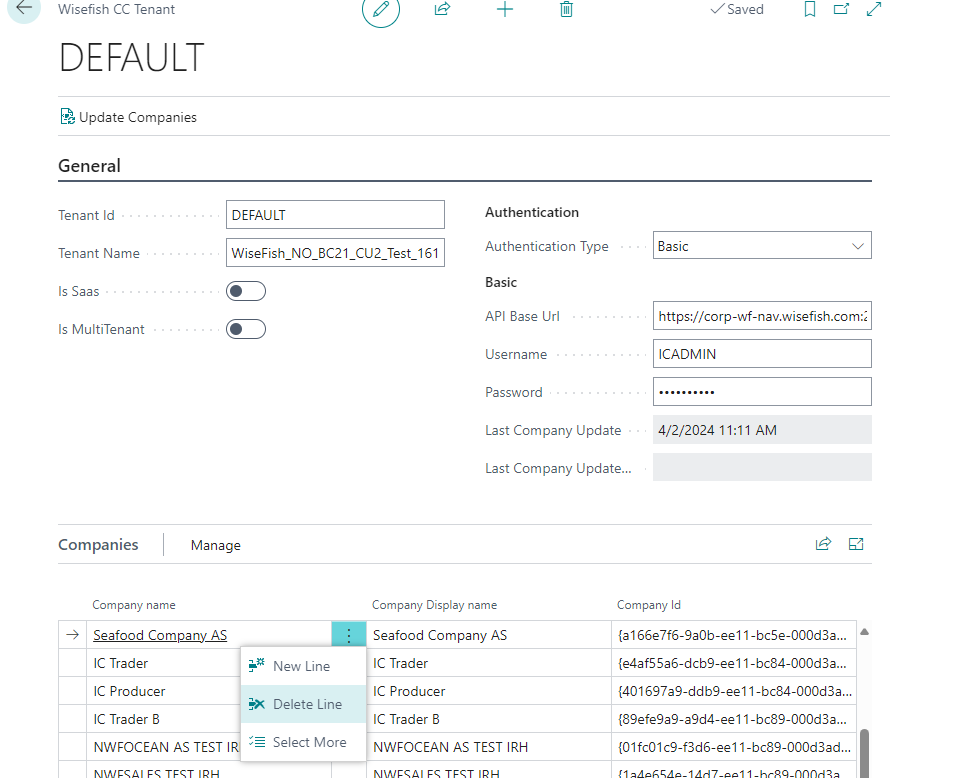
For onPrem systems the Basic authentication is used. You need to provide the tenant's API Base URL along with the Username and Password.
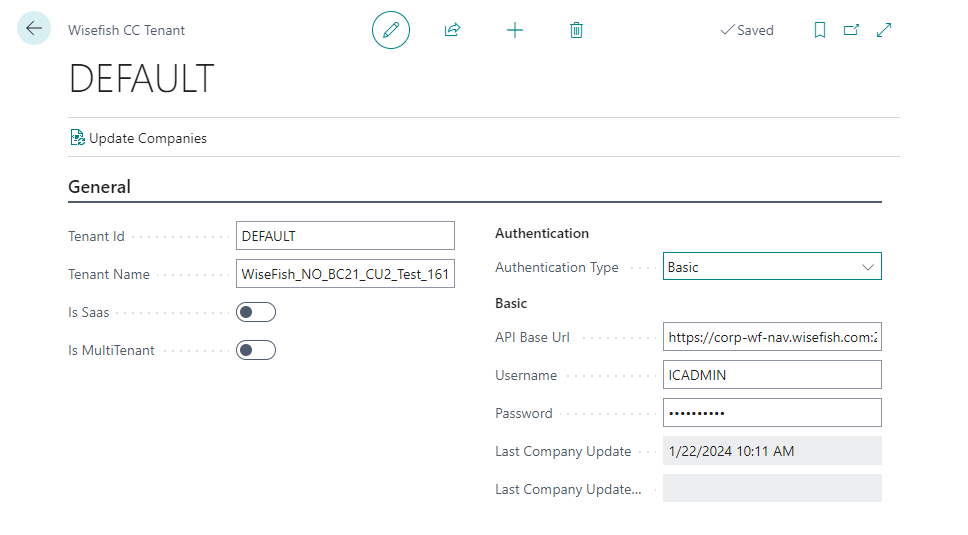
To retrieve the companies accessible through the tenant click on Update Companies menu in the Tenant Detail Page.
The list of companies are listed.
From the Companies list you can then delete companies that do not use the Wisefish Cross-Company functional features.
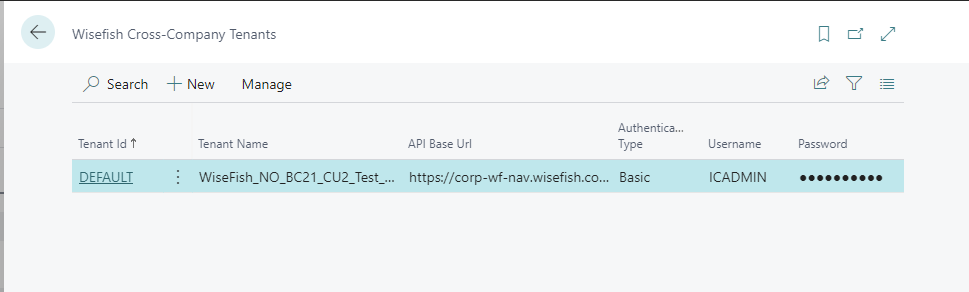
The saved Tenants are displayed in the Wisefish Cross-Company Tenant lists as displayed in below screenshot.