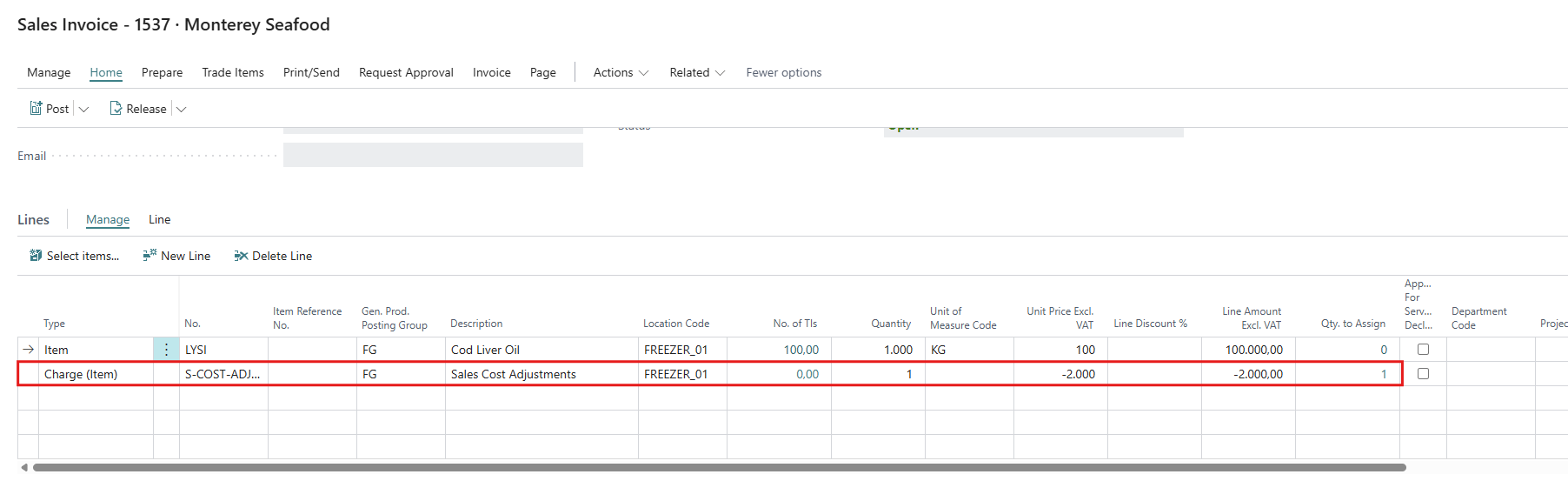
On a Delivery Agreement you can record the agreed and the actual quality per parameter. A difference can give a discount or a price change, which is added to the sales document as an item charge. This is optional and separate from mixing and reserving.
Setup
-
Search for Meal and Oil Discount Groups. Create one group per parameter that affects the price (for example PROTEIN, FAT)
- Code and Description,
- Type (Meal or Oil).
- Premises of Price Change
Higher gives discount (discount only when actual is above agreed),
Lower gives discount (only when actual is below agreed)
Difference gives price change (any difference changes the price, up or down) -
In WiseFish Setup Configuration, on the Sales Agreements tab - Posting, fill in Meal and Oil Discount (Item Ch.) with the Item Charge to use. If it is blank, no discount line is added to sales documents.
Record agreed and actual quality
-
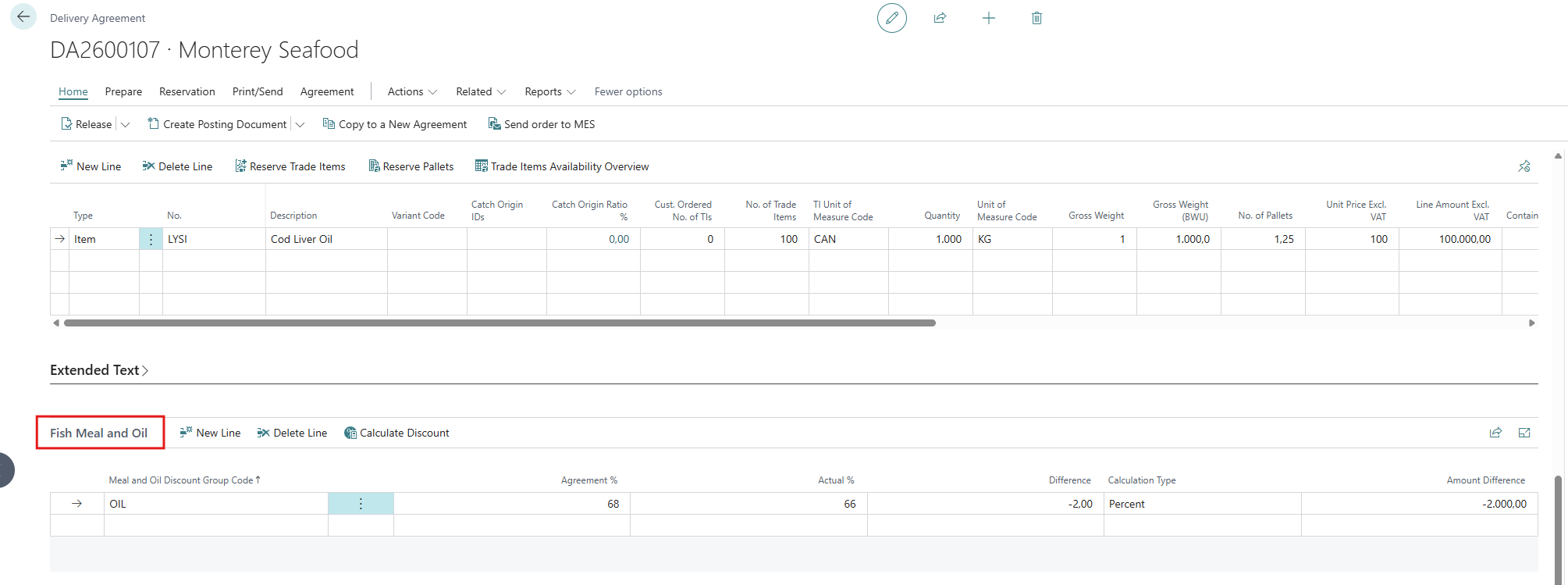
Open the Delivery Agreement. Show the part Fish Meal and Oil with Personalize (it is hidden by default).
-
Add one line per discount group and fill in Agreement % and Actual %.
-
Choose the Calculation Type: Percent (rate = Difference / 100) or Prorate (rate = Difference / Agreement %).
-
Difference (Actual % − Agreement %) and Amount Difference are calculated when you change these fields or choose Calculate Discount. Nothing is calculated until both percentages are filled in and the DA has an amount.
-
Total Discount shows the sum for the DA. A negative amount is a discount.
Example: DA amount 100,000. Protein agreed 68%, actual 66%, premise Lower gives discount. Difference = −2
- with Percent the Amount Difference is −2,000
- with Prorate (−2 / 68) it is −2,941.18.
On the sales document
When a sales order or invoice (or return order or credit memo) is created from the DA, and the Total Discount is not 0, WiseFish adds a line with the setup item charge. The quantity will be 1, the unit price = Total Discount. It is assigned to the item lines by net weight. The WiseFish sales invoice reports can print the meal and oil quality lines.