
ℹ️ The following describes the new reservation forms available in late March 2026. The change will publish in all company databases with the new major version. The new method will be enabled by default.
Introduction
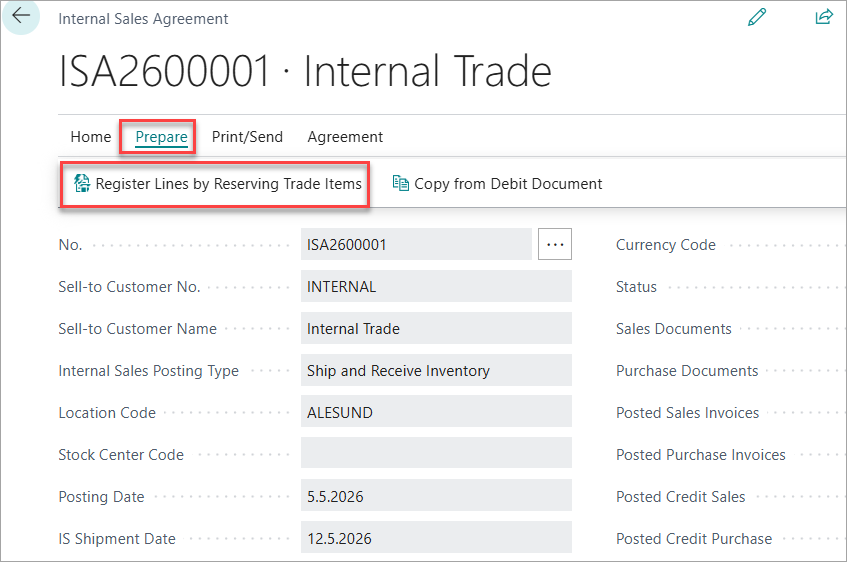
In Internal Sales Agreement you are able to register the Sale Lines by reserving the Trade Items through the header. At the top of page under Prepare an action Register Lines by Reserving Trade Items is located.
Reserve Trade Items
Click on Register Lines by Reserving Trade Items to create lines. It opens the Reserve Trade Items pop up window.
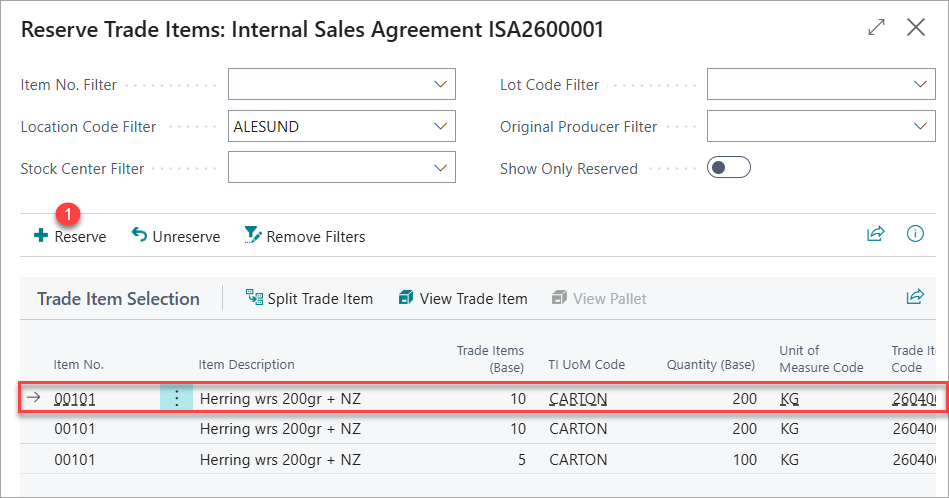
When Reserve Trade Items opens, it shows all available Trade items. Filters are pre-filled from the Delivery Agreement page and can be refined as needed.
-
On open: shows available Trade Items. Filters are pre-filled from the Delivery Agreement and can be adjusted.
-
Filters may differ when opening from header actions vs. line actions.
-
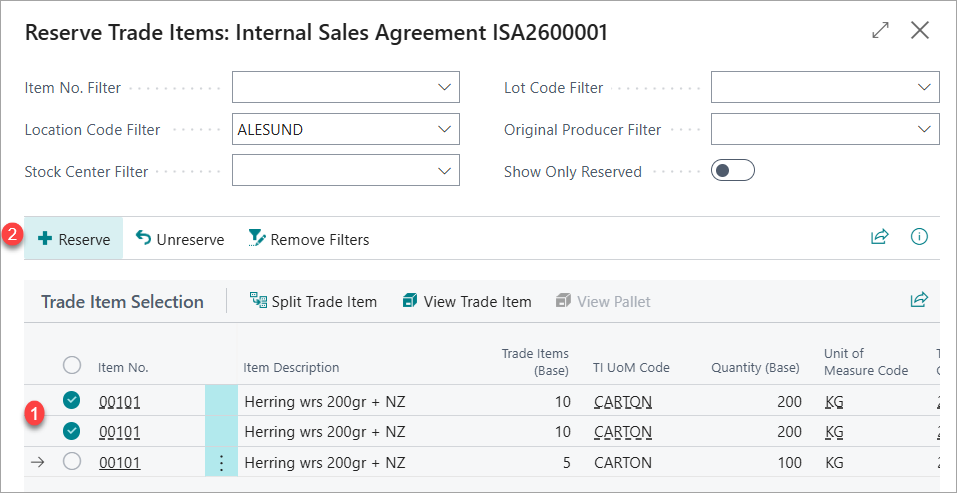
Select one or more lines.
-
Choose Reserve.
-
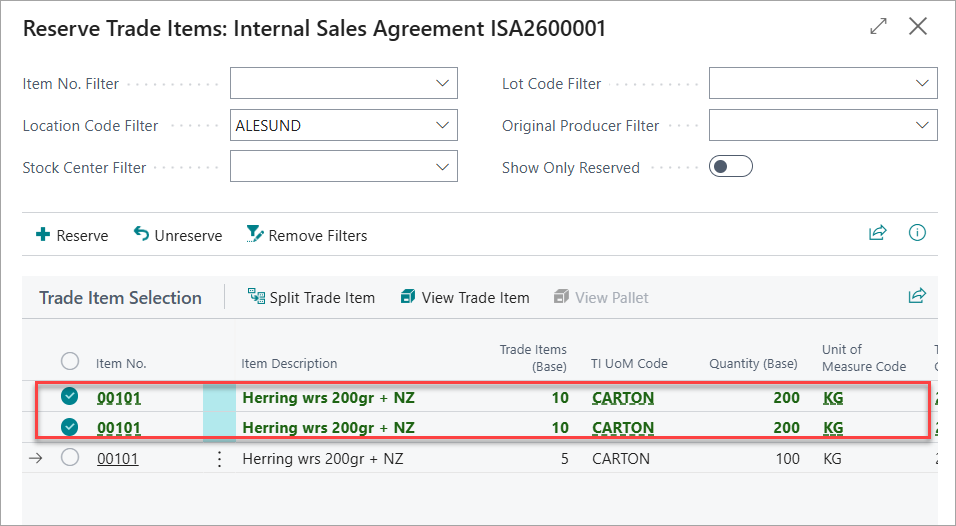
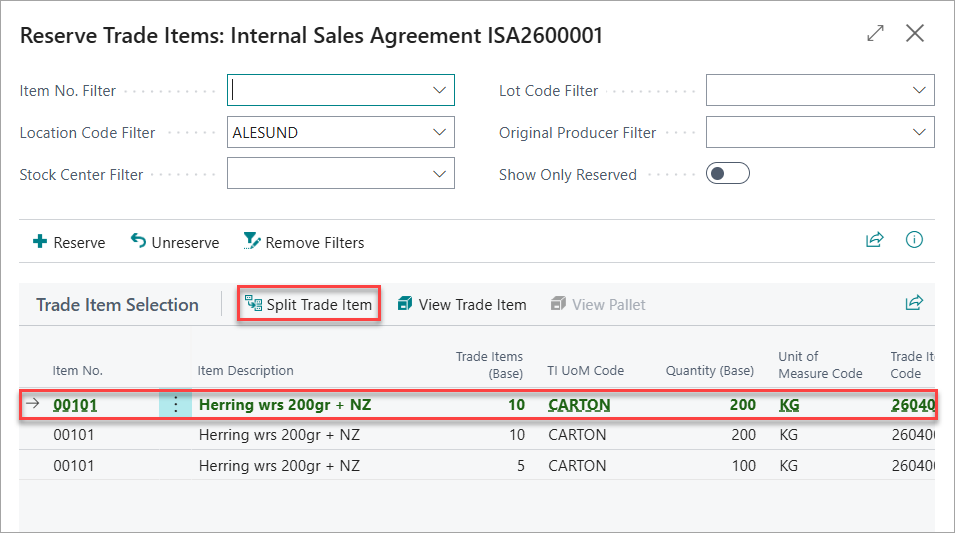
Confirmation: the reserved line turns green and bold.
Actions
The following actions are available on reservation pages.
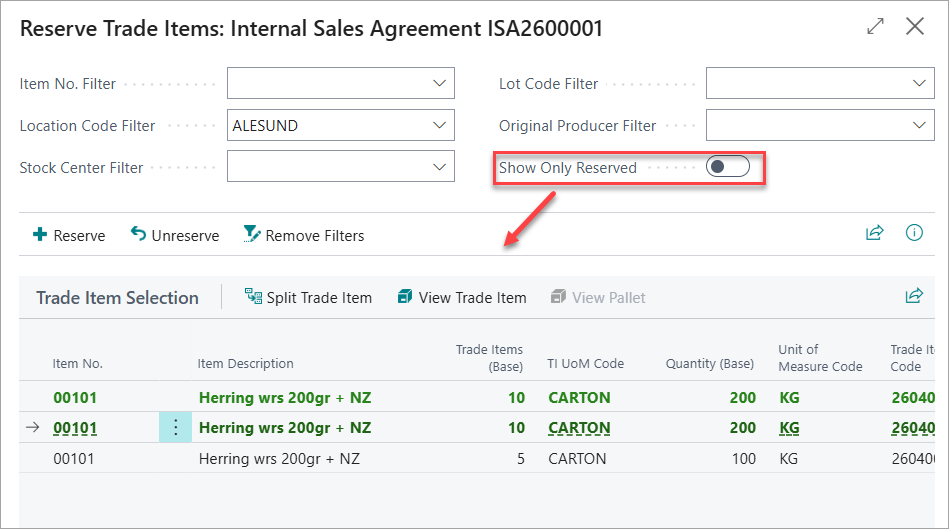
Show Only Reserved Items
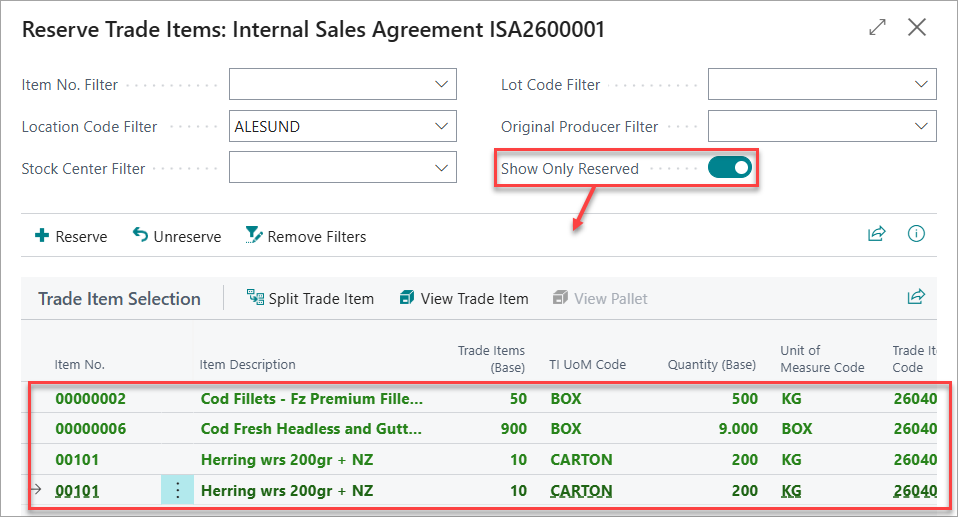
When many items are available and you have selected multiple lines, click Show Only Reserved to display only the items reserved for the agreement.
Trade Item View
Switch between Pallet Reservation and Trade Item Reservation.
View Pallets (pallets only)
Open the pallet card for the line in focus.
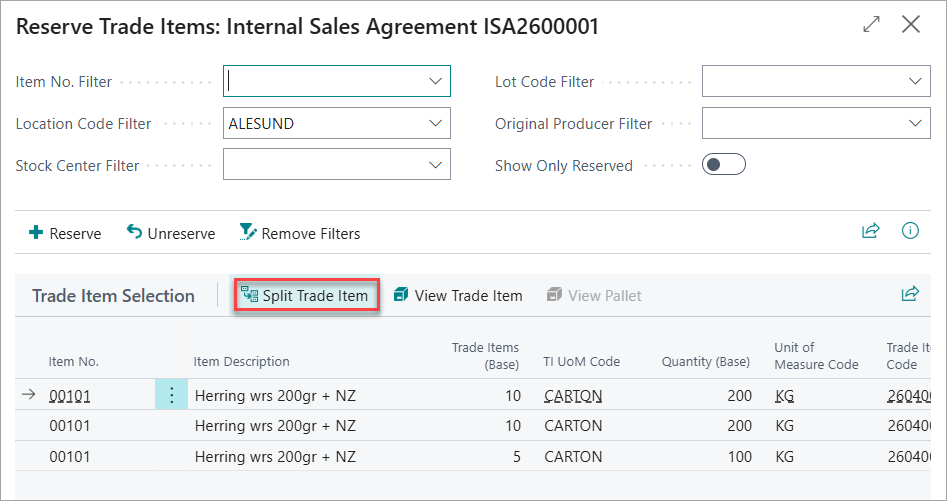
Split Trade Items
If you only need part of a trade item, select the line and click Split Trade Item to split the quantity.
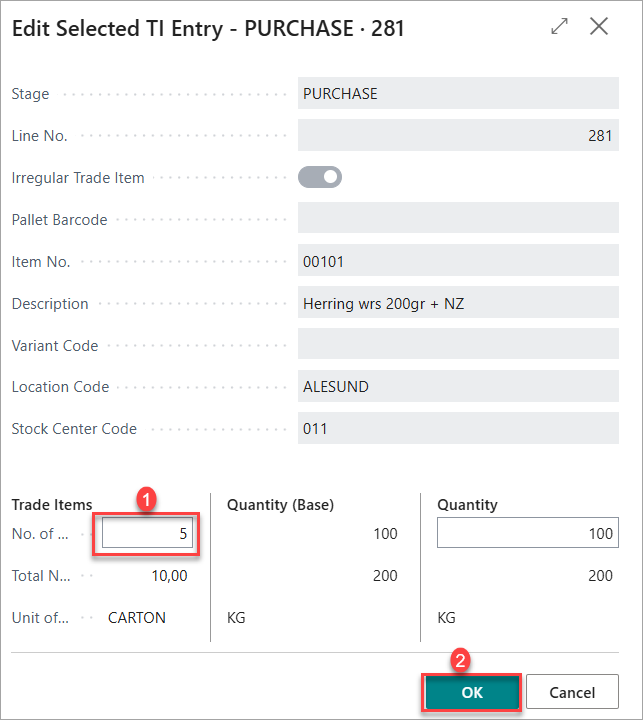
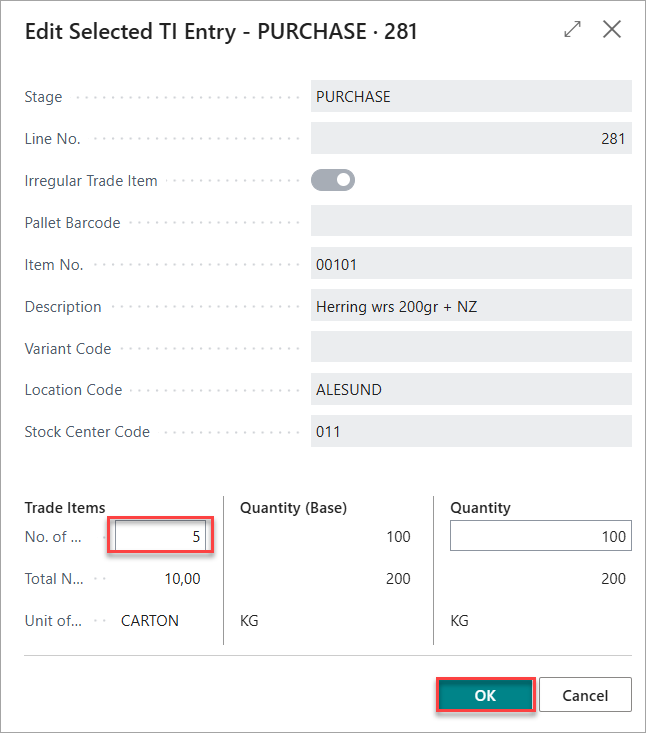
Enter the target Trade Items or Quantity at the bottom of the page. This quantity or trade items will be deducted from the original and reserved for the Delivery Agreement.
Split Trade Items after Reservation
It is also possible to split the reserved trade items into parts. To do so, select the line that has been reserved and click on Split Trade Item.
Enter the target Trade Items or Quantity at the bottom of the page. This defined quantity or Trade Items will be deducted from the original reserved line and a new with the remaining quantity will be created.
When the reservation page is closed, the items should be allocated to the Internal Sales Agreement, and Internal Sales Agreement Lines will change color, see guide here: Reserving Trade Items | Amount vs. Allocated/Reserved Amount