
The following setup tables must be considered before working with Internal Sales Agreements.
Stock Centers (Producers)
Stock Centers need to be defined prior to using Internal Sales Agreements. Producers are set up as Stock Centers in Business Central. The Stock Centers can be found on the Navigation bar or by searching for Stock Center List in the search window.

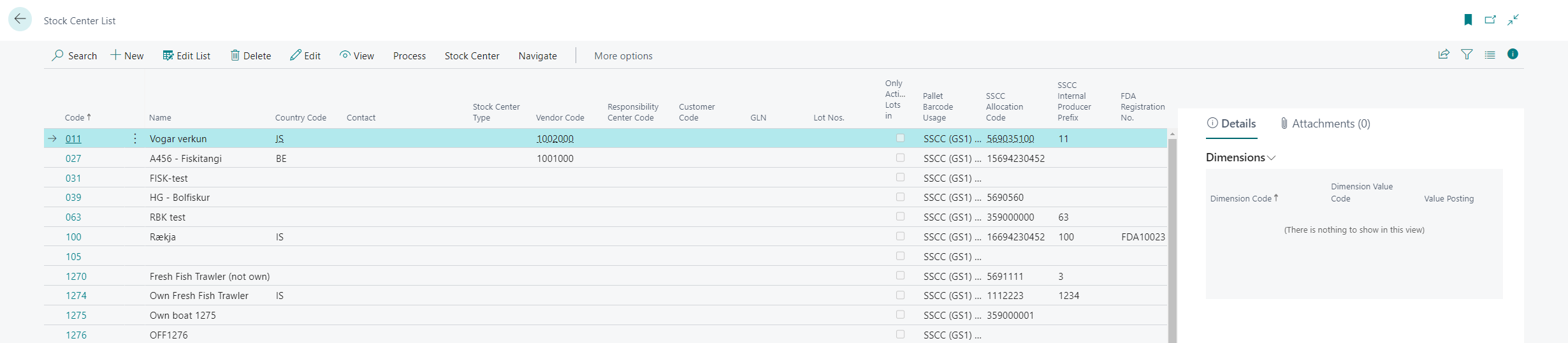
The Stock Center List looks like this. To create or add a new stock center click +New. To edit a stock center in the list the user clicks on the stock center they want to edit and then clicks on Edit.
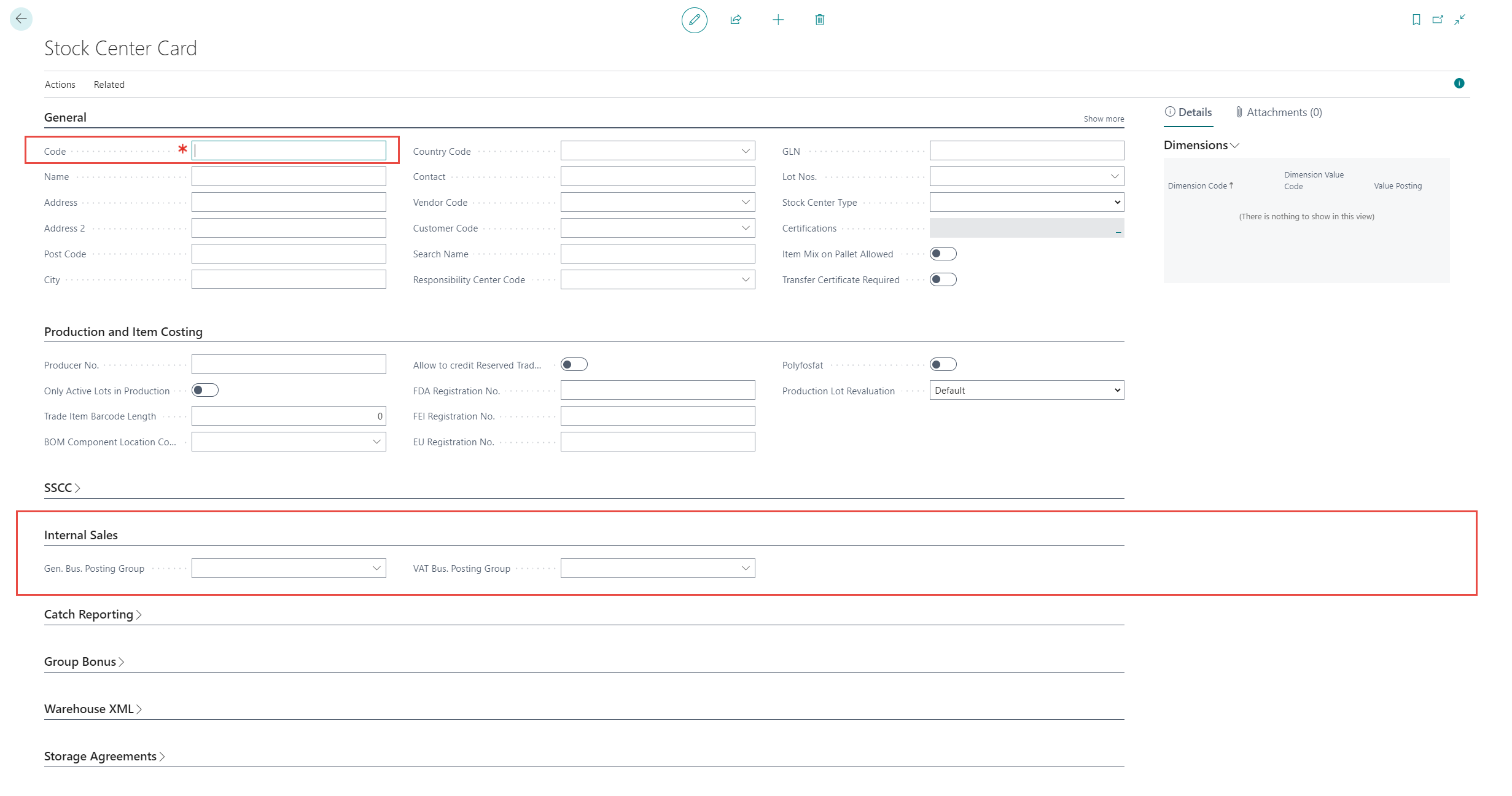
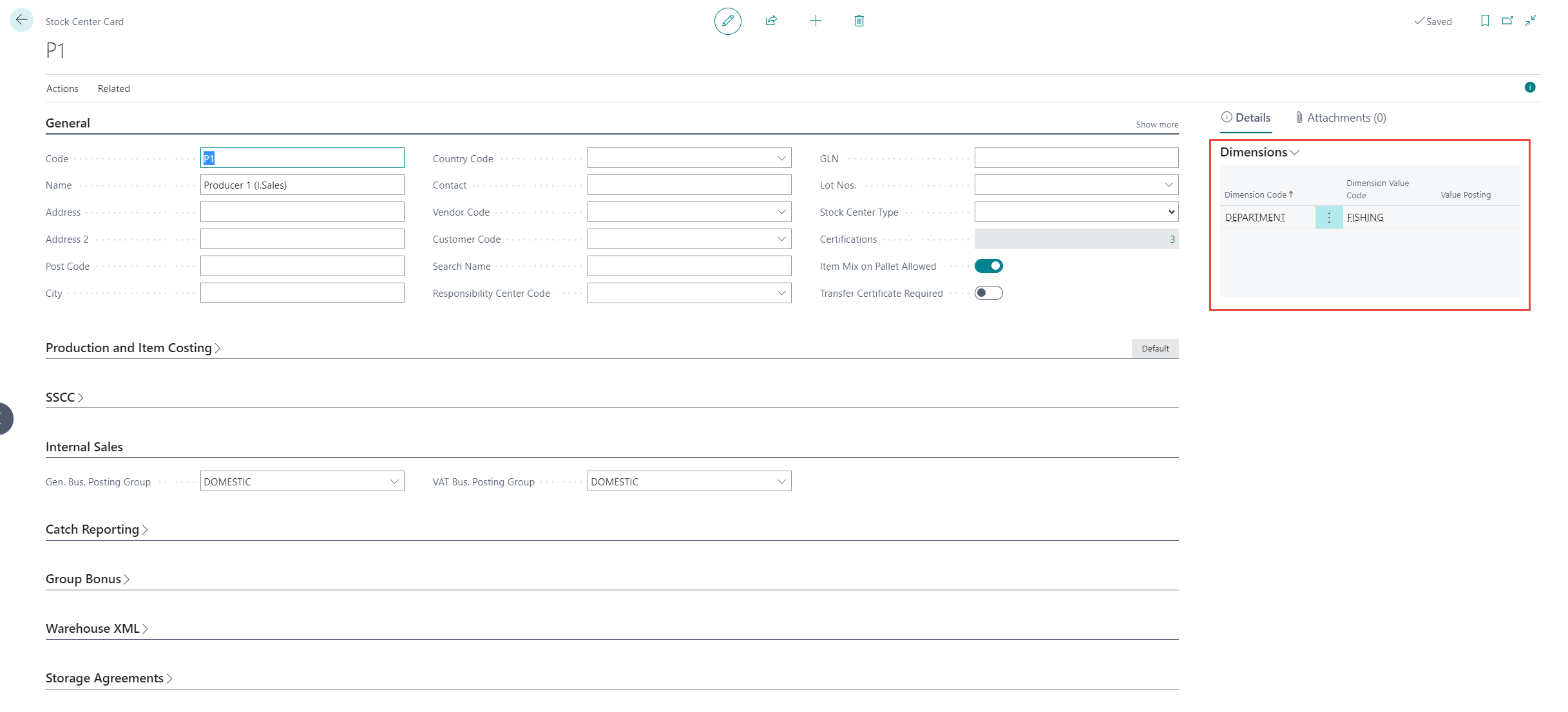
In the Stock Center Card, the Code needs to be filled out – other information could also be added. Under the Internal Sales tab the Gen Bus. Posting Group and VAT Bus. Posting Group can be filled out to control the posting setup for that stock center.
Dimensions on Stock Center
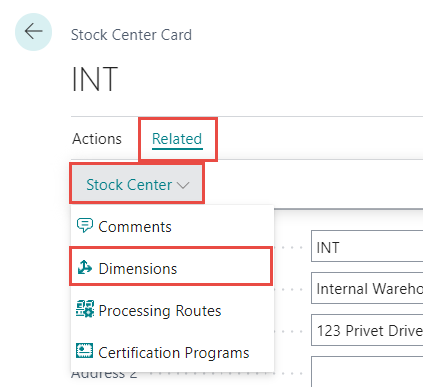
To view more information on Dimensions, click here. To set up the dimensions for the stock center, click Related > Stock Center > Dimensions.
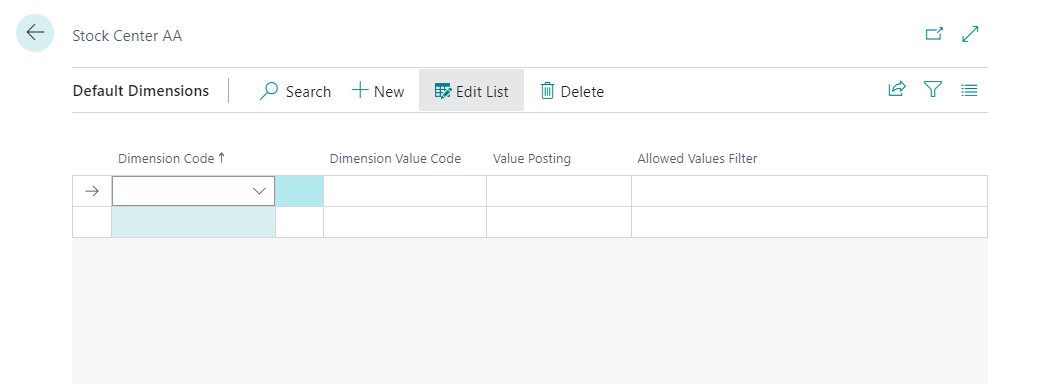
Click +New to set up the dimension code and dimensions values for that Stock Center.
The Dimensions can be viewed but not edited in the FactBox of the Stock Center Card.
Internal Sales User Setup
To aid in and speed up the creation of internal sales agreements users can setup an internal sales user setup that fills out certain fields in an agreement with default values. Internal Sales User Setup can be found by searching for it in the search window.

To create a new user setup +New in the Internal Sales User Setup. To edit an existing user click Edit List.
