
Change Invoicing Status for selected Agreements
-
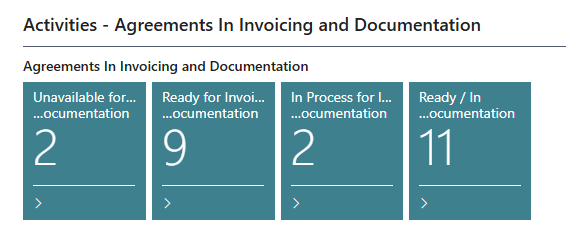
In the Agreements In Invoicing and Documentation Activities in the Role Center, select the Status that Agreements should be updated from.
-
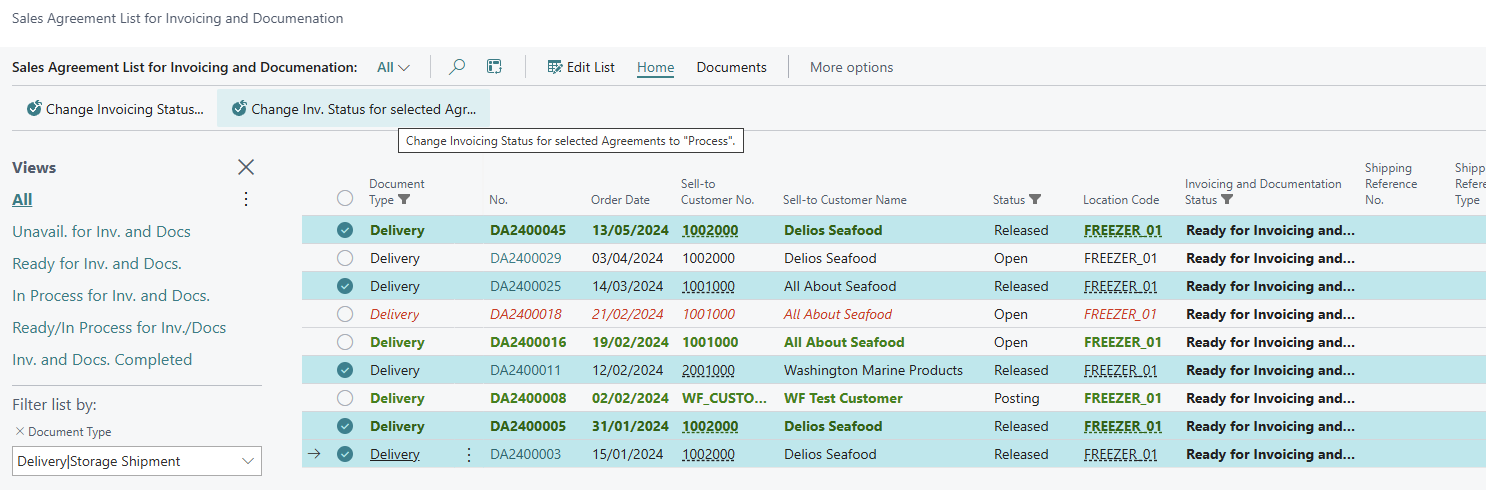
Select the Agreements that should be updated
-
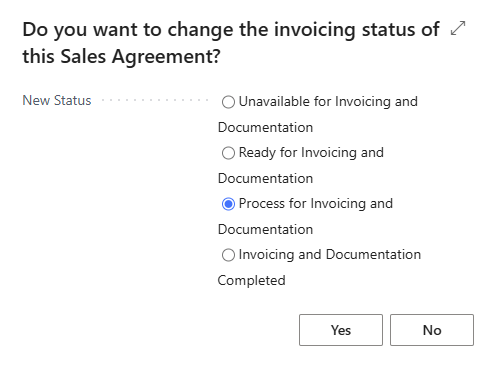
In the dialog, select the status the Agreements should be updated to and confirm by clicking Yes.
-
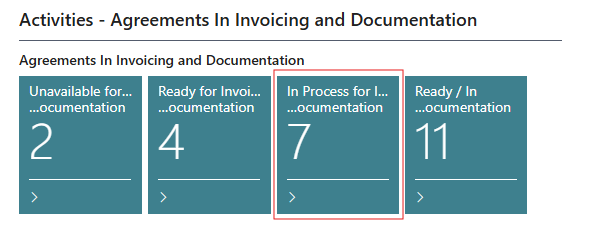
The Invoicing Status of the selected Agreements is updated and the Activities tiles in the Role Center reflect this change.
Create Posting Documents for selected Agreements
-
In the Sales Agreement List for Invoicing and Documentation, select the Agreements that Posting Documents need to be created for.
-
Select Documents - Create Posting Documents for selected Agreements
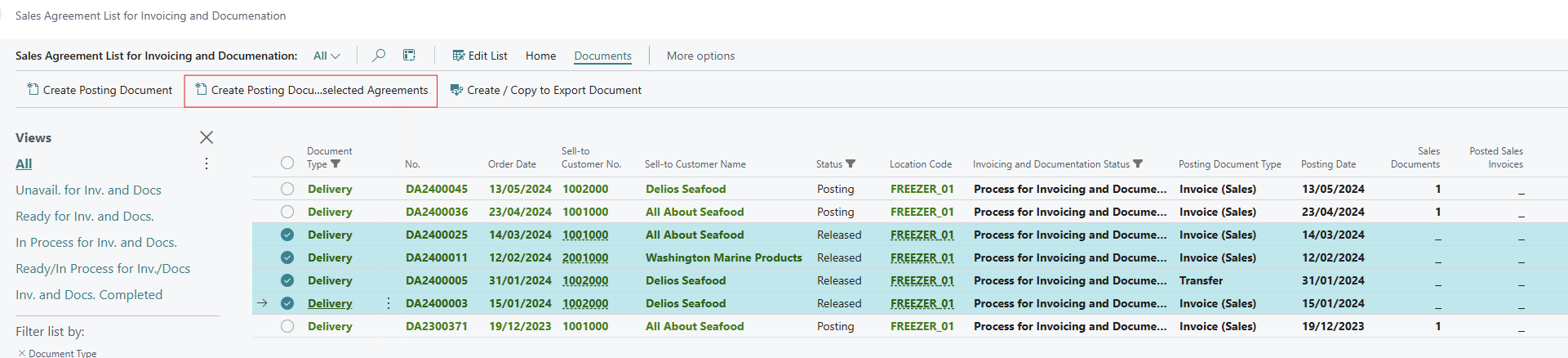
-
The Posting Documents are created, based on the individual Delivery Agreements Posting Document Type.

-
The Posting Document can be accessed via the link in the Sales Documents column.