
This feature enables sales documents to be automatically created when a fishing trip of an own boat is landed. It is advised to make sure that those processes run manually before applying this automation. Running them manually first will give the user a better understanding of error messages, in case there is something missing in the setup.
Setup
-
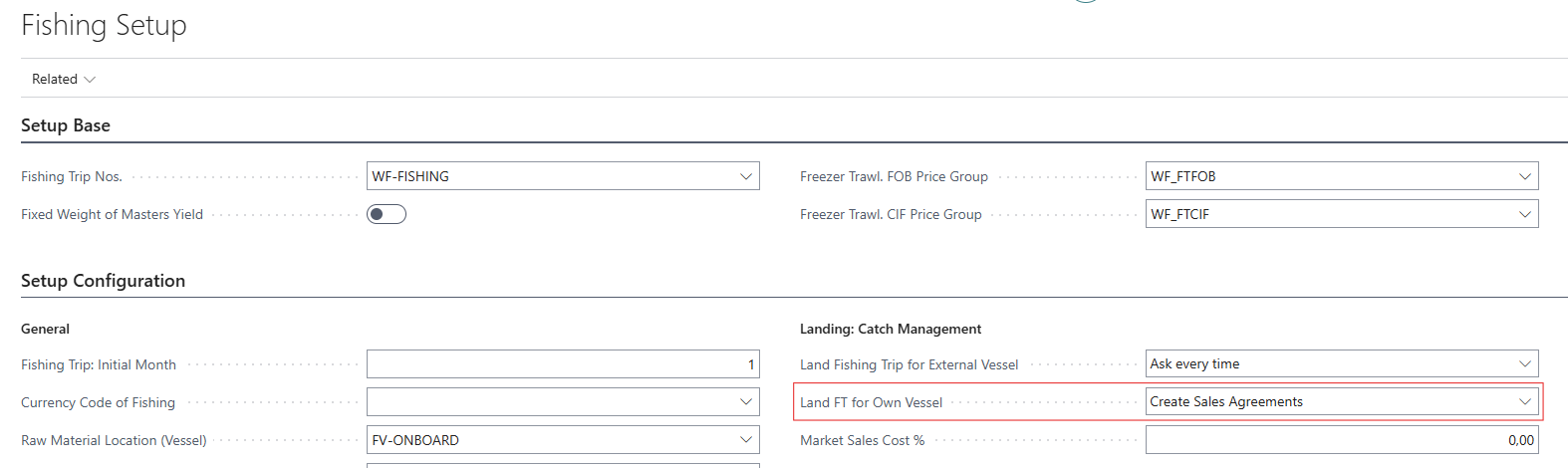
Go to Fishing Setup and activate the functionality by setting the Land FT for Own Vessel field to Create Sales Agreements.
-
In Related, open Configurations - Sales Agreement Separator.
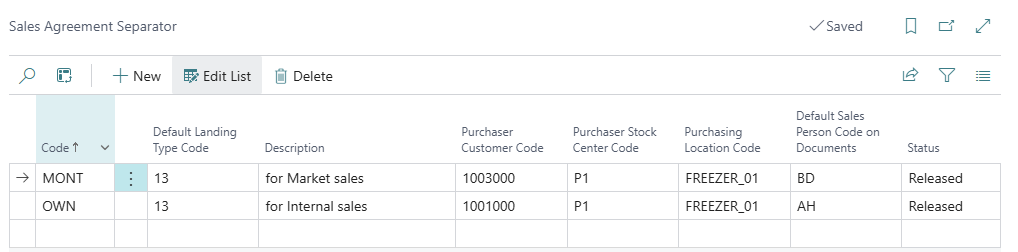
It opens up the Sales Agreement Separator page that is used to configure the settings of the automation. The most vital thing here is to understand that there are 2 different methods supported:
-
Internal sales/purchase between Stock Centers in the company. This creates sales and purchase documents between two Stock Centers using the Internal Sales Agreements. The documents will be posted automatically.
-
Market sale (direct sales to 3rd party). This creates a Delivery Agreement and an associated sales invoice. This invoice is also posted automatically by the system.
Fields in the table:
Code: Simple indicator that will be used in the field Sales Agreement Separator in fishing trip lines.
Default landing type code: When this separator is selected on a fishing trip line, its landing type is automatically copied onto that line's Landing Type Code field.
Description: for information about the Sales Agreement Separator
Purchaser Customer Code: Indicates the customer code that the sale will be assigned to.
Purchaser Stock Center Code: This is only meant to be filled out for internal sales/purchase. It does not apply for market sale.
Purchasing Location Code: Only meant to be filled out for internal sales/purchase. Does not apply for market sale.
Default Sales Person on Document: Fills out the sales person on a delivery agreement. Optional in general, but required before you can set the Status to Released if your User Profile has Salesperson Mandatory Rel. DA enabled and the line is a market sale.
Status: Make sure the status is set to Released so the separator becomes available for selection on Fishing Trip lines (only Released separators can be selected there). Before you can release it, Code, Default Landing Type Code, and Purchaser Customer Code must all be filled in; for internal sales/purchase entries, Purchaser Stock Center Code and Purchasing Location Code are required as well.
-
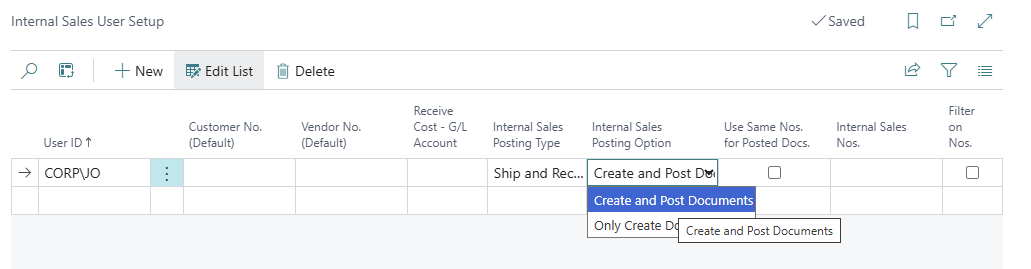
In the internal sales user setup, it is possible to specify what should happen when internal sales documents are created. The Create and Post Documents option is default (and generally recommended, since it auto-posts and saves a few mouse clicks).
Process
Before landing the fishing trip, specify what type of sale is for each line in the field Sales Agreement Separator
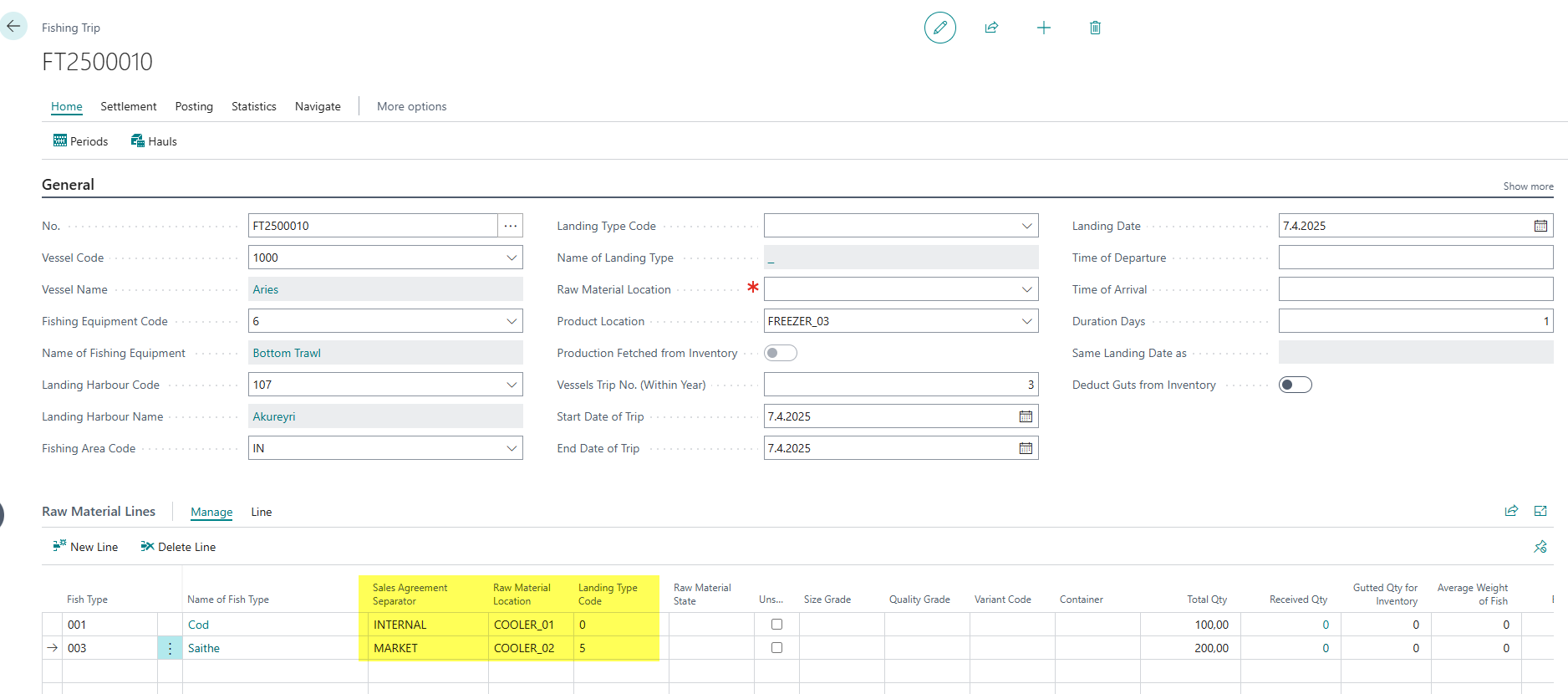
When the fishing trip is landed, the system creates an agreement for every distinct Sales Agreement Separator found among the trip's lines. Delivery Agreements for market-sale lines and Internal Sales Agreements for internal lines. It then releases and posts each agreement according to its type:
-
Market sale (Delivery Agreement): released, invoiced, and the resulting sales invoice is automatically checked and posted. A confirmation message lists the invoice number(s) that were posted.
-
Internal sales/purchase: released and posted automatically.
The landing date will be used for the posting date on sales and purchase documents.
If none of the trip's lines have a Sales Agreement Separator set, the sytems prompts to confirm whether to continue landing without creating any agreements. Declining stops the landing with an error ("Trip not landed"). Please note that by this point in the landing process, the trip's raw material and product have already been posted to inventory. Declining this prompt does not reverse that posting.