
The QC Inspection Matrix page is designed to register multiple inspections at the same time.
-
Matrix Registration gives you the opportunity to record multiple inspections at once.
-
When Inspections have been registered, they can be confirmed all together with one action
-
Multiple Inspections are also posted simultaneously
-
When Inspections are posted they are removed from this list and can be viewed from the Posted Inspections list.
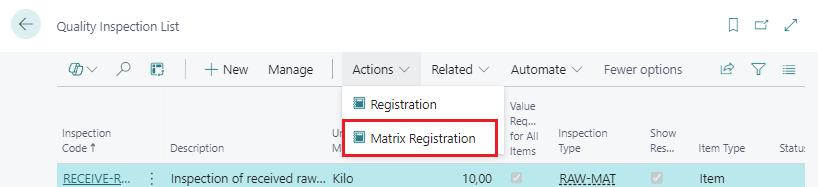
The Matrix Registration is initiated from the Quality Inspection List.
-
Set focus on the appropriate Inspection entry.
-
Run action Matrix Registration.
-
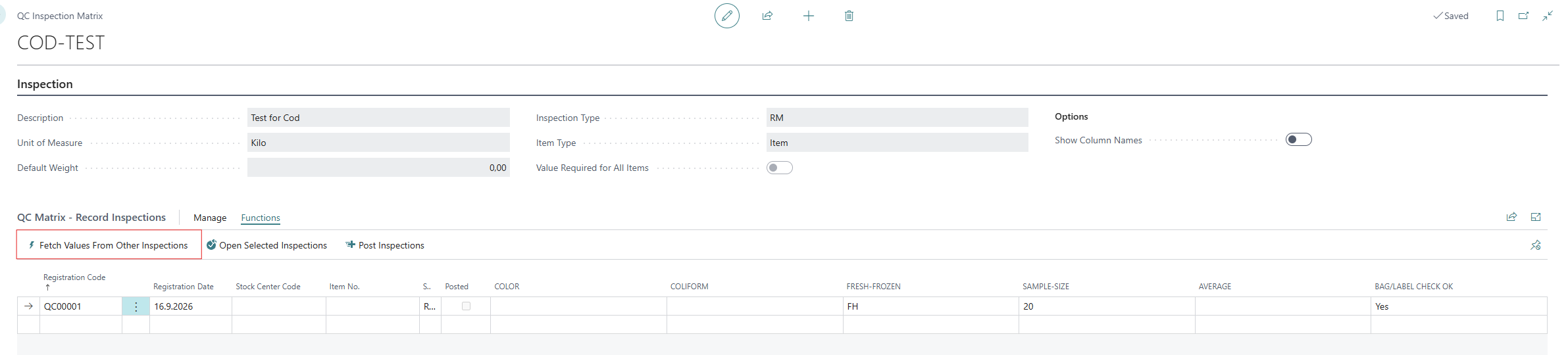
Create an entry for each inspection
-
Register all fields.
The action Fetch Values From Other Inspections pulls in values from another Inspection Form as configured on the Quality Detail lines, see Fetching Values From Other Inspections on Customizing Quality Inspection Details. Note that this same fetch also happens automatically on confirmation, even if this action isn't used.
fjöldagæðaskráning gæðaskoðunarmatrixa matrixuskráning