
Reserve to a Delivery Agreement
-
Open the page from the DA header or a DA line.
-
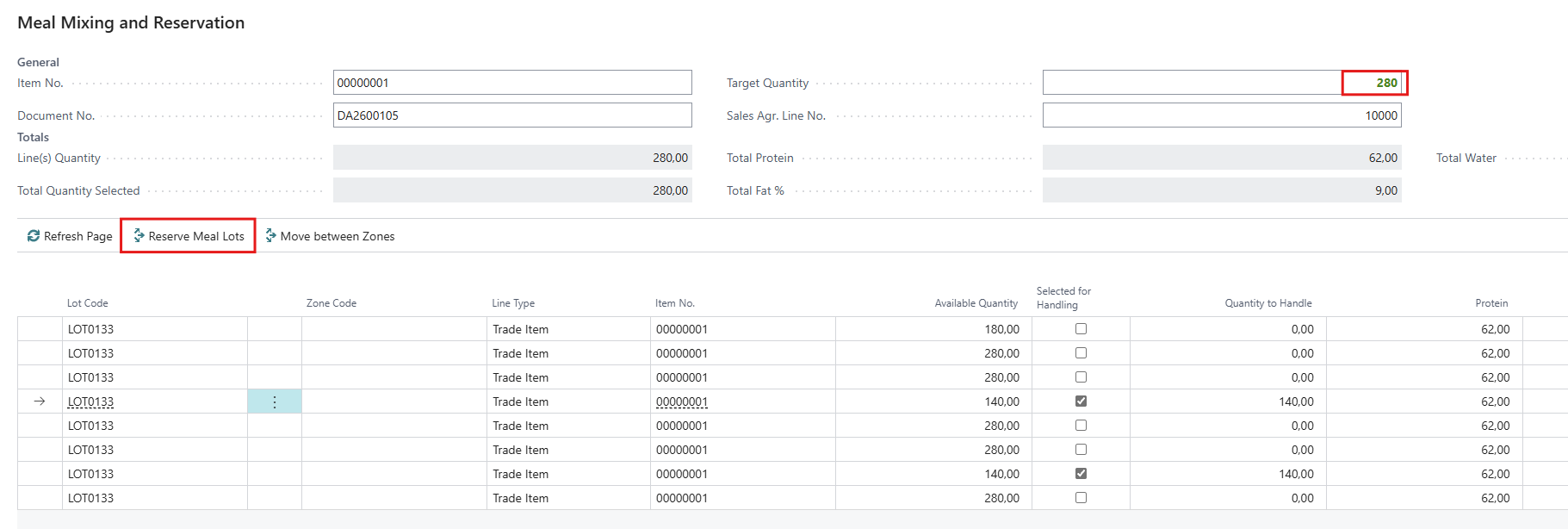
Select lines until Total Quantity Selected turns green.
-
Check the totals against the customer's quality requirements.
-
Choose Reserve Meal Lots. The page closes.
-
On the DA line, check No. of Trade Items and the reserved quantity.
-
When opened from the DA header, each trade item goes to the DA line with the same item, variant, location and stock center. If there is none, a new DA line is created.
-
When opened from a DA line, everything goes to that line.
-
If only part of a line is selected, trade items are split. Trade items of 20 units or less are never split. They are taken whole.
-
If the reserved quantity differs from the selection by more than 20 units, reserving stops with an error. Refresh the page and select again.
-
Storage-type trade items cannot be reserved to a DA,
Move between zones
-
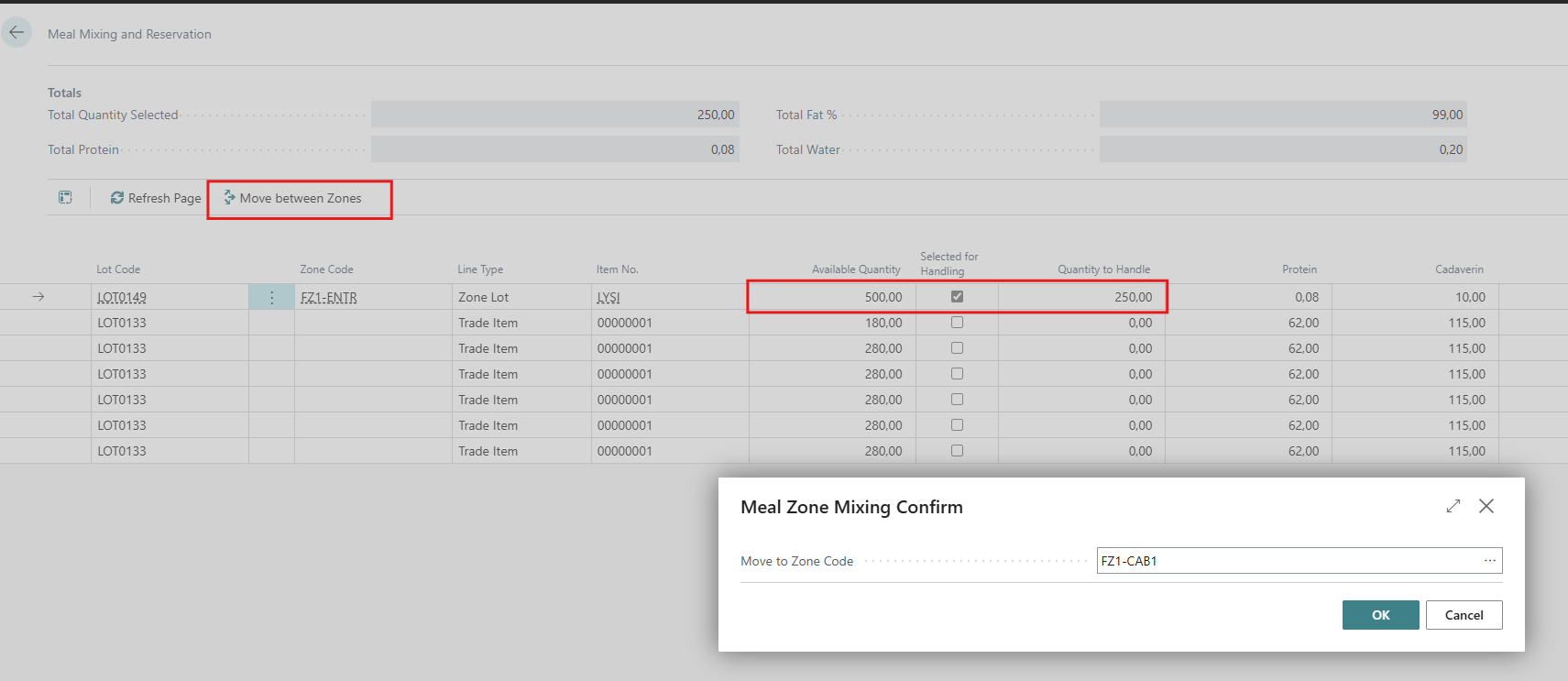
Select the lines and quantities to move.
-
Choose Move between Zones.
-
Choose the zone or silo in Move to Zone Code and choose OK.
-
The page reloads and shows "Mixing completed."
-
The target zone must be at the same location as the selected lines, and cannot be the zone they are already in.
-
Splitting works the same way as for reserving, including the 20-unit rule.
-
The move is registered as a zone transfer dated today.
-
Moving into a Silo mixes the meal. After the reload, it is part of the Silo line and its average.
Weighted selection
When you take part of a silo or zone line, the quantity is taken in proportion from every trade item behind it, so the meal that leaves has the same quality as the meal that stays.
-
Trade items of 20 units or less are taken whole.
-
Each larger trade item gives its quantity × (requested / line quantity), rounded.
-
Any rounding difference is taken from or added to the largest trade item.
Example: a SILO line of 415 kg holds trade items A = 100, B = 300 and C = 15. You request 200 kg.
-
C (15) is taken whole: 15 Trade Items
-
The ratio is 200 / 415 = 0.4819, so A gives 48 and B gives 145. The total is now 208 (8 Trade Items too much)
-
The difference of −8 is taken from B, as it is the largest part 145 − 8 = 137.
-
Result: C 15 (whole), A 48 (split), B 137 (split). The total is 200.