
-
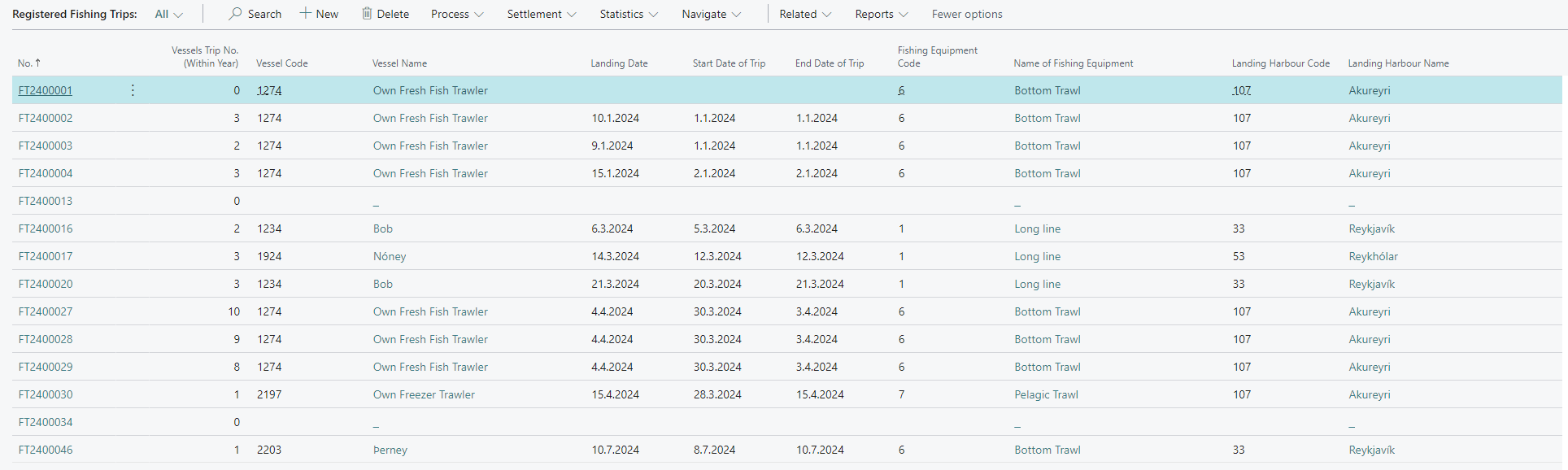
Search for Registered Fishing Trips or select it in the Fishing navigation to display the Fishing Trip List.

-
Click New in the Ribbon menu to create a new trip.
-
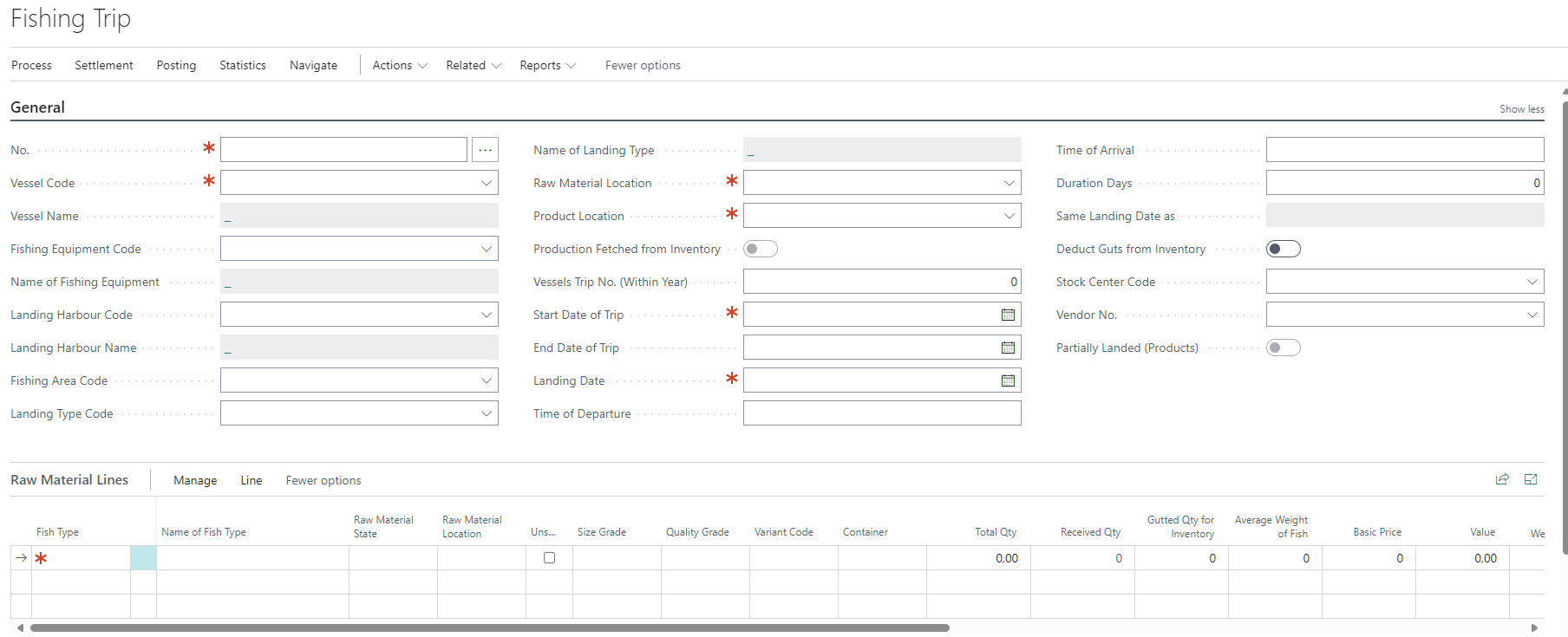
Identification record No. - The Number or Code used by the system for identifying the Fishing Trip. If a Number Series has been created during Setup, the system will automatically fill in a number when the Enter key is pressed (e.g. F24001, where F stands for fishing trip, 24 for the year 2024, and 001 is a running number for Fishing Trips of all Vessels during that year). If a Number Series has not been set, can the Fishing Trip Number can be entered manually into this field.
-
Choose the Vessel Code. This will populate the Vessel Name field and also the following fields.
Multiple fields can get a default value, if there is a value on the Vessel Card. -
The Landing Harbour Code must be given, if did not get a default from the Vesswel Card
-
The Raw Material Location, must be given, if did not get populated from the value of the Vessel Card. This is the location where the inventory will be posted on at landing.
(Note: When the Vessel is screated, it can get a default from the Fishing Setup.) -
The Product Location is for trawlers landing product rather than raw material. The default value works in the same way as for the raw material location.
-
Trip Duration:
-
Before landing a Fishing Trip you must enter dates for the Start Date of Trip, End Date of Trip, and Landing Date. These dates are vital for calculating various key figures related to the Fishing Trips and as a basis for fishing crew’s payroll.
-
Time of Departure/Time of Arrival: When these fields have been completed, the system calculates the duration days of the trip (how long the vessel has been at sea). In some countries, for some vessels, the length of a trip or the amount of shore time necessary between trips is regulated. This field is useful in calculating these parameters.
-
-
Vessels Trip No. (Within Year): This field indicates the total number of trips for this vessel for the current year. This is automatically updated when the trip is landed. The starting month of the year from which this field is calculated is determined by the field Fishing Trip: Initial Month in Fishing Setup.