
The WiseFish production forecasting functionality can be used to assist production managers in deciding what processing option is the most beneficial one at each time according to yields, profits, sales orders and available inventory.
The forecasting functionality can be used with any kind of raw material that can be processed in many ways. If many types of products can be produced from the raw material available the production forecasting functionality can help plan what to produce.
Creating Production Options
For the Production Forecast, Production Options need to be available.
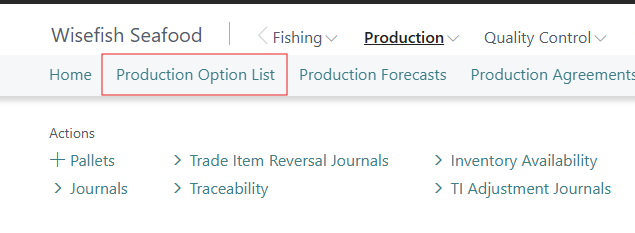
These Options are created in Production - Production Option List.
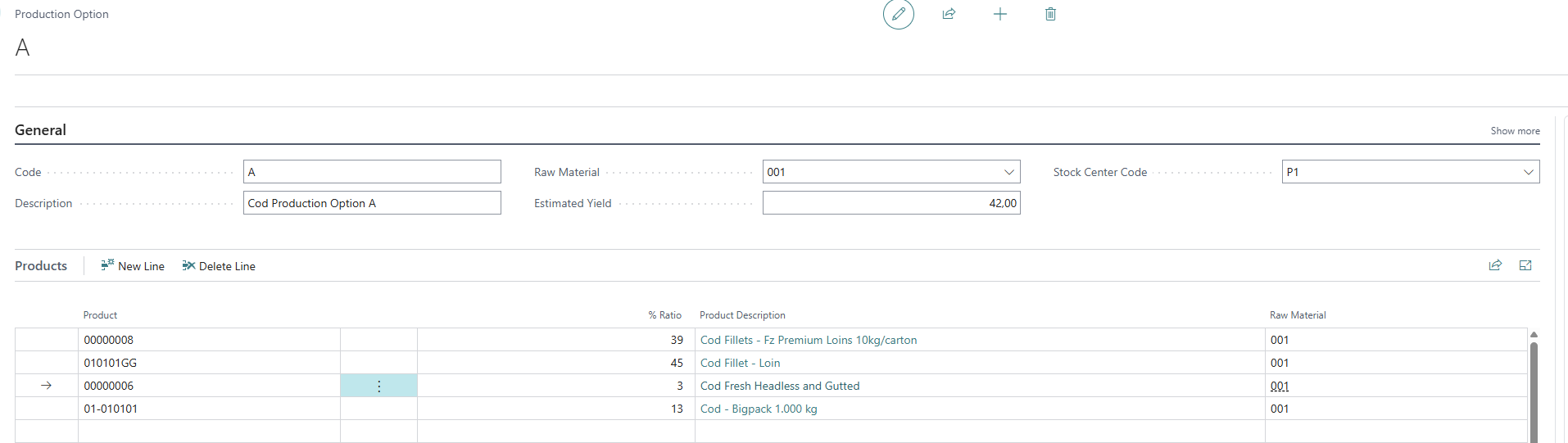
When creating a new Production Option, a Code, the Estimated Yield (total yield for the raw material), Raw Material, and if it applies, the Stock Center code need to be added.
In the Product lines, the products that will be created according to this Production Option are added.
For each product the ratio within the total production is specified. The sum of the products should be 100%. But remember that these products, that make up 100% of the products created, are only the 42% (value set in the Estimated Yield field) of the original raw material.
Creating Production Forcasts
Viewing and creating new Production Forcasts is done in Production - Production Forecasts.
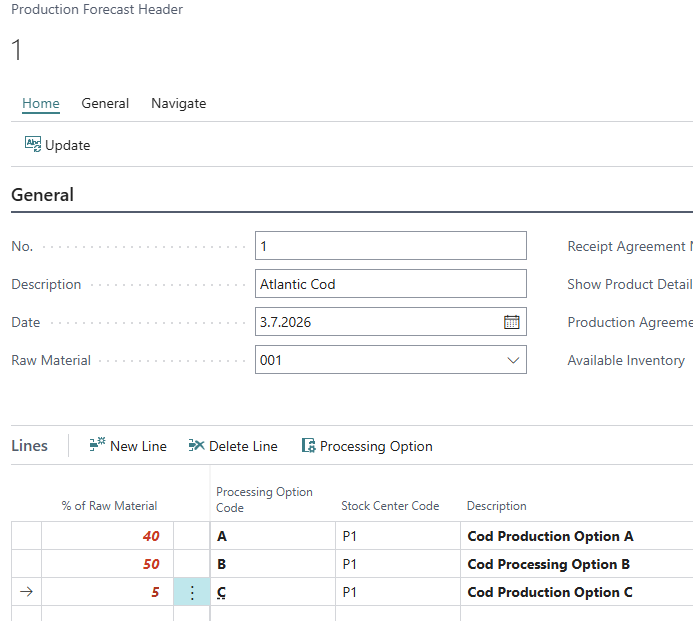
In the Production Forcast header, information for the No., Date, Raw Material and the Quantity to Forecast need to be added.
In the lines, the Production Options for the Raw Material are added and the percentage for each option. The sum of the percentages should be 100%, else the numbers are shown in red.
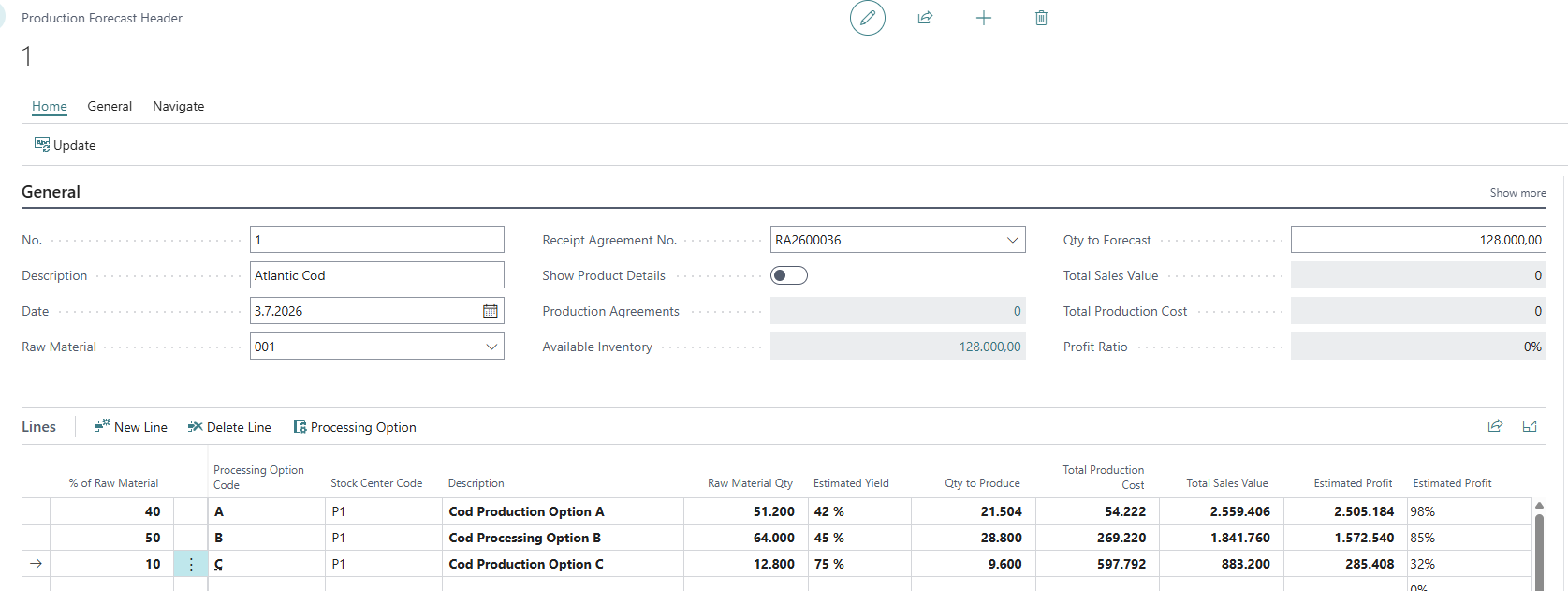
Once the sum of percentage of Raw Material is 100%, the numbers turn black. The forecast is then showing the estimated numbers for the Quantity to be produced for each Production Option, the total Production Cost, total Sales Value and the Estimated Profit (in currency and percentage).
Show Product Details
To view more details about each Production Option in the Forecast, the toggle to Show Product Details can be enabled.
A production manager can then view the quantity of products he will get out of each processing option. To the far right two important fields are shown. One field displays the current inventory status and the other one shows the sales order status. Therefore the production manager can compare the quantity he will be producing to the available and needed quantity
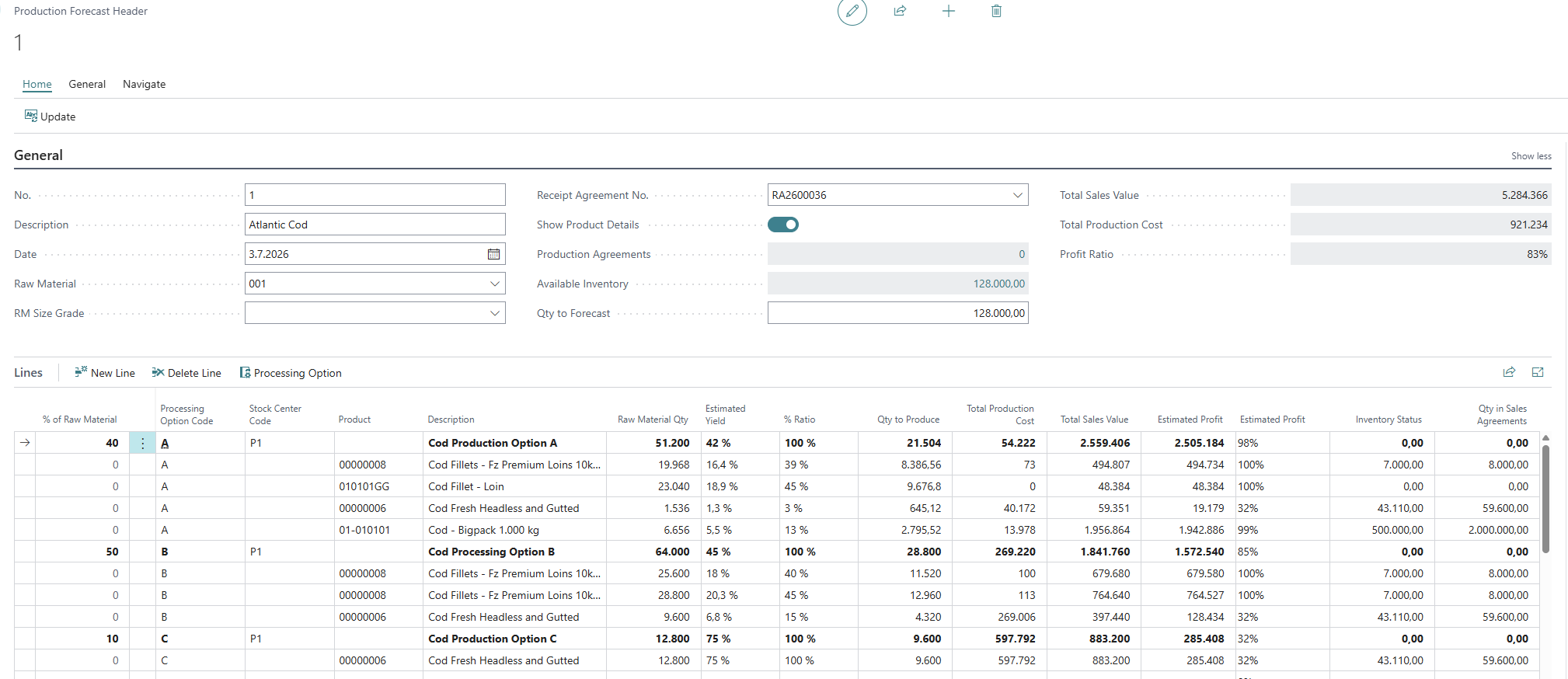
With this information, the production manager can adjust the split between the production options to make sure that the requests for the products are fulfilled.
Create Production Agreements
Once the production manager is satisfied with the numbers, Production Agreements can be created from the Forecast.
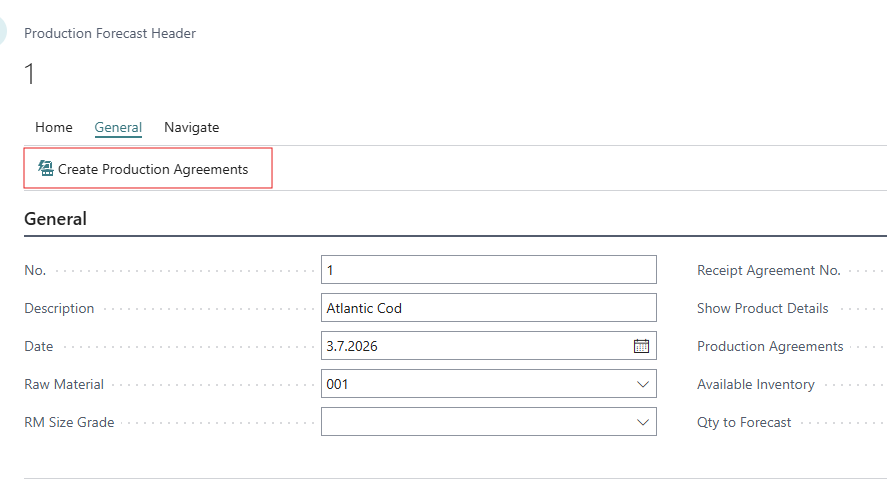
These Production Agreements are then avaialble in the Production Agreements list. One Agreement is created for each Production Option.
