
This chapter describes the setup for the Wisefish Production module.
Wisefish Setup Base
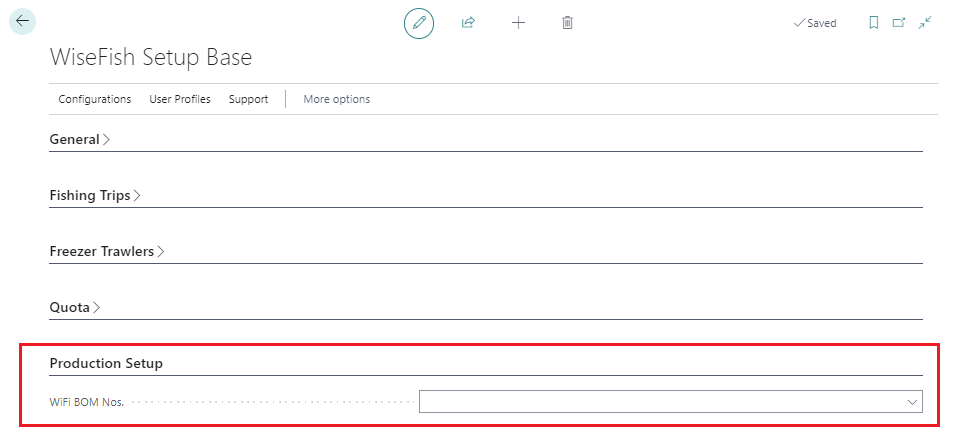
Production Setup
The tab to view on this card is called Production Setup.
|
Field |
Description |
|---|---|
|
Wisefish BOM Nos. |
Specifies a number series for creating Bills of Materials (BOMs |
Agreements
If Production Agreements are to be used, the number series must be added in the appropriate field, which is currently on the tab Agreements.
|
Field |
Description |
|---|---|
|
Production Agreement Nos. |
Specifies a number series for creating Production Agreements. |
Wisefish Setup Configurations
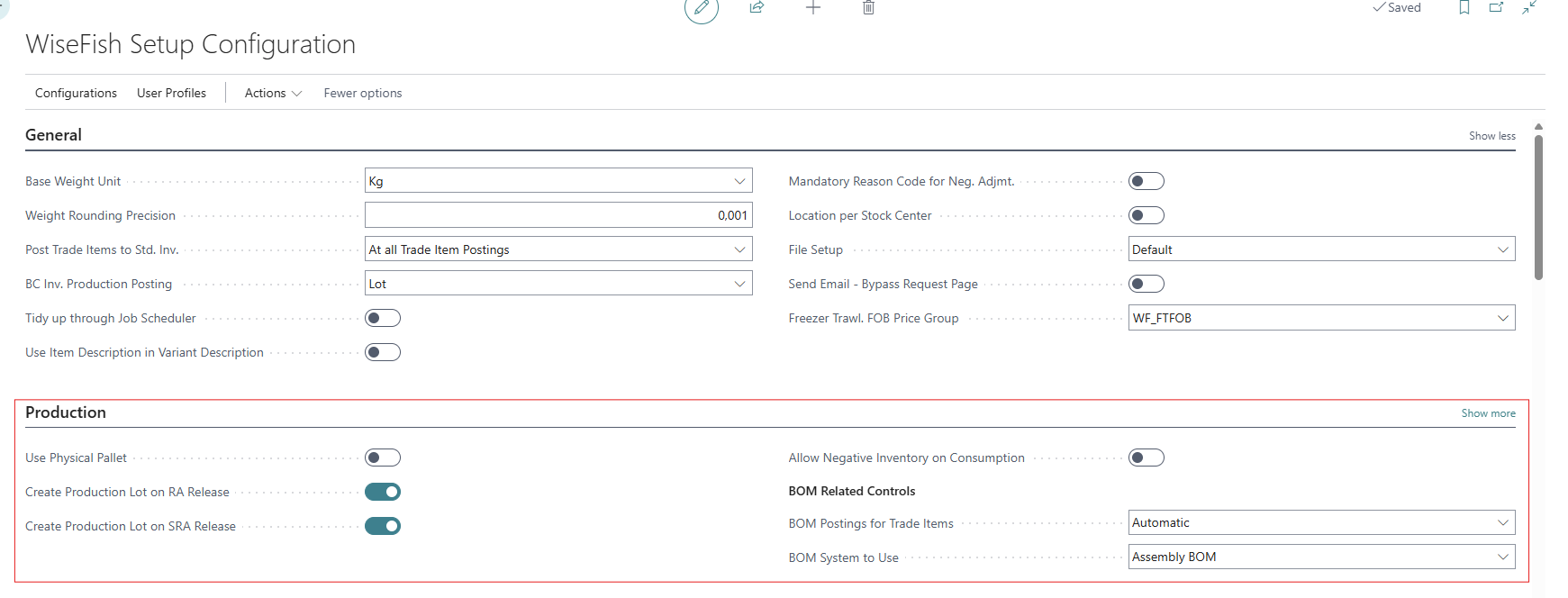
Production
The tab to view on this card is called Production. See field list below.
|
Field |
Description |
|---|---|
|
Use Physical Pallet |
Put a checkmark to use physical pallets. |
|
Create Production Lot on RA Release |
Put a checkmark here to create a production Lot automatically when a Receipt Agreement is released |
|
Create Production Lot on SRA Release |
Put a checkmark here to create a production Lot automatically when a Storage Receipt Agreement is released This is a setting for the Wisefish Warehouse module. |
|
Allow Negative Inventory on Consumption |
Specifies if trade item consumption postings should allow standard inventory to become negative. |
|
BOM Postings for Trade Items |
Specifies if Bill of Material items are posted out of BOM-Stock at Trade Item posting, or if it is done manually when production Lots are ready to be closed. Options:
|
|
Bom System to Use |
|
|
Create Production Lot on PA release |
When enabled, a Production Lot will be created when a Production Agreement is released. |
|
Set Production Agreement Active at First Production |
When the first production is done for the Production Agreement, the PA will be set to Active. |
User Configuration
Settings per users are done by selecting a role as well as creating a specific profile.
→ See page Production User Configuration