
This page describes how to set up users for the Wisefish Production module. There are three pages involved in the user configuration:
WF User Profile
It is mainly the Production and Inventory tabs, see below, but some fields on the General tab and Labels might also be useful in production processes.
General
See page User Profiles
Production and Inventory
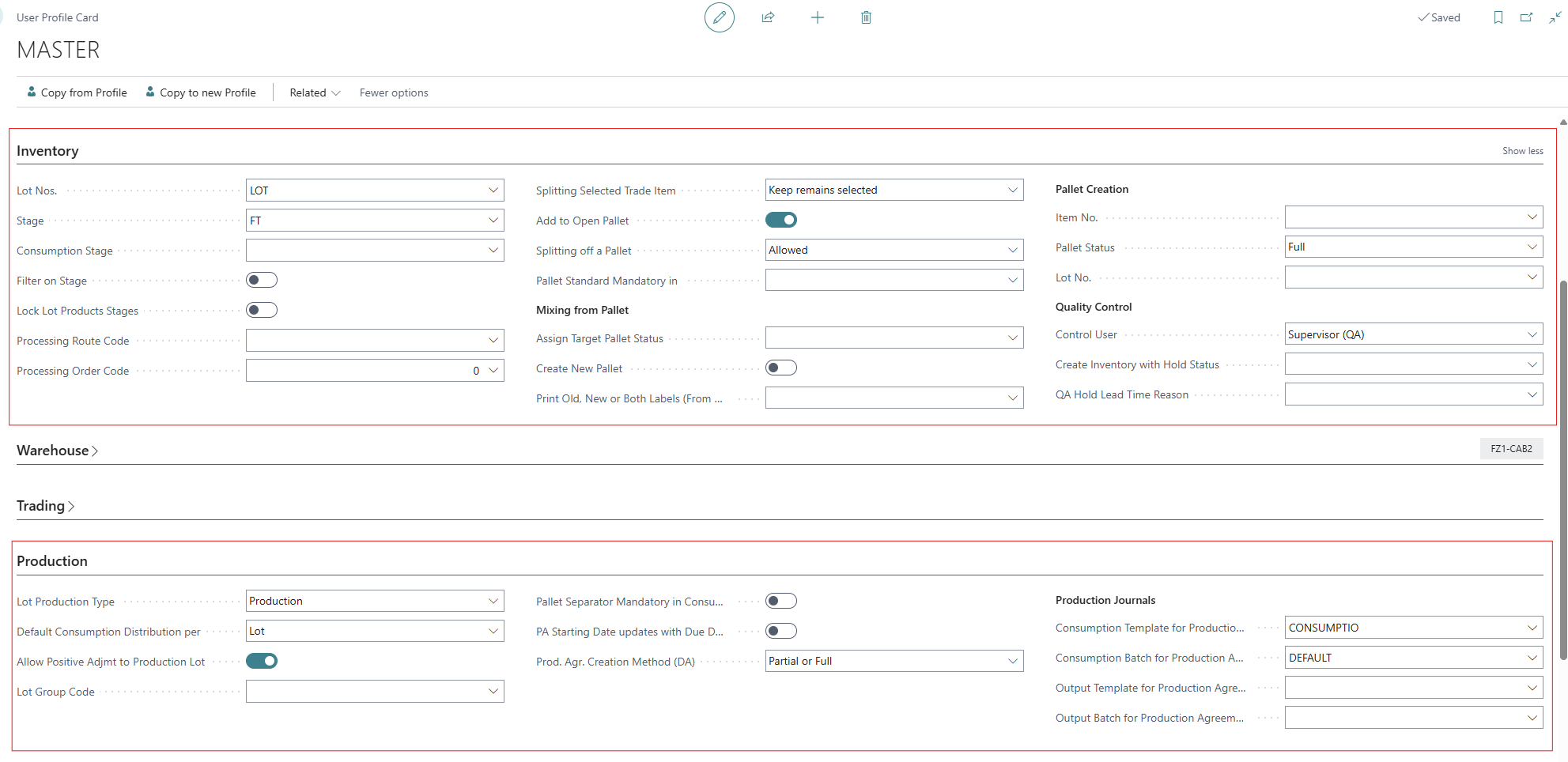
The Production and Inventory tabs have settings specific for the Production module:
|
Field |
Description |
|---|---|
|
Item No. |
Default Item No. |
|
Pallet Status |
The Default Pallet Satus an be set to either Open or Completed.
|
|
Add to Open Pallet |
Specifies if pallet recording should try to add to existing open pallets. |
|
Stage |
A default stage for the pallet when produced. |
|
Consumption Stage |
A default consumption stage. |
|
Lot No. |
A number series for Lots. |
|
Processing Route Code |
Used when changing a Trade Item (bin) into a different item (bin), for example when thawing a bin and changing the item code from a frozen code to a thawed code. |
|
Processing Order Code |
Used when changing a Trade Item (bin) into a different item (bin), for example when thawing a bin and changing the item code from a frozen code to a thawed code. |
|
Use Old Trade Item Reservation |
in the Sales tab. When enabled, the old Trade Item Reservation UI is used. |
Labels
This tab contains settings for label printing.
→ This is described in the general Wisefish manual, page User Profiles
User Setup
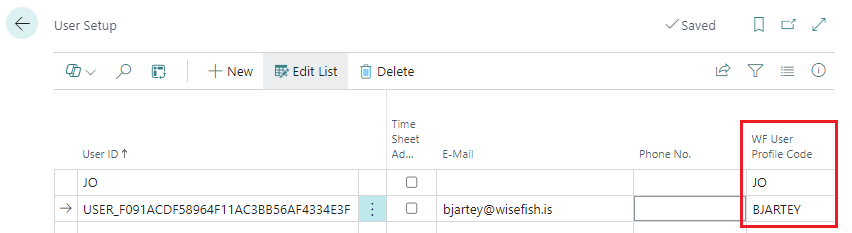
Each user is then assigned to the specific WF User Profile through the User Setup:
Profiles (Roles)
There is a profile available to select as a Role that will show the Production pages on the menu.

If another role is active, the user can find the production pages through the Search field.
notandauppsetning FRAMLEIÐSLUKERFI