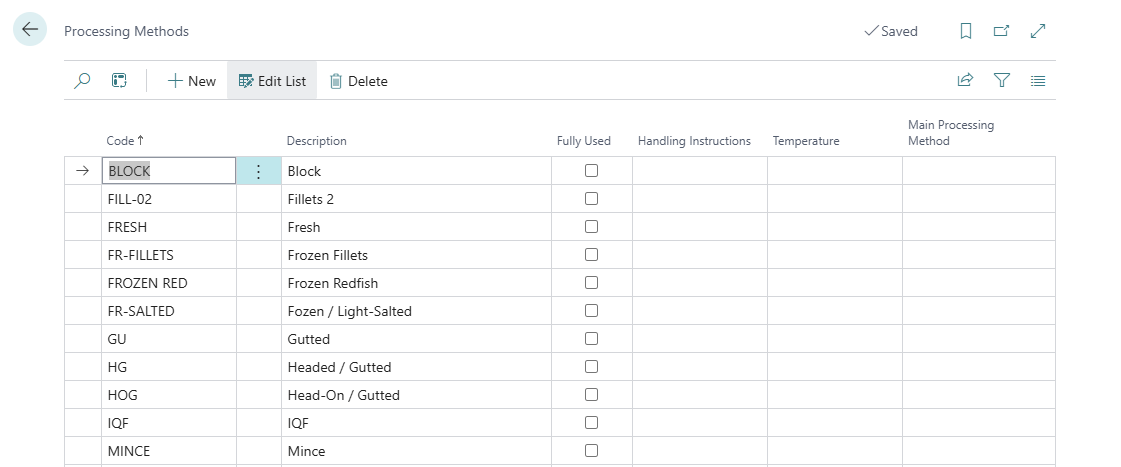
This page describes two setup lists used in production: Processing Stages and Processing Methods. They are set up separately and have different purposes:
-
Processing Stages define the steps in production. Every production posting is made at a stage.
-
Processing Methods describe how a product is processed or preserved, for example Frozen or Salted. They're used for grouping items in analysis and on shipping documents, and don't affect postings.
Processing Stages
A processing stage is a step in production, for example Receiving, Filleting, Trimming or Packing. Every trade item belongs to a stage, and every production posting is made at a stage:
-
Output is posted at a stage (the Stage field in the output journal and on pallets).
-
Consumption is posted to a stage of a lot (the Consumed to Stage field).
-
Lots can be split into Lot Stages, so cost and yield can be followed per step.
Stages are also used as defaults in many places: the Stage and Consumption Stage on the WF User Profile, the Processing Stage on lots and production agreements, and the purchase and storage receipt stages in the WiseFish Setup.
Setting up stages
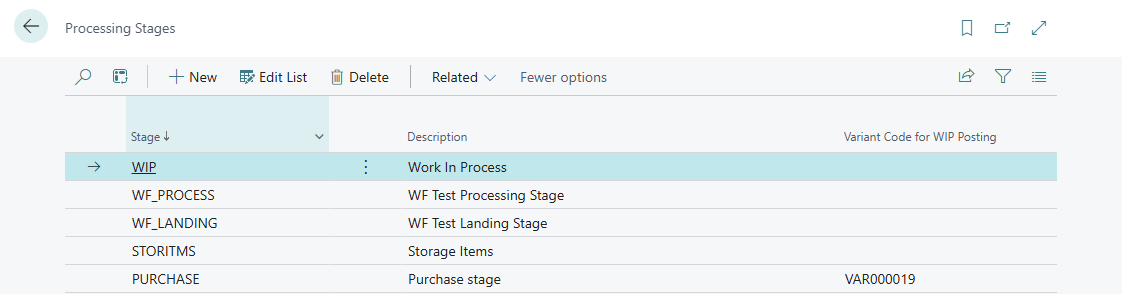
Open Processing Stages. In the Production & MES Wisefish role it is under Production Setup. When using the Production Manager Wisefish role, it is under Setup.
|
Field |
Description |
|---|---|
|
Stage |
A unique code for the stage, for example FILLET. |
|
Description |
The name of the stage. |
|
Variant Code for WIP Posting |
The item variant used when WIP items are posted to BC inventory at this stage. This keeps WIP from different stages apart in inventory. If left blank, the system fills it in automatically the first time it's needed. |
Exclude from BC Inv. Posting
This field is only visible to users who have Allow Excluding Stage from Inv. Posting selected on their WF User Profile (Inventory tab). Trade items produced at a stage with this setting are only registered in Wisefish: no item ledger entries are posted in Business Central, so the items aren't in Business Central inventory and can't be sold.
WIP variants per stage
WIP items can be kept apart in Business Central inventory per stage, by posting them on a separate item variant for each stage. This is controlled by the WIP Variants field in the Trade Item Setup (opened from WiseFish Setup Configuration > Configurations > Trade Item Setup). The field is on the General Tab.
|
WIP Variants |
What happens |
|---|---|
|
Post WIP Production to Variants |
WIP output is posted to BC inventory on the variant of the stage it's produced at. |
|
No Variants for WIP |
WIP output is posted to BC inventory without variants. |
When Post WIP Production to Variants is used:
-
This only applies to items with WF Item Type = WIP, and only when no variant has been entered on the journal line.
-
When WIP is produced at a stage, the system uses the stage's Variant Code for WIP Posting. If that's blank, a new code is taken from the Stage Variant Nos. number series (WiseFish Setup Base, General Tab) and saved on the stage.
-
If the item doesn't have this variant yet, it's created automatically.
Processing Methods
A processing method describes how a product is processed or preserved, for example Fresh, Frozen or Salted. It’s assigned to items and used for grouping in analysis and on documents.
Setting up methods
Open Processing Methods. In the Production & MES Wisefish role, it’s under Production Setup. In the Production Manager Wisefish role, it’s under Setup.
|
Field |
Description |
|---|---|
|
Code |
A unique code for the method. |
|
Description |
The name of the method. |
|
Main Processing Method |
Groups detailed methods under a main method, for example Frozen fillets and Frozen whole under Frozen. Used in analysis. |
|
Handling Instructions |
Chilled or Frozen. Printed on the Shipping Instructions reports. |
|
Temperature |
The storage or transport temperature, for example -18 °C. Printed on the Shipping Instructions reports. |