
The Output Worksheet registers finished products from a production or processing run, for example finished goods returned by a 3rd-party contractor. Posting it creates the output trade items in a production lot.
It can also reserve them to a delivery agreement line and create the lot and stage.
For the setup, see Farming Setup | Output Worksheet
The Output Worksheet can be accessed from the Role Center

Output Worksheet
Items used on the worksheet need a Contributing Raw Material that is set up in Farming Raw Mat. Setup with a Harvesting Item No, see also Setting up Raw Material with Size and Quality Grades
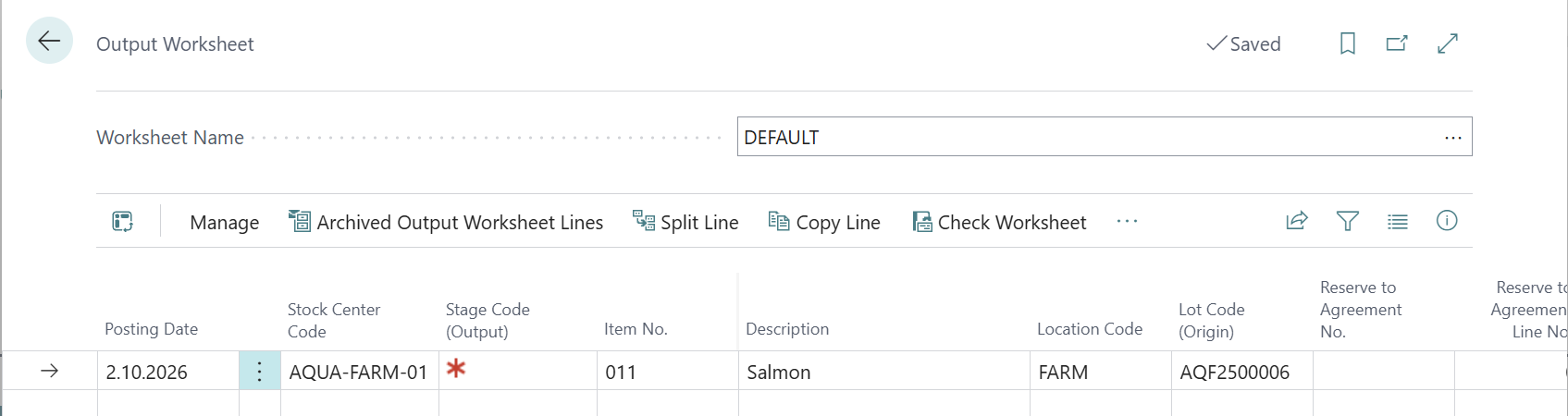
The key fields in the worksheet
|
Fields |
Description |
|---|---|
|
Posting Date,
|
Required Fields for the Worksheet |
|
Item No.,
|
The finished item number. Location is required if Location Mandatory is turned on in Inventory Setup. |
|
Lot Code (Output) / Stage Code (Output) |
The production lot and stage the output is posted to. |
|
No. of Trade Items,
|
required information |
|
Output Yield % |
Taken from the lot's expected harvest yield. Used to calculate the raw material consumed when posting is set to Complete. |
|
Lot Code (Origin) |
Lot for the positive adjustment. Created automatically if left blank.
|
|
Reserve to Agreement Type / No. / Line No. |
Reserves the produced trade items to an agreement line when you post (see below). |
|
Status / Error Message |
Registration, Verified, Output Production Posted, Pos. Adj. Posted, Posted, or Error with the reason. |
Reserve output to a delivery agreement
-
In Reserve to Agreement Type, choose Delivery, Production, Storage Shipment or Blanket Sales.
-
In Reserve to Agreement No., choose an agreement. The list only shows released agreements.
-
In Reserve to Agreement Line No., choose a line. The list is filtered to the item on the worksheet line.
An error is shown if the agreement, or the line you chose, doesn't contain the item.
For sales agreement types, Check Worksheet requires a Line No. when an Agreement No. is filled in.
Automatic lot and stage
If Lot Output Worksheet No. Series is set up, Check Worksheet gives all verified lines without a lot the same lot and the default stage:
If one line in the batch already has a lot, the other lines get that lot. Otherwise a new lot is created with Production Type = Production, posting by stage within lot. Start and end date are set to the posting date, and the raw material is taken from the item.
All lines must have the same Posting Date and Stock Center, or the check stops with an error.
If no No. Series is set up, you must enter Lot Code (Output) and Stage Code (Output) on every line manually.
Process
-
Open the Output Worksheet and choose a batch.
-
Enter one line per finished product.
-
Fill in the agreement reservation if the goods are already sold.
-
Run Check Worksheet. Fix any lines with status Error and check again.
-
Run Post Worksheet. Posted lines move to Archived Output Worksheet Lines. If posting stops partway, posting again continues from the line's current status.