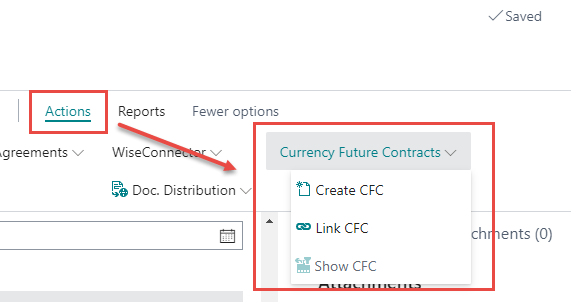
Currency Futures Contracts can be created from Sales Invoices/Delivery Agreements and Purchase Order/Receipt Agreements. This chapter illustrates how to create a Currency Futures Contract from a Delivery Agreement; however, the functionality is similar from the purchase point of view.
A flow chart on how to create a futures contracts can be found here.
Create CFC
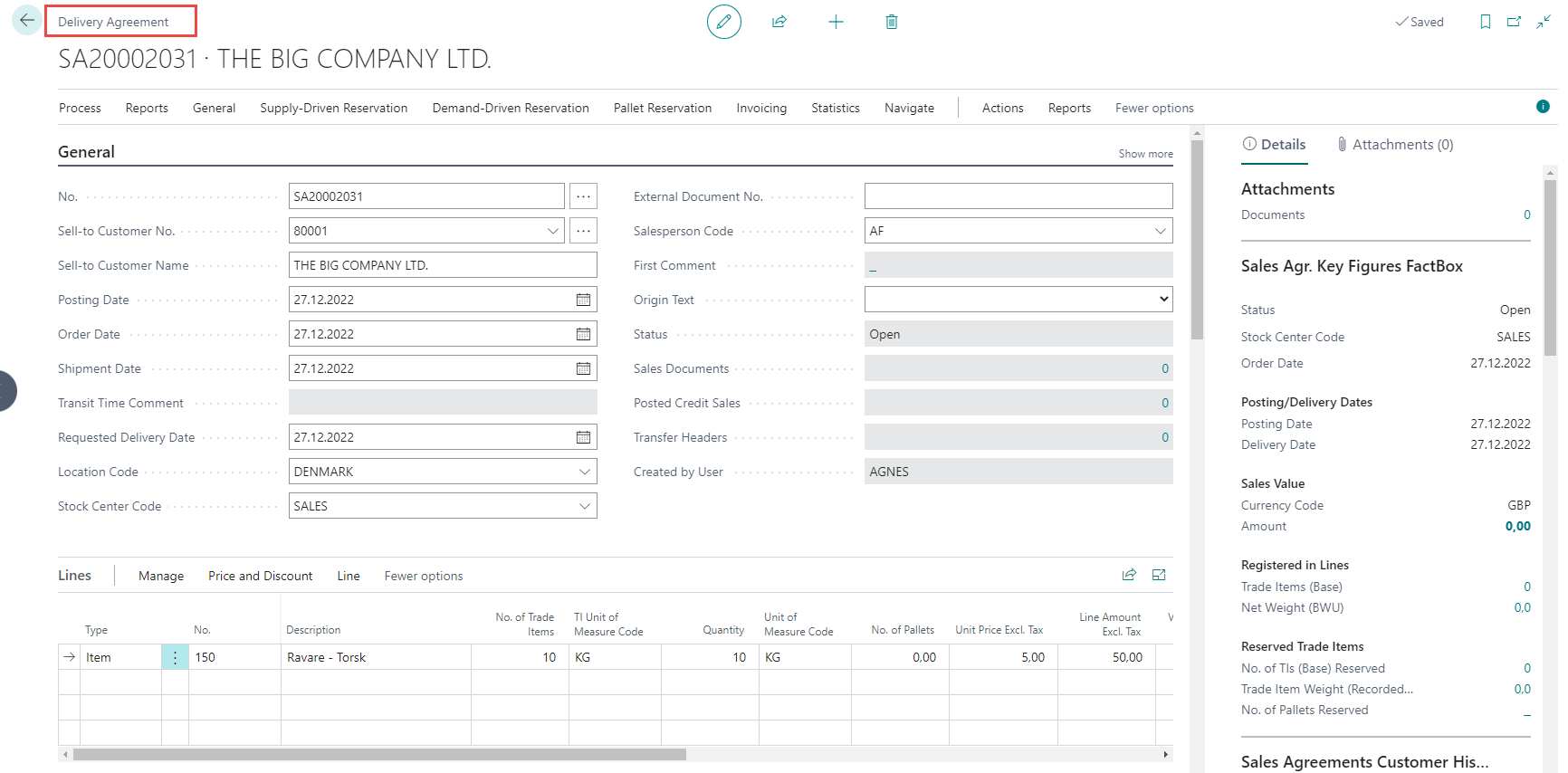
Start by creating and filling out a Delivery Agreement. Note that it is possible to create the futures contract at any time (even if the lines have not been filled out). However, it is recommended to create the futures contract when no further changes to the delivery agreement are expected.
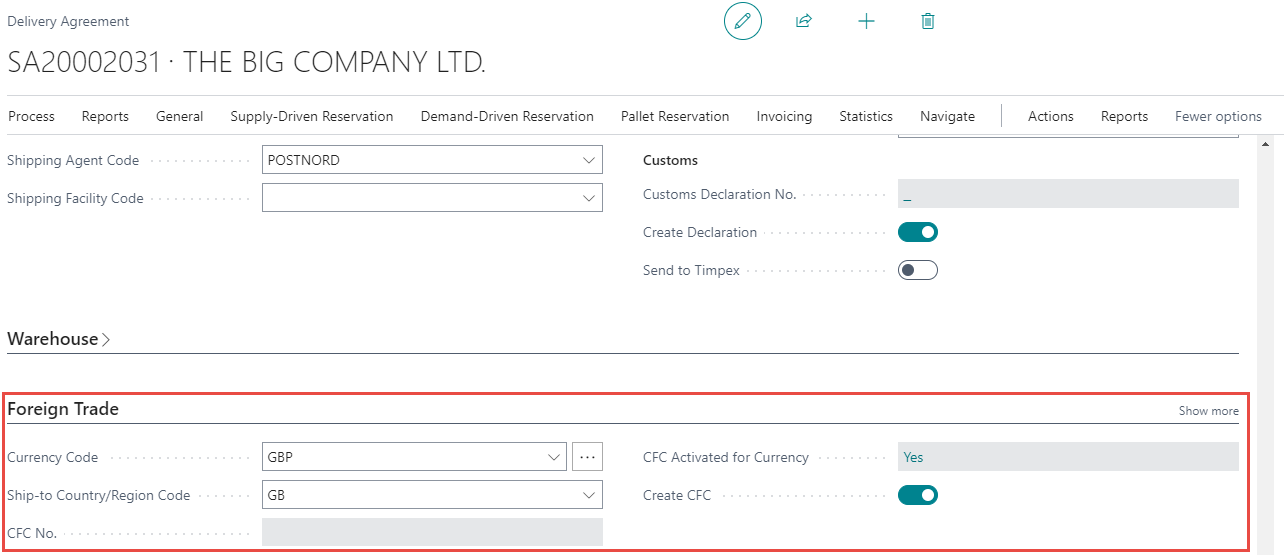
In this example the sale to the customer is in GBP. The Foreign Trade tab displays the currency and cfc set up for the sale. To be able to create the contract there must be a checkmark placed in Create CFC.
When the Agreement has been filled out, click on Create CFC under Actions.

Click on OK.
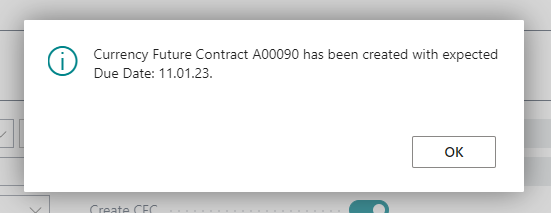
Now the Futures Contract information is updated on delivery agreement with corresponding futures contract number:

Click on CFC No. to open the contract.

The newly created contract will open.
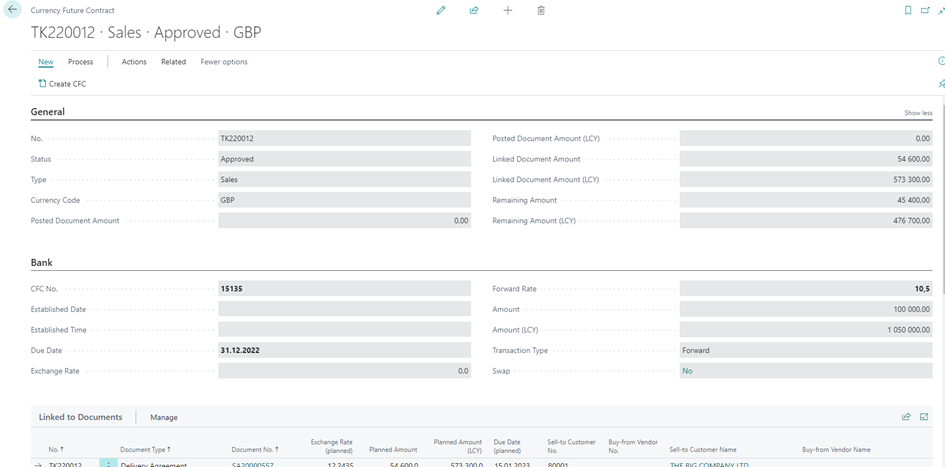
Note that when partially posting sales orders and purchase orders, futures contract must be created per posting (invoice) – see the Tax Act.
Other Actions
The following CFC Actions can be found on ribbon.
-
Create CFC - Create a futures contract.
-
Link CFC - Link the delivery agreement to an existing futures contract. The contract has to have a “Due Date” and “Forward rate”
-
Show CFC - Open existing contract linked to the delivery agreement.