
Create a single Lot
Lots can be created from the page Lot List.
-
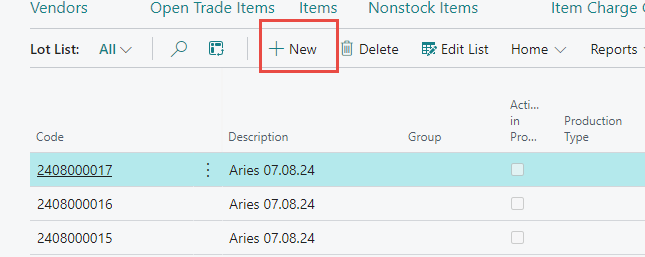
Click the action button New from the ribbon at the top of the page (shortcut Ctrl+N) to create a new production lot.
-
Press „Enter“ on the keyboard to get a number assigned automatically to the lot, according to the number series in the setup.
-
Fills out the fields as needed, see field list below.
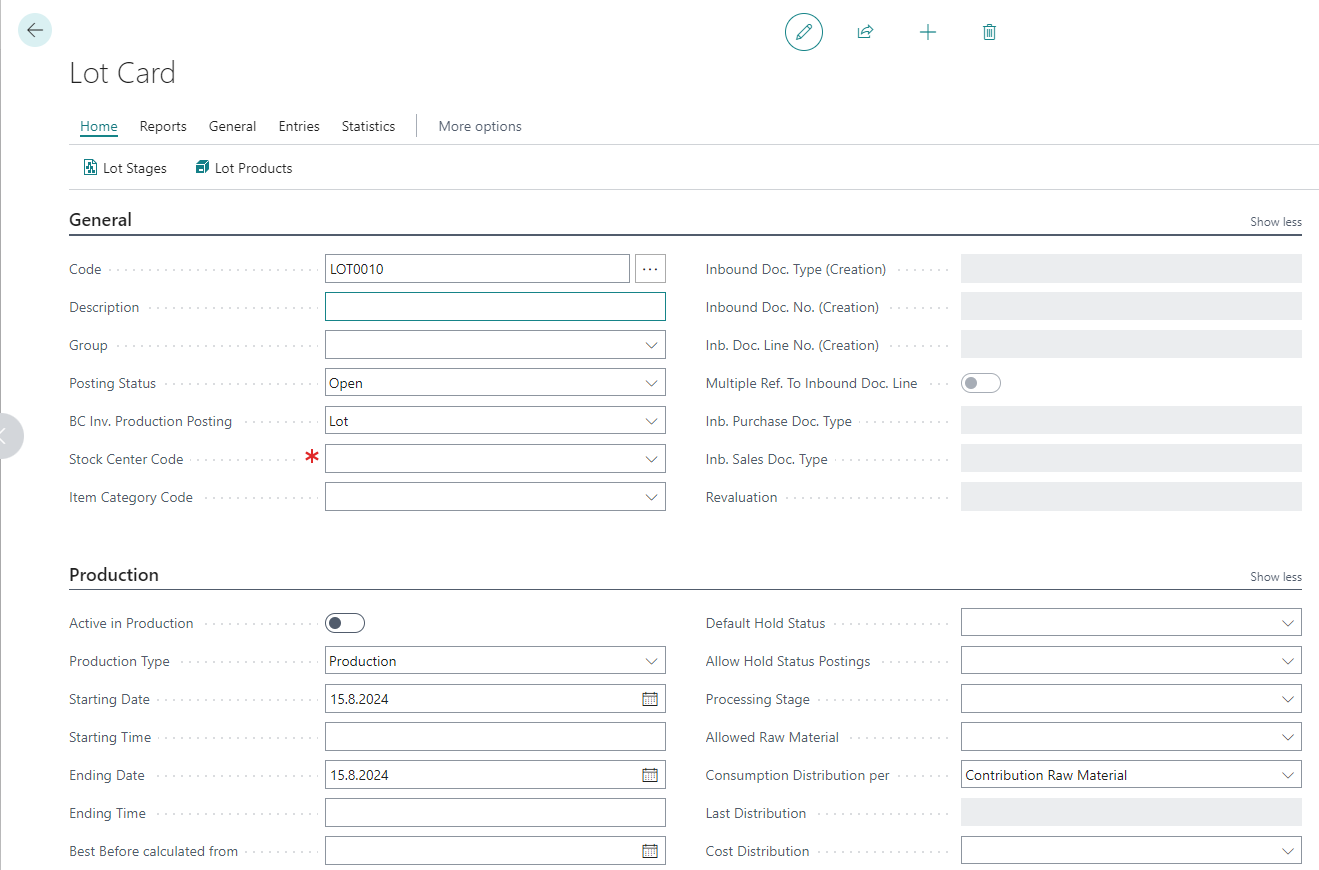
Some information on the lot card will be filled out automatically based on setup but it´s important to select the Stock Center and Production Type, and it´s recommended to use start and ending date.
Generally used fields are:
|
Field |
Description |
|---|---|
|
Active in Production |
The Lot is active in production and visible to WisePeripherals. |
|
Production Type |
Options:
|
|
Stock Center Code |
the Stock center for production |
|
Starting Date |
Start date of the lot |
|
Ending Date |
End date of the lot |
Create multiple Lots
The action Create Lots can be used to create multiple lots for future dates.


When a production lot has been created then the user can start to make production entries; i.e. consumption and production.