
When production is posted to a lot, Wisefish keeps two summaries of the lot:
-
Lot Stages: one line for each processing stage used in the lot. Used to follow consumption, output and yield per step, and to close individual stages for posting.
-
Lot Products: one line for each product (WIP or finished goods) produced in the lot. Used when posting production to BCl inventory, and when the value of the consumed raw material is distributed over the products.
Both are opened from the Lot Card (and Lot List) with the actions Lot Stages and Lot Products.
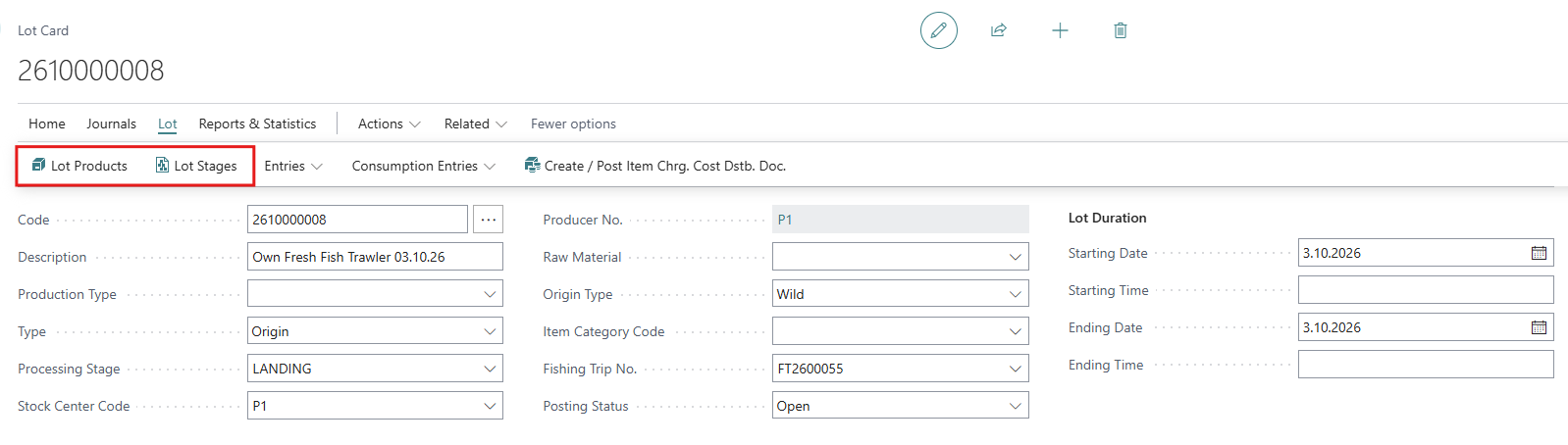
Lot Stages
A lot stage line is created for each stage where something is produced or consumed in the lot. If a line is missing, for example because it was deleted by mistake, choose Check for Stages to recreate it.
|
Field |
Description |
|---|---|
|
Lot Code / Stage Code |
The lot and the processing stage. |
|
Posting Status |
Open or Closed. When a stage is Closed, no more consumption or output can be posted to that stage of the lot. Posting is stopped with the error “You cannot post to a Lot Stage where Posting Status is Closed.” |
|
Post to BC as Stage |
Consumption posted to this stage is posted to Business Central inventory as if it were posted to the stage entered here. Used when several Wisefish stages should be one stage in BC inventory. |
|
Yield |
The output in relation to the consumption for the stage. |
The fact boxes on the right show the totals for the lot, and a production summary and consumption summary for the selected stage.
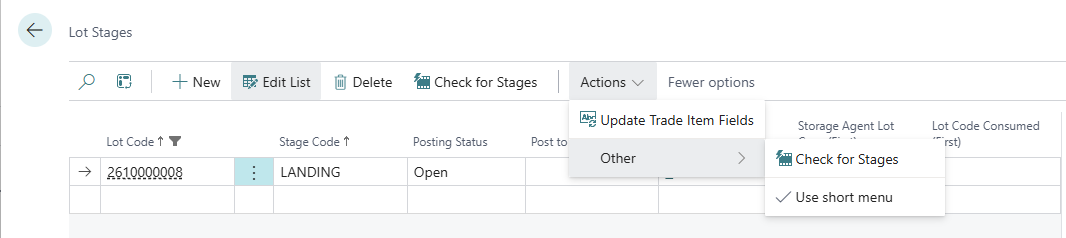
Actions
|
Action |
Description |
|---|---|
|
Check for Stages |
Finds stages that have postings in the lot but no lot stage line, and creates them. |
|
Update Trade Item Fields |
Updates the information fields (first item produced, first item consumed and so on) on the lines. |
Lot stages are especially important when the lot’s BC Inv. Production Posting is Stage within Lot. Production is then posted to BC inventory per stage, and consumption should be split over the stages, for example with Lot Stages Distribution in the Trade Item Consumption Journal.
Lot Products
A lot product line is created for each WIP or product item produced in the lot:
-
If BC Inv. Production Posting is Lot, there’s one line per product.
-
If it is Stage within Lot, there’s one line per product and stage.
|
Field |
Description |
|---|---|
|
Lot Code / Stage Code / Product No. |
The lot, the stage (only with Stage within Lot) and the product. |
|
Posting No. |
The document number used when the production of this product is posted to Business Central inventory. Assigned automatically. |
|
Status |
Where the product is in the cost distribution: Distribute Consumption, Redistribute Consumption or Posted. |
|
Unit Cost Ratio in Base Weight Unit (Redistribution) |
Used when the lot is revalued. The ratio between the values on the lines decides how much of the lot’s value each product gets. |
|
Locked for Value Distribution |
If selected, the product’s value isn’t changed when the lot’s value is distributed again. |
The fact boxes show the totals for the lot and the selected product: output quantity and weight, output value, and the consumption values of raw material/WIP, BOM items, non-inventory items and resources.
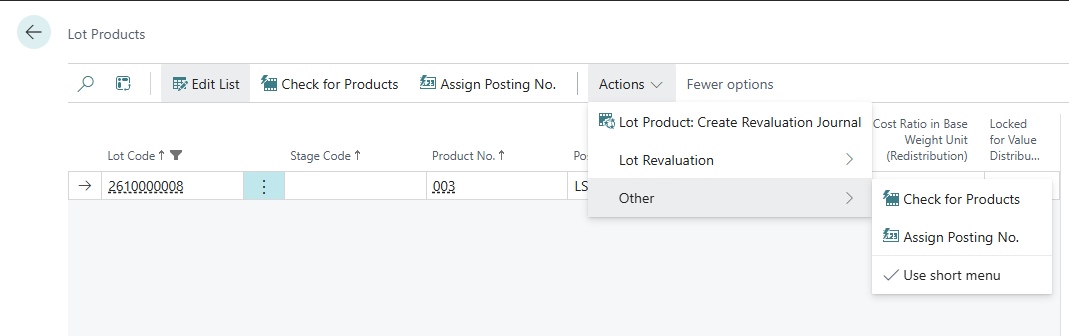
Actions
|
Action |
Description |
|---|---|
|
Check for Products |
Finds products produced in the lot without a lot product line, and creates them. |
|
Assign Posting No. |
Gives a posting number to lines that are missing one. |
|
Lot Product: Create Revaluation Journal |
Creates revaluation journal lines for the output posted for the products, so their value in BC inventory can be corrected. |
Revaluating a lot
By default, the value of the raw material consumed in a lot is distributed over the products when the lot is closed (Distribute Contribution). With lot revaluation, the distribution can instead be based on a unit cost per product. This gives high-value products, such as fillets, a larger share of the cost than by-products.
How the revaluation is calculated is set in WiseFish Setup Configuration, Item Costing tab, field Production Lot Revaluation:
|
Option |
Meaning |
|---|---|
|
No |
No revaluation. |
|
Weight Based |
The value is distributed by weight. |
|
Value Based |
The value is distributed by the unit cost ratio on the lot products. |
Steps to revaluate
-
Open the Lot Products for the lot.
-
Select the lines and choose Lot Revaluation > Fetch Unit Cost. The unit cost is fetched from the Lot Product Cost Price table if it has entries, otherwise from the Unit Cost on the item card (converted to the base weight unit). Existing values are overwritten after a confirmation. You can also enter the values manually.
-
Choose Lot Revaluation > Revaluate Lot. The production in the lot is revalued.
-
If the revaluation fails, the lot is marked as Failed and the reason is written in the lot’s comments.
-
Lots for a 3rd Party Producer stock center aren’t revalued; they’re marked as Not Applicable.
-
Locking products
To keep the value of the products in a stage unchanged when the lot is distributed again, select a line and choose Lock/Unlock Selected Stage. This sets Locked for Value Distribution on all products of that stage. Only users with Lock Lot Products Stages on their WF User Profile (Inventory tab) can use it.