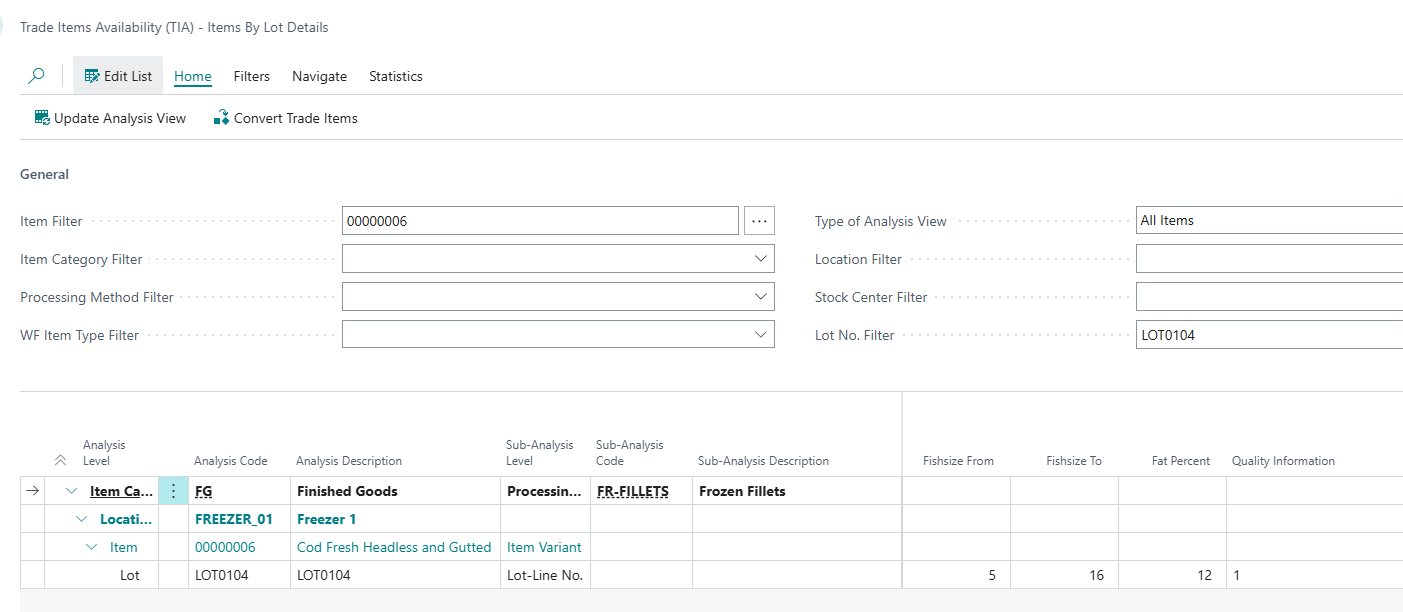
This document describes how Dynamic Quality Parameters can be set up and defined in WiseFish. It also demonstrates how the parameters are updated for trade items based on quality inspection results.
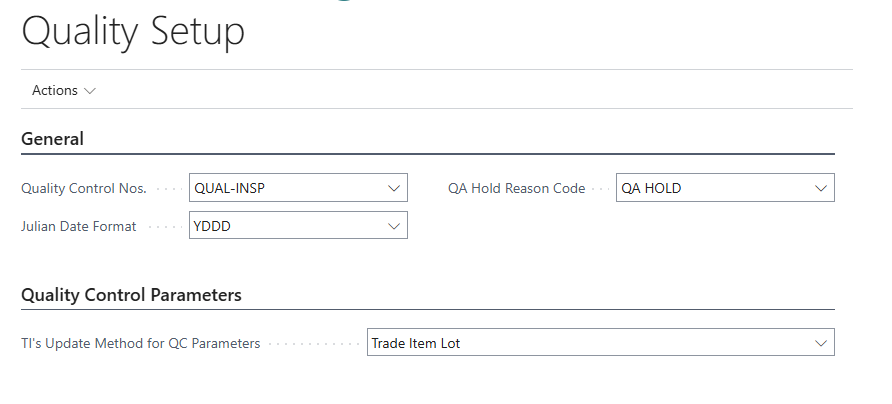
To use this functionality, please make sure that the Quality Control Parameters field in the Quality Setup is set to Trade Item Lot or Storage Agent Lot.
The four quality parameters (Size-from, Size-to, Fat% and Quality Comment) are inspected for an inventory lot in the quality system. Results are updated for trade items with the same lot. Quality parameters are made visible in the TIA overview and used by sales people when assigning stock to sales.

It is possible to change the captions for these fields in WiseFish Setup - Actions - Support - Field Caption Control. The initial and proposed values are "Size From", "Size To", "Fat Percentage" and "Quality Comment". Use the Assist Edit button (three dots) to set a new caption for the relevant "Language ID".

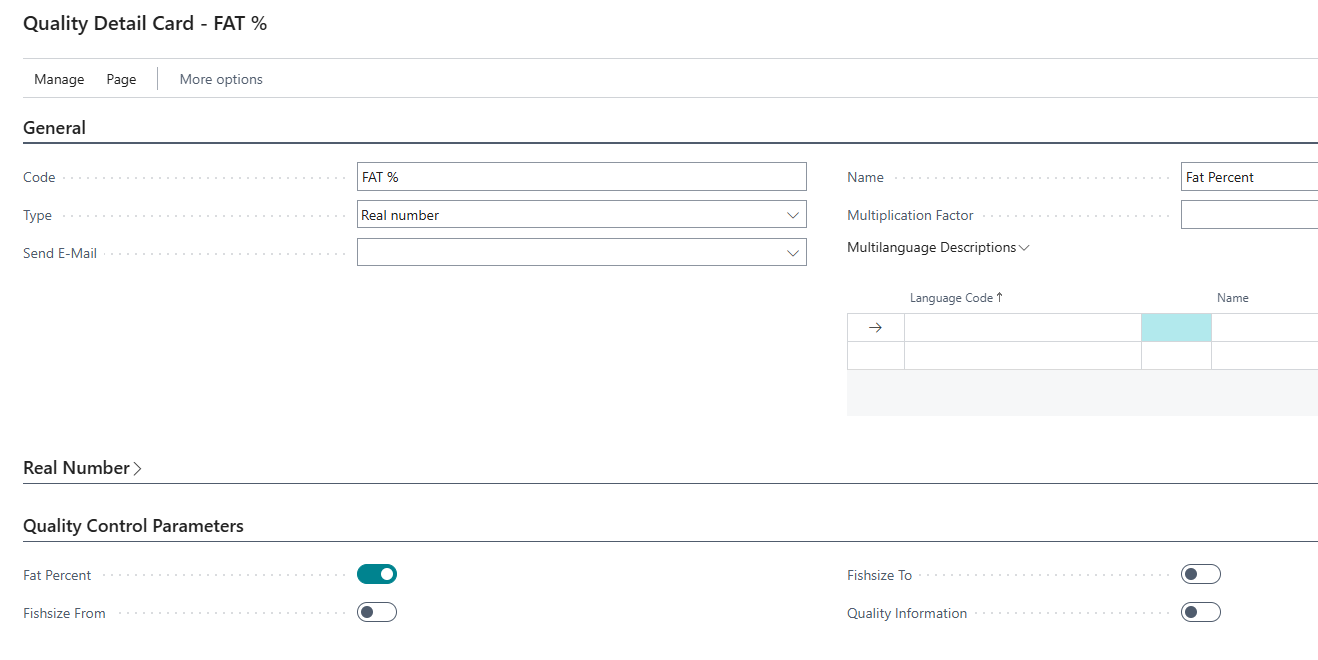
Define Quality Details for the four dynamic quality parameters and checkmark the corresponding field in tab Quality Control Parameters.
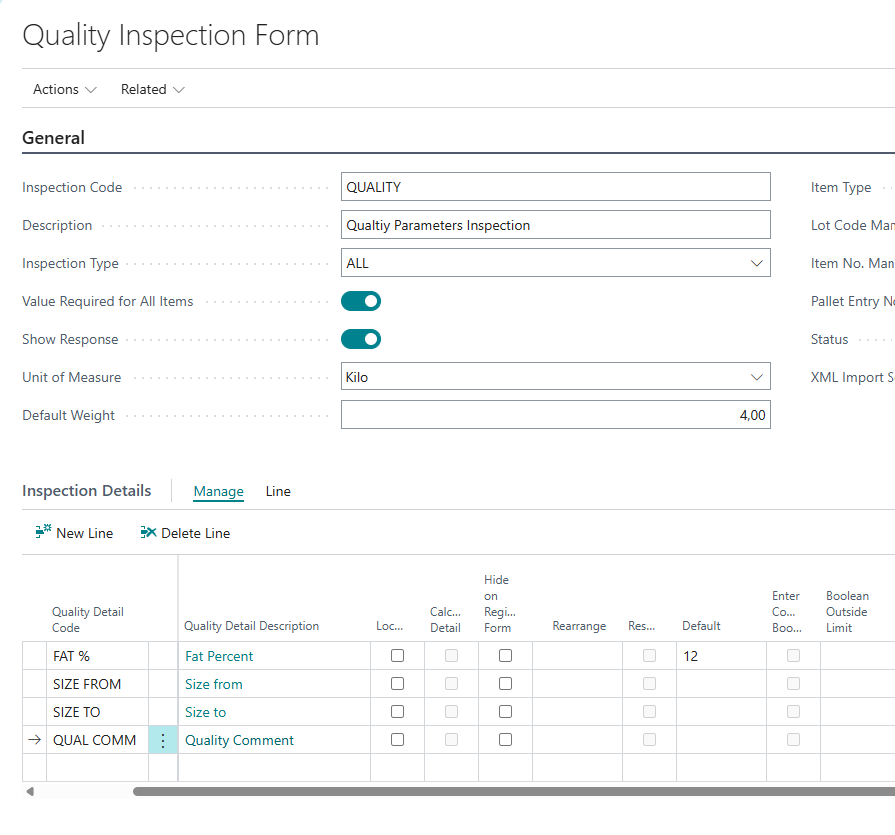
Create a new Quality Inspection for the dynamic quality parameters. Make sure to select all the four dynamic quality parameters for inspection.
Create a new Inspection Registration for a selected Trade Item Lot / Storage Agent Lot (depending on the setting in Quality Setup) and "Item No.". Then enter inspection results for the dynamic quality parameters.
Make sure to Confirm the inspection as that is the action that triggers the update of trade items.
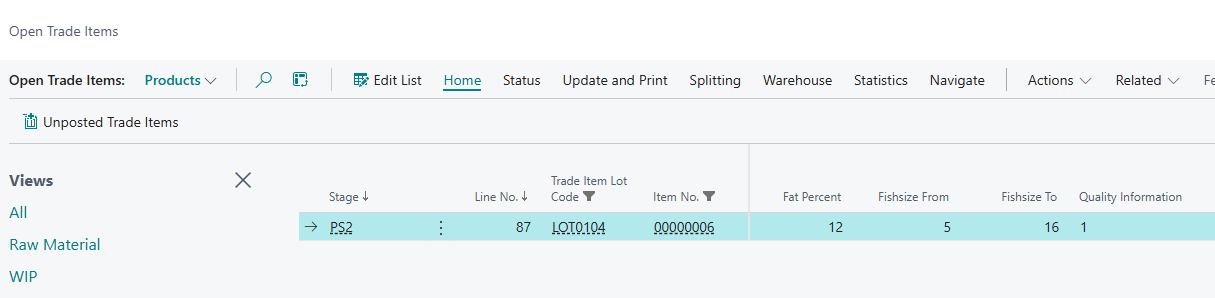
In the Open Trade Items filter the inspected Trade Item Lot / Storage Agent Lot and check if the recorded parameters were updated.
This information is also displayed in the Trade Items Availability - Items by Lot Details