
Productions can be linked directly to a Fishing Trip.
The Production is registered, posted to inventory and then retrieved into a Fishing Trip. When the Trip is landed, the production is not posted again.
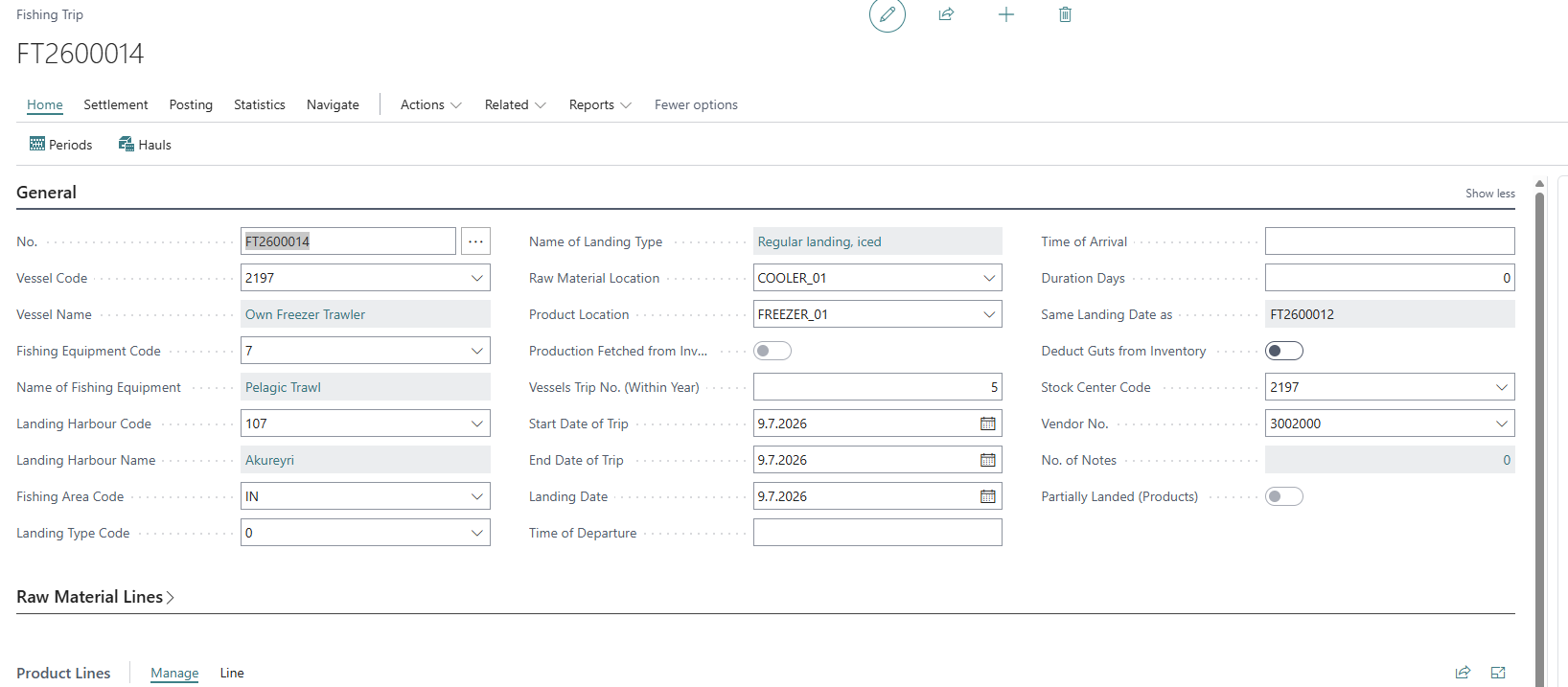
To do this, register the Fishing Trip and add the required information in the header.
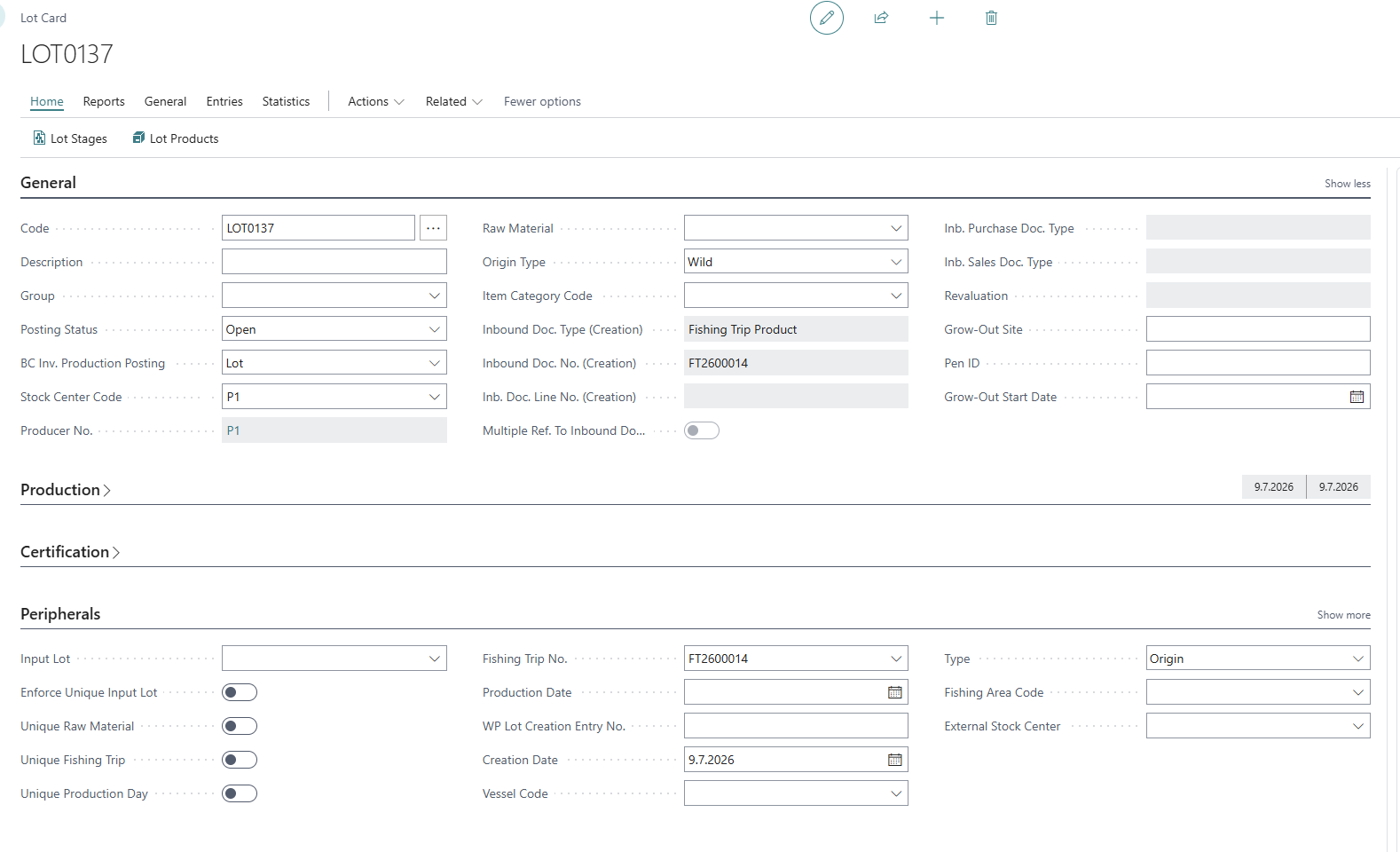
Create a Lot and add the Registered Fishing Trip in the Fishing Trip No. field. The Stock Center on the Lot must match the Stock Center on the Vessel that is set in the Fishing Trip.
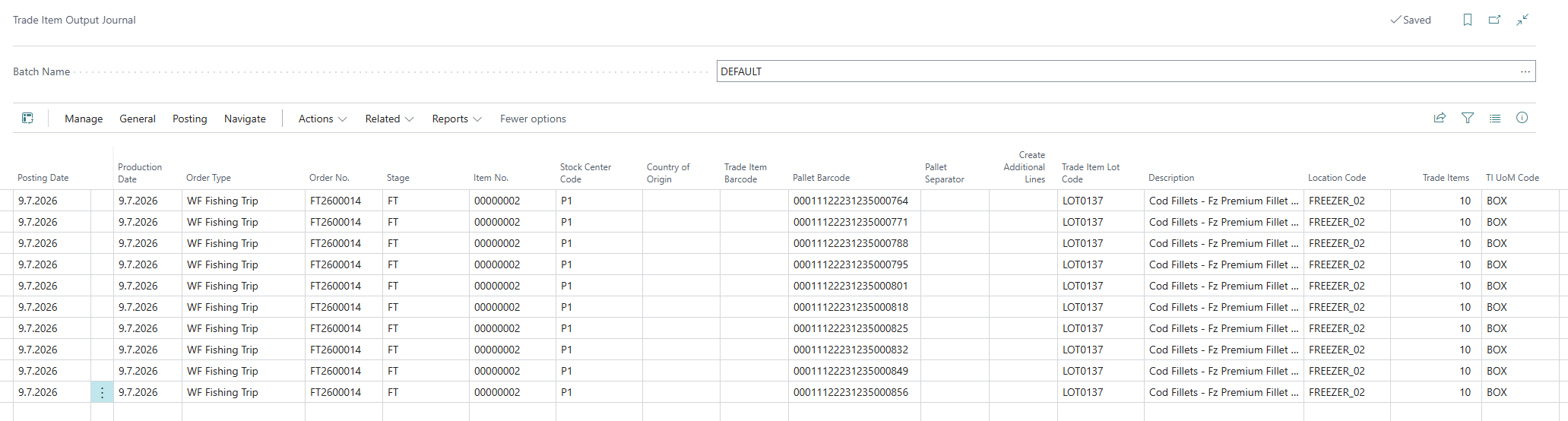
Go to the Trade Item Output Journal and pre-create the required number of pallets for the production. Once all the pallets have been created, they need to be posted.
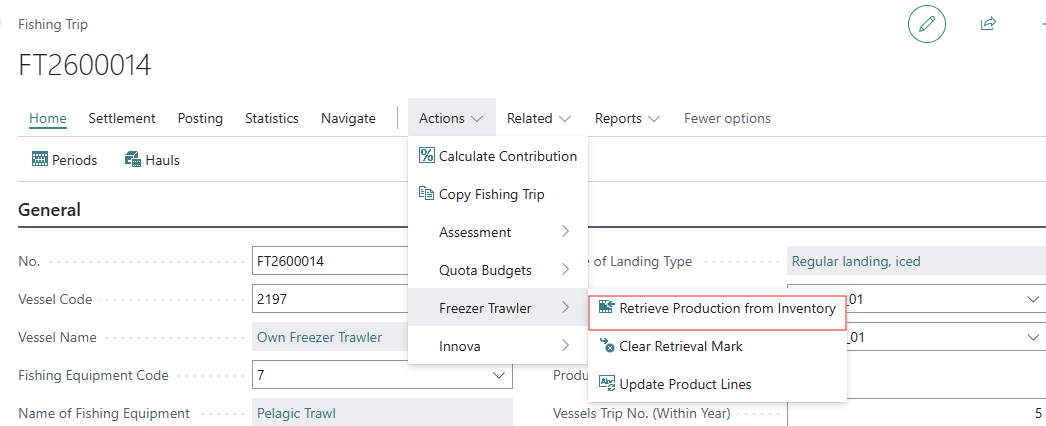
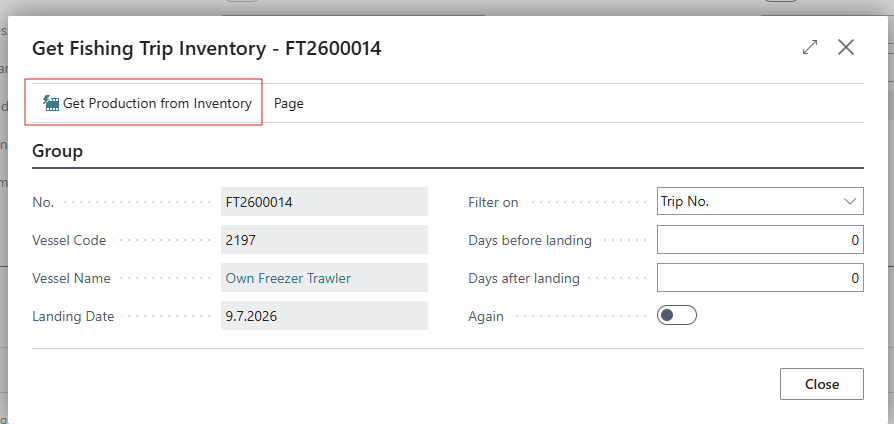
Return to the Registered Fishing Trip and use the option to Retrieve Production from Inventory.
This will open the Get Fishing Trip Inventory dialog, where the production created in the Lot can be fetched into the Fishing Trip by using the Get Production from Inventory option.
The production from the Lot is imported into the Product Lines of the Fishing Trip (Product No., No. of TIs, Total Weight and more). Information about the Price per kg can then be added.

Re-fetching Product lines
It might be necessary to pull inventory-based production into a Fishing Trip again (e.g., after a correction to the already posted inventory was done).
To do this, delete the existing Product Lines on the Fishing Trip. The system blocks re-fetching with an error "Please delete existing lines before fetching inventory." if any lines remain.
Go to Retrieve Production from Inventory, make sure the Again toggle is enabled, else lines that had been pulled into the fishing trip before will not be re-created.
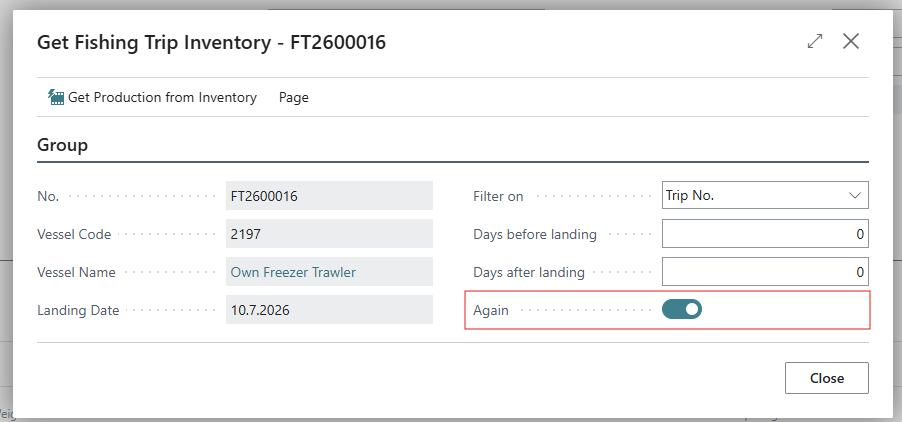
Use the Get Production from Inventory option to fetch all inventory entries again, including the one’s that had been fetched earlier.
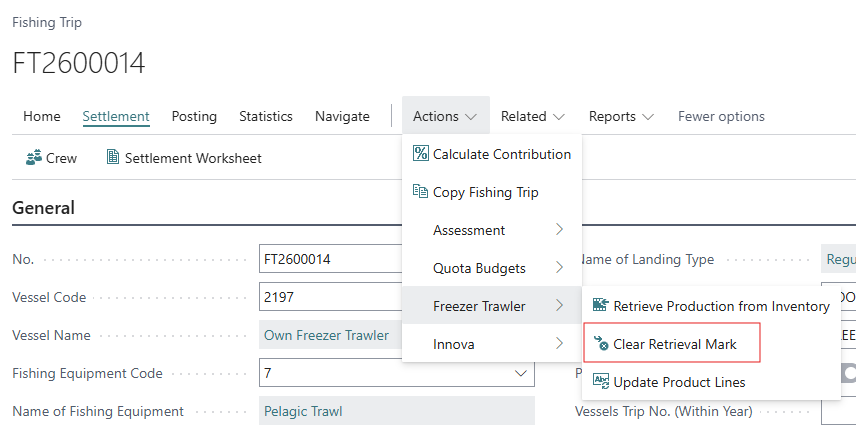
Clear Retrieval Mark
Using the Clear Retrieval Mark option, clears the Production Fetched from Inventory indicator on the Fishing Trip. Use this only if you need to manually edit or add Product Lines after inventory has been fetched, or to control whether inventory should be posted again at Landing.
It does not allow previously retrieved production to be pulled in again (see Re-fetching Production Lines).
Freezer Trawler Production - Yield Tracking
While a freezer trawler trip is still in Registration, the Yield Factors action (Fishing Trip card → Freezer Trawler group) opens a worklist where the system has already pre-filled, for each raw material/product on the trip, the yield achieved on the vessel’s last trip and a starting estimate for this trip. This is done either as a percentage yield (Yield in Last/This Fishing Trip) or, if the setup uses fixed weights, as a yield factor and average weight of master, depending on the Fishing Setup’s Fixed Weight of Masters Yield option.
I is not possible to add rows here manually. The list is built automatically from the trip’s product/production lines. The “This Trip” figures can be adjusted if the auto-filled estimate does not match what’s actually happening on this trip. Closing the page recalculates the gutted quantities on the trip’s product and production lines accordingly.
This page is only available while the trip is in Registration status. Once the trip is landed, the Adjust Processing Yield screen (part of the Adjustment Journal) needs to be used for any further correction.