
When finished products are produced, the BOM components for standard items (packaging, ingredients, and non-inventory items such as labour or overhead) are consumed automatically according to the BOM. Sometimes the posted consumption has to be corrected afterwards, for example because the BOM wasn't accurate, because of quality issues, or because more or less material was actually used.
This page describes how to correct BOM consumption that has already been posted to a production lot.
This only applies to standard items, meaning items without a WF Item Type. Consumption of Wisefish items (raw material) is corrected with the Trade Item Credit Consumption Journal.
Before you start, make sure of the following:
-
Journal template: an item journal template of type Phys. Inventory must exist that uses the page WiseFish BOM Consumption Correction Journal, with at least one batch. If it's missing, you get the error "Journal template for Phys. Inventory is missing."
-
Lot status: the production lot must have Posting Status = Open. If the lot has already been closed, reopen it before making the correction.
Example:
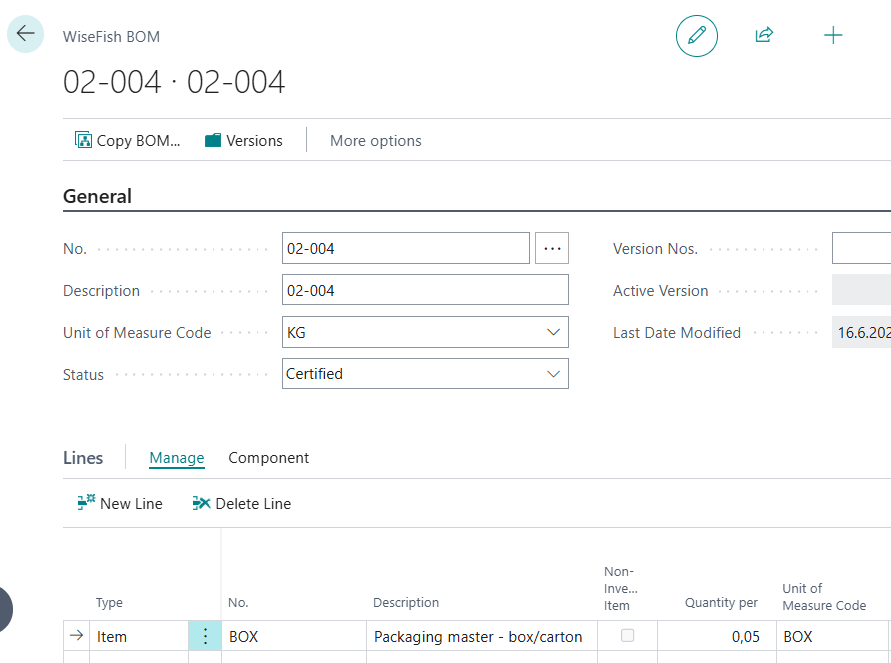
The finished product with the item no. 02-004 has a BOM.
One of the components is the packaging item BOX, with Quantity per = 0.05. This means 0.05 BOX is consumed for each KG of 02-004 produced.
Production lot 100 has an output of 10,000 KG of 02-004.
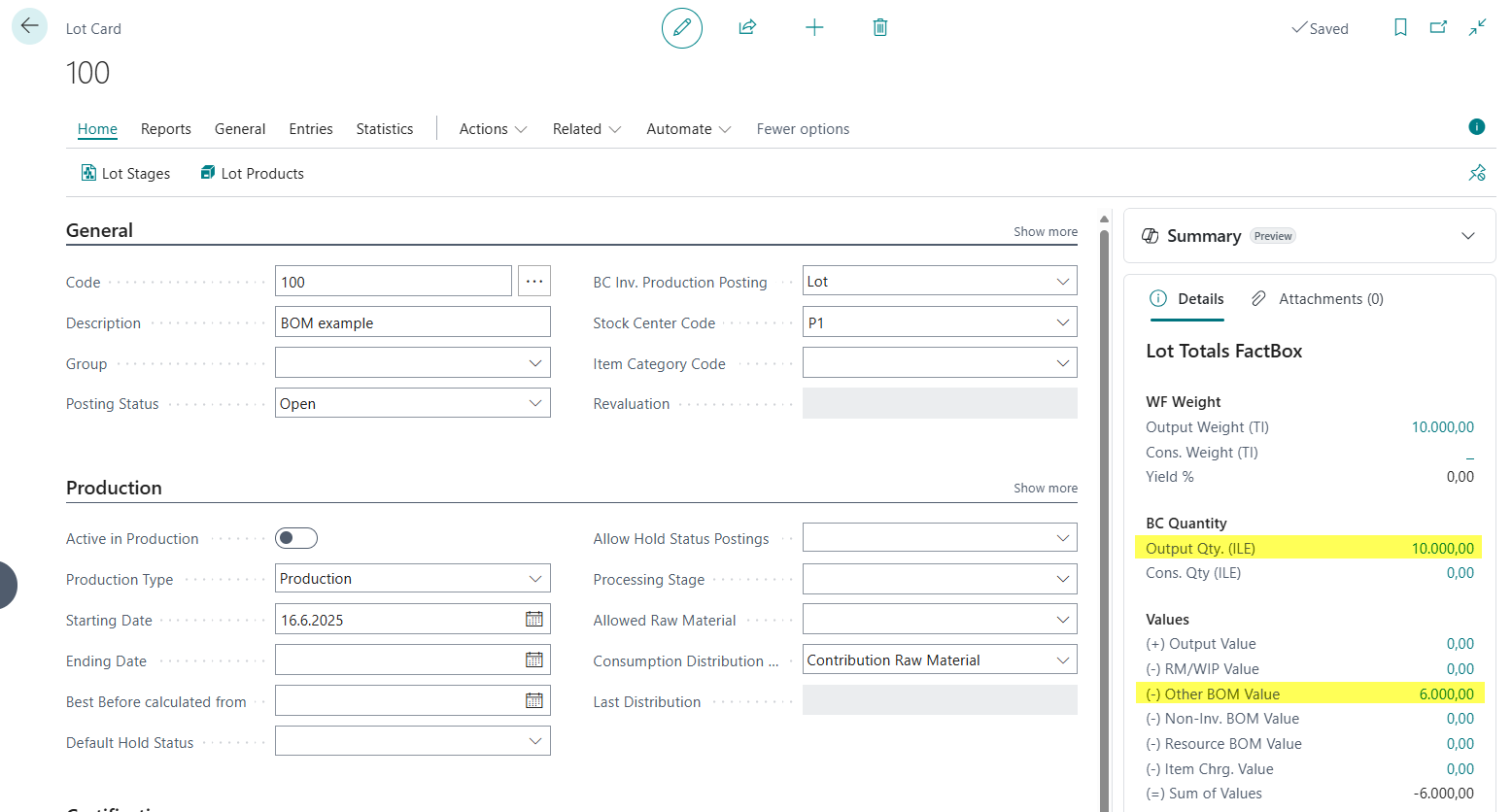
This automatically consumed 500 BOX (10,000 × 0.05) with a value of 6,000 LCY as seen on the value entries for the lot 100:

In reality, only 400 BOX were used. The consumption must be corrected.
Steps to correct the consumption:
-
Open the Lot Card for lot 100
-
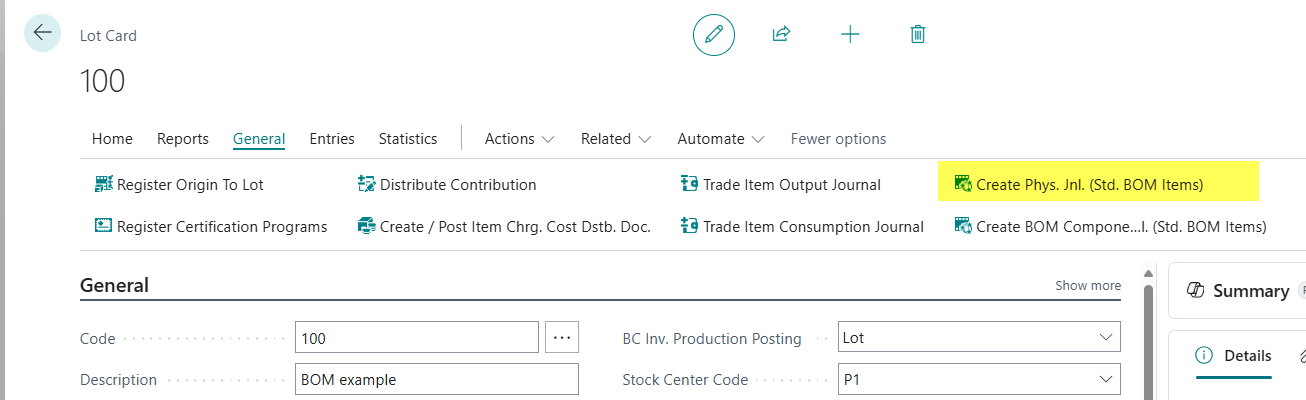
Choose Create Physical Jnl. for Std. Consumption Items on the ribbon (on the basic Lot Card, the action is called Create Phys. Jnl. (Std. BOM Items)).
-
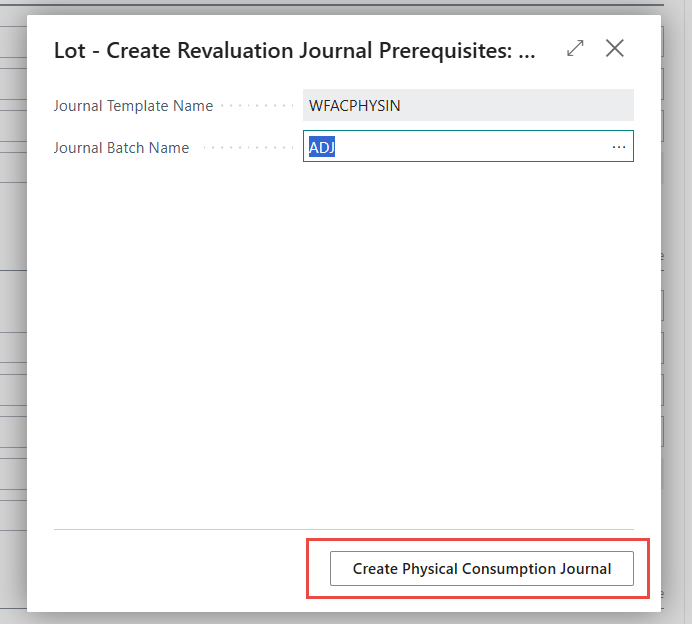
Select the Journal Batch Name, then choose ribbon action Create Physical Consumption Journal. If the batch already contains lines, the system asks whether to delete them first.
-
The WiseFish BOM Consumption Correction Journal opens. It has one line for each BOM consumption entry posted to the lot. All fields are read-only except Qty. (Actual Consumption).
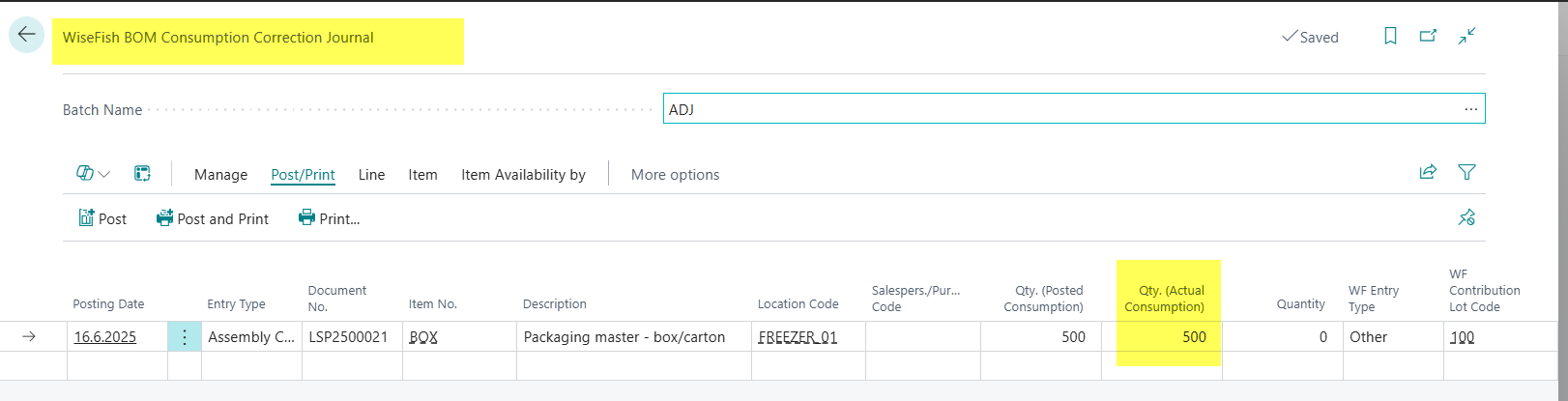
|
Field |
Description |
|---|---|
|
Posting Date |
The date of the original consumption posting. |
|
Item No. / Location Code |
The component and the location it was consumed from. |
|
Qty. (Posted Consumption) |
The quantity that has been posted. |
|
Qty. (Actual Consumption) |
The quantity that should have been consumed. Enter the correct quantity here. |
|
Quantity |
Calculated automatically: the difference that will be posted as a correction. |
-
In the example, enter 400 in Qty. (Actual Consumption) on the line for BOX. Quantity shows the correction of 100.
-
Choose Post. On the Lot Card, the consumption of BOX now shows 400 with a value of 4,800 LCY.
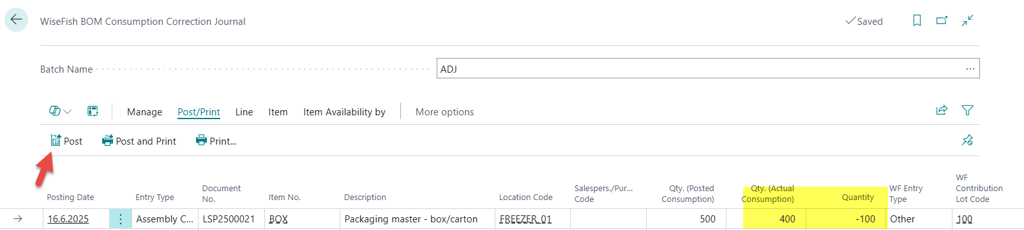
-
Run Distribute Contribution on the lot again. This updates the value of the output product 02-004 to reflect the corrected consumption.

Now the consumption has been reduced on the Lot card; the value goes from 6.000 to 4.800 and the Quantity from 500 to 400 units.
Reversing a correction
To undo a correction:
-
Run Create Physical Jnl. for Std. Consumption Items again, as described above.
-
The journal now also contains a line for the correction entry. On that line, set Qty. (Actual Consumption) to 0.
-
Post the journal, then run Distribute Contribution again.
Related: posting BOM components manually
If BOM Postings for Trade Items in the WiseFish Setup Configuration is set to Manual, BOM components aren't consumed when output is posted. Instead, use Create BOM Component Jnl. on the Lot Card to post the BOM consumption before the lot is closed. That action posts BOM consumption; the journal described on this page corrects consumption that has already been posted.