
When production is to be registered against pallets, pallets can be created with different methods:
To reduce the entries that have to be made in the pallet system and minimize the risk of typing errors, a user profile can be set up. The user default values are then automatically entered when a new pallet is created.
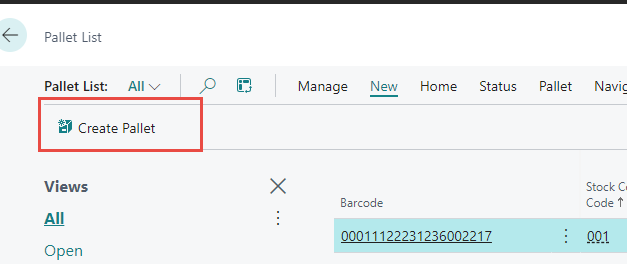
Create Pallet from Pallet List
A single pallet entry can be created from the pallet list. Click Create Pallet.
When posted, the pallet is created in inventory as output.
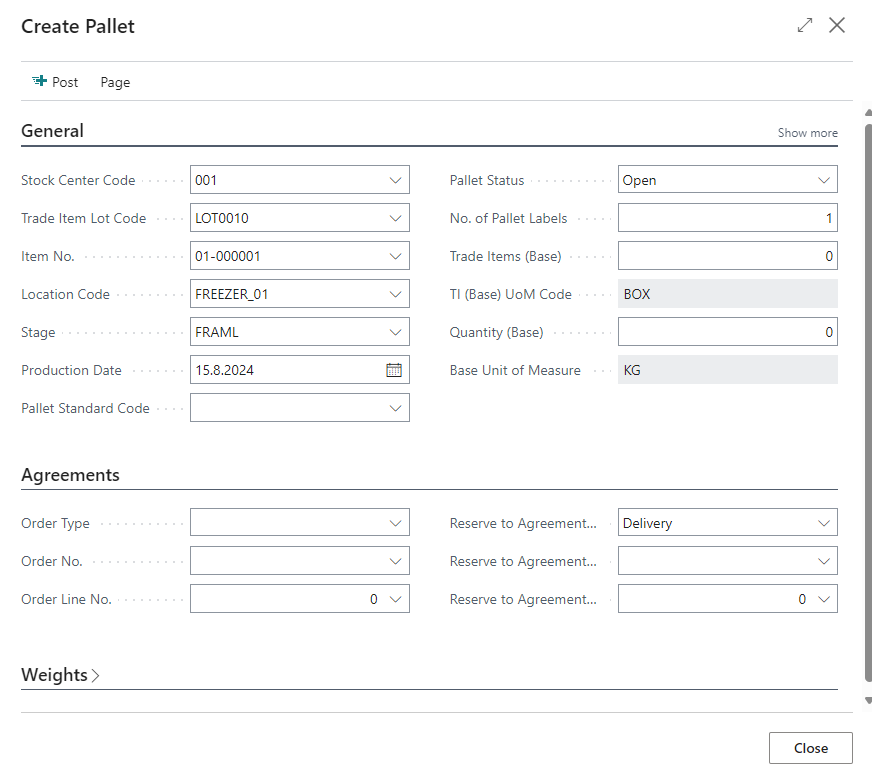
Pallet field list
General
|
Field |
Description |
|
Stock Center Code |
The producer of the product. |
|
Trade Item Lot Code |
The production lot that is registered to the product. |
|
Item No. |
The product being produced. |
|
Location Code |
The location where the product will be created. |
|
Stage |
The processing stage where the pallet is being created. |
|
Production Date |
The production date of the product. |
|
Pallet Standard Code |
The Pallet standard that is being used |
|
Pallet Status |
'Open' or 'Full', dependent on whether more trade items can be added to the pallet. If „Full“ is chosen, then the system fills out the quantity by using the pallet information on the item card. |
|
No of Pallet Labels |
Number of pallet labels that are printed when the pallet is created. This can be automatically set up on WF User profile > Labels. |
|
Trade Items (Base) |
Number of trade items on the pallet according to the item card setup. |
|
TI (Base) UoM Code |
Unit of Measure that corresponds to the box „Trade Items (Base). |
|
Quantity (Base) |
Quantity in the products base unit of measure according to the item card. |
|
Base Unit of Measure |
The products base unit of measure. The unit that corresponds to the box „Quantity (Base)“. |
Agreements
If the production of a freezer trawler is being registered, or if producing for a production order, then additional information is entered in the fields under the Agreements tab on the Create Pallet page. If the pallet has been reserved for a specific delivery agreement, then additional information is entered on the right side of the Agreements tab.
|
Box |
Description |
|
Order Type |
This field is populated when the Pallet is linked to another component of Wisefish. Options:
|
|
Order No. |
A list of fishing trips or production agreements opens here depending on which value was chosen in the field „Order Type“. |
|
Order Line No. |
Order line number is only applicable if „Order type“ is „Prod. Agreement“. |
|
Reserve to Agreement Type |
If inventory is to be reserved automatically to a specific agreement, then the type of agreement can be chosen in the box. |
|
Reserve to Agreement No. |
Agreement number for reservation. |
|
Reserve to Agreement Line No. |
Agreement line number for reservation. |
Precreate Pallets through Trade Item Output Journal
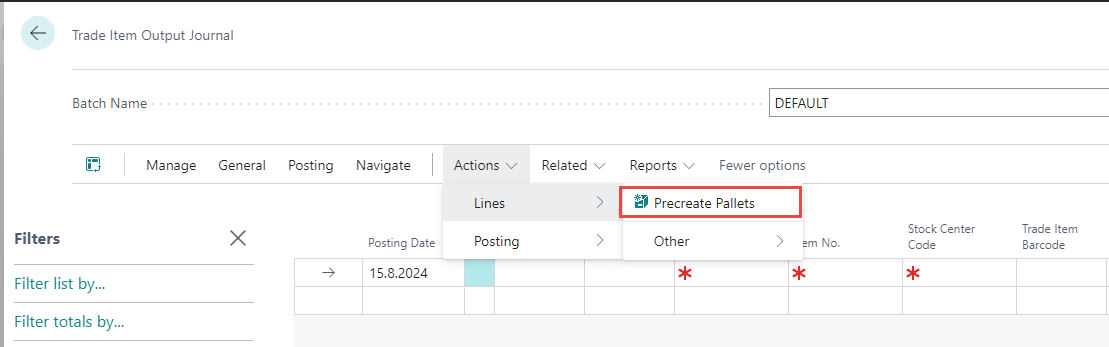
Pallets can be created through the Trade Item Output Journal.
The option can be found under Actions, Lines, Precreate Pallets.
It has the same fields as Create Pallet plus No. of Pallets to create, and the pallets get the status Precreated.
Pallets can also be created from WisePeripherals/Stream and from Receipt/Storage Receipt Agreements.