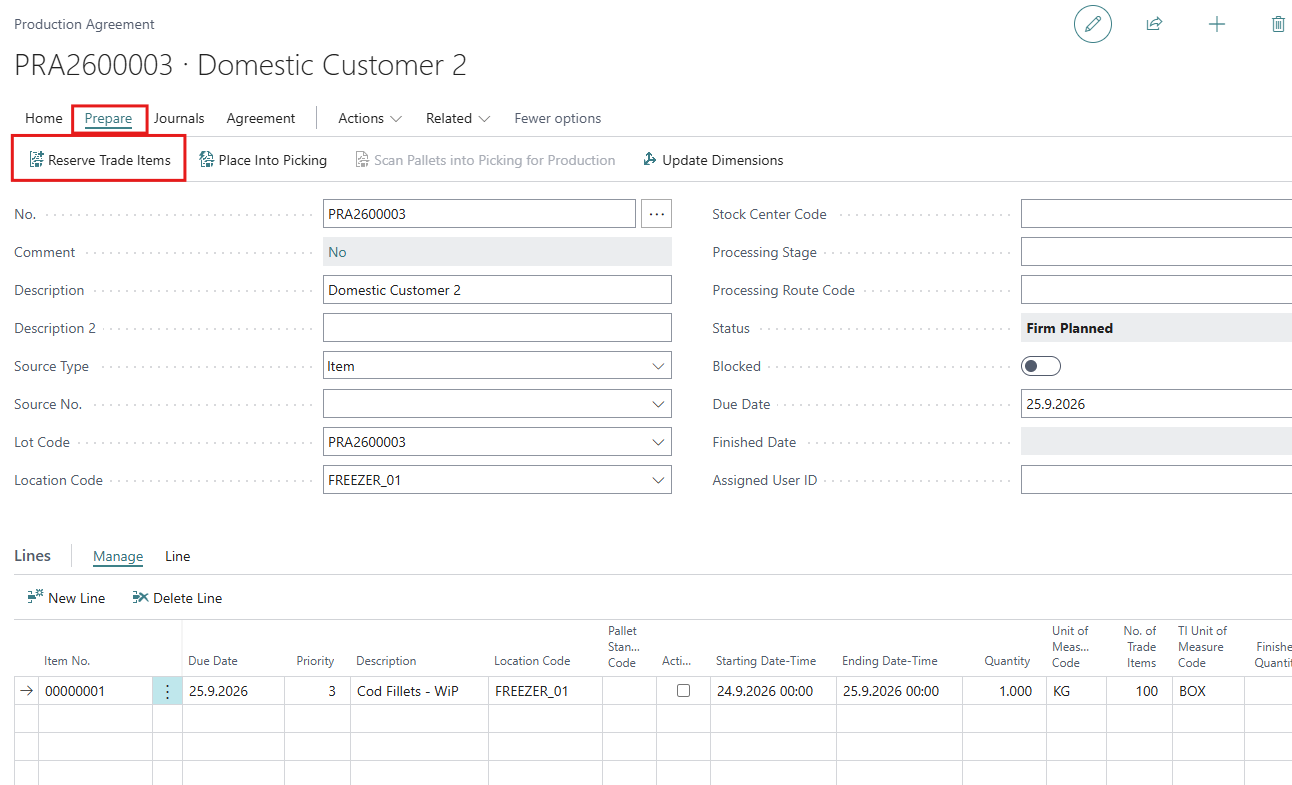
Registering the Production Agreement is mainly filling out the header and creating lines for the items to be produced. It is optional to reserve the items to be used for consumptions. Finally when the card is ready, status is changed to Firm Planned.
Journals
Reserve Items for Consumption
Raw material is reserved per Production Agreement line. For each line, the raw material expected for that line needs to be reserved.
-
In the lines, place the cursor on the line you want to reserve raw material for.
-
Click Reserve Trade Items. The reservation page opens, filtered for the selected line.
-
Adjust the filters if needed, select one or more trade items and click Reserve.
-
Use Previous Line and Next Line to reserve for the other lines without closing the page.
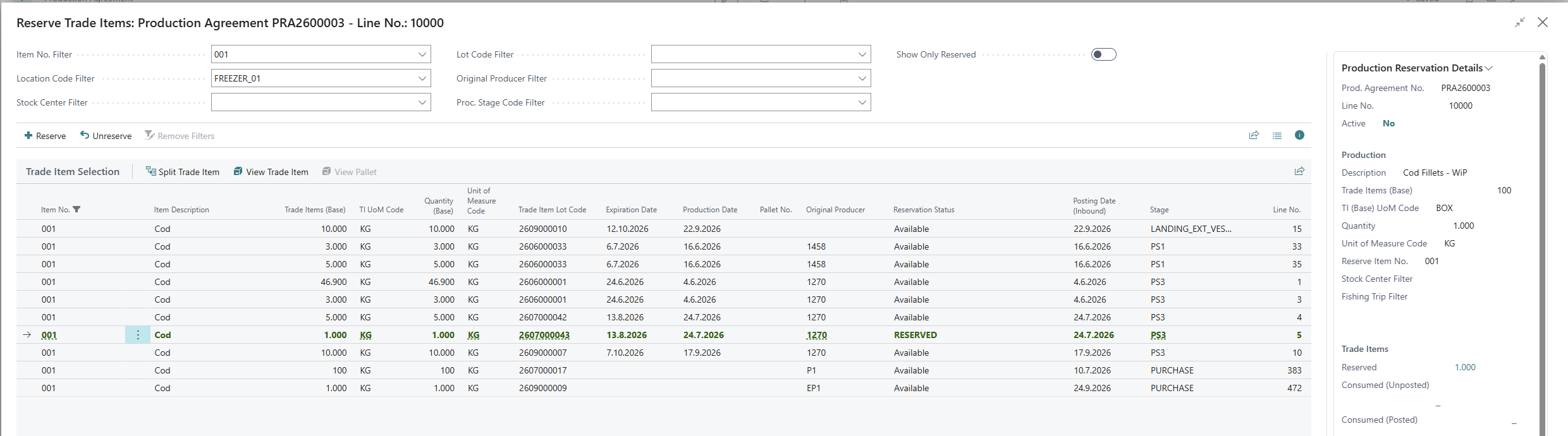
The Production Reservation Details fact box shows, for the line in focus:
-
Reserved, Consumed (Unposted) and Consumed (Posted) trade items
-
Expected Consumption, Allocated Consumption and Expected vs. Allocated
-
Reserved weight
For more information about the reservation page (filters, Show Only Reserved, Pallet View), see Reserving Trade Items (New).
Users with Use Old Trade Item Reservation ticked in their WF User Profile will see the previous reservation page, which has two lists (Open Trade Items and Selected Trade Items).
Create Consumption Journal
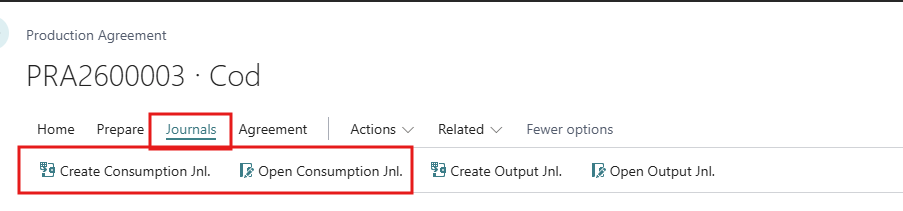
Once the Trade Items have been reserved the user can create a consumption journal. Send reserved Trade Items for consumption into the (usage) Trade Item Consumption Journal. Click on Journals > Create Consumption Jnl.
Before executing this action for the first time, make sure that the following fields have been set in the Production tab in the WF User Profile (see image below).
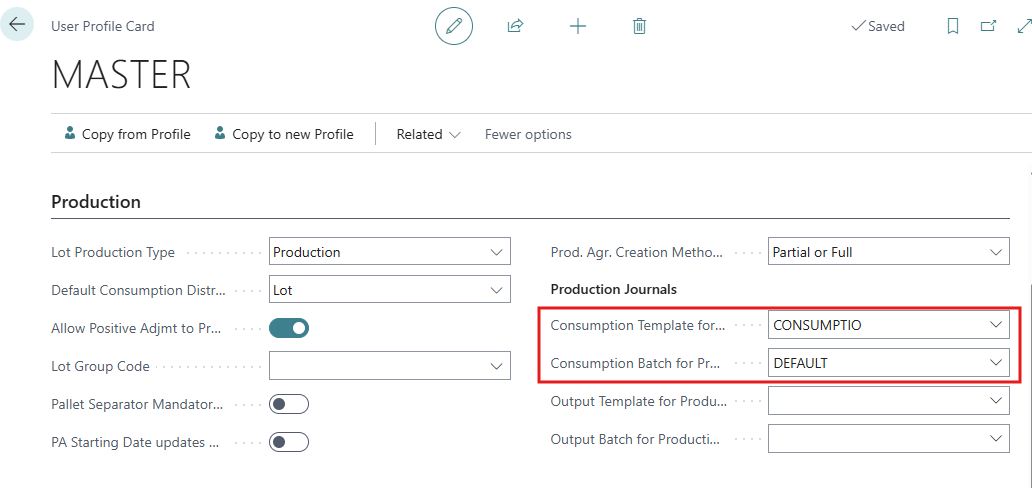
Run the action to move selected/reserved raw material to a TI Consumption Journal, ready for posting.
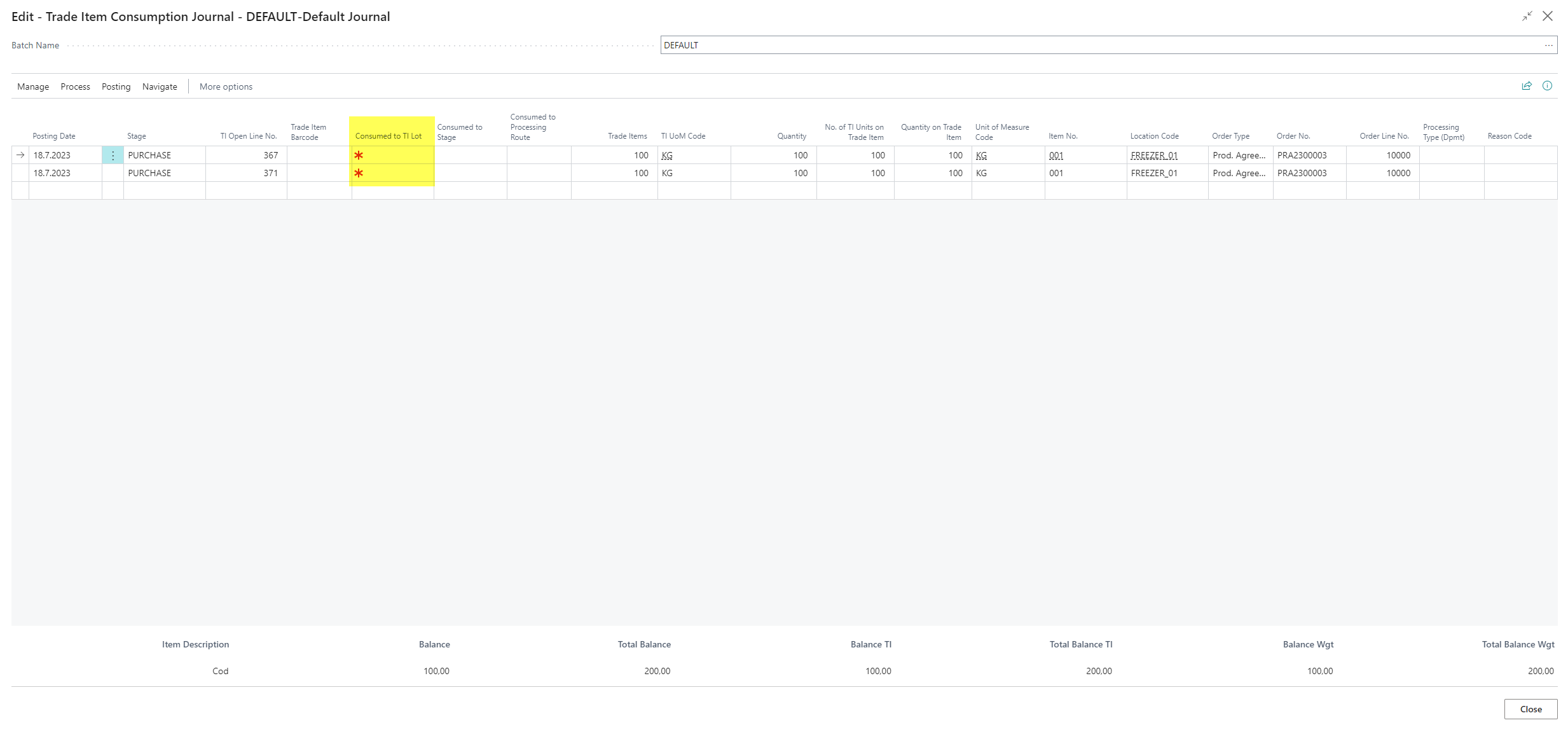
Note that the user must have created a lot to consume to prior to posting the consumption.
Open Consumption Journal
Once the TI Consumption Journal lines have been created, then the TI Consumption Jnl. lines can be opened. Click on Journals > Open Consumption Jnl.
Create Output Journal
Click Journals > Create Output Jnl. Output journal lines are created from the production agreement lines, and the journal opens. The lines are linked to the agreement, so the produced quantities are updated on the agreement lines when the journal is posted.
Open Output Journal
Click Journals > Open Output Jnl. to open the output journal for the agreement, check the lines and post.
Pick items for Consumption
Place Into Picking
Place the production agreement into warehouse picking process.
Revoke from Picking
Select picked stock to be cancelled from picking.
See more information on the Warehouse of Wisefish.
Change Status
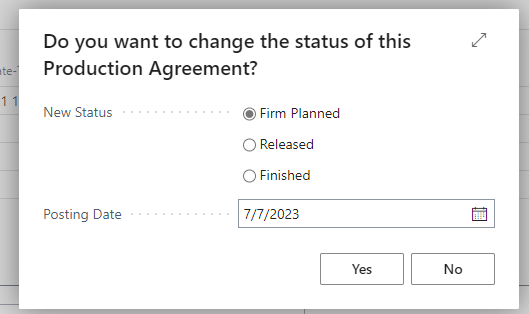
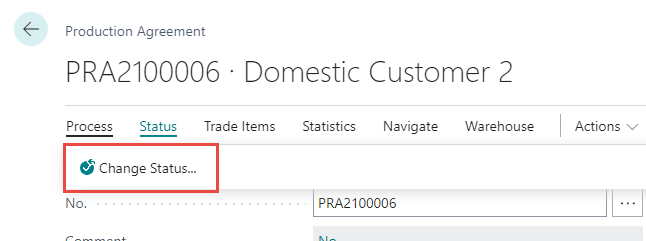
Use this action button to change the Status of Production Agreement. The options are Firm Planned, Released, Finished.
-
Start the action
-
Select the desired status on the pop up page
-
Confirm by clicking Yes.